
Create an event coverage plan and live-tweeting prompts before the annual conference
When planning live social media coverage for a multi-track conference manually, the work involves sorting through dozens of session abstracts, speaker bios, and schedule changes to draft posts by hand. This leads to bottlenecks, missed speaker highlights, and generic coverage because there is simply not enough time to contextualize every session individually before the doors open.
- Before
- 480 min
- After
- 150 min
- Saved
- 330 min
How this used to go
- Export the raw conference schedule, session descriptions, and speaker lists from the event management software.
- Review each session description and speaker bio to identify key talking points, quotes, and primary takeaways.
- Draft individual social media posts for each session, matching them to specific tracks and time slots in a massive spreadsheet.
- Write template prompts and placeholders for real-time live-tweeting during the actual presentations.
- Review the entire drafted sequence with event organizers and speakers for factual accuracy and approval.
- Schedule the pre-event promotional posts and organize the live-posting spreadsheet for easy access on-site.
Manually translating dozens of dense session descriptions into engaging, accurate social posts without missing key speakers or misrepresenting session topics.
The workflow, step by step
- You
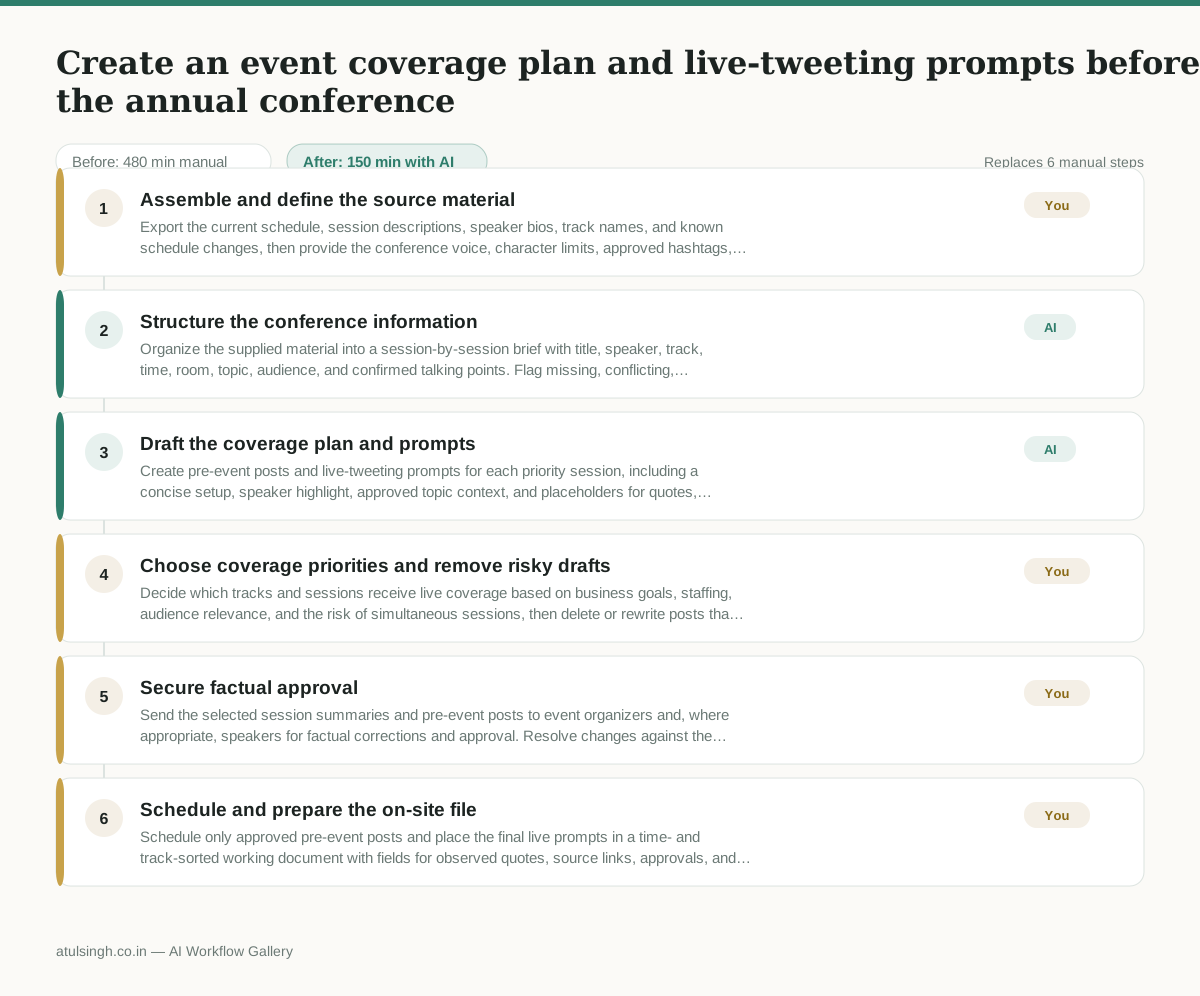
1. Assemble and define the source material
Export the current schedule, session descriptions, speaker bios, track names, and known schedule changes, then provide the conference voice, character limits, approved hashtags, and posting priorities. Keep a change log so later edits can be distinguished from the material AI originally processed.
- AI
2. Structure the conference information
Organize the supplied material into a session-by-session brief with title, speaker, track, time, room, topic, audience, and confirmed talking points. Flag missing, conflicting, promotional, or ambiguous information instead of filling gaps with guesses.
- AI
3. Draft the coverage plan and prompts
Create pre-event posts and live-tweeting prompts for each priority session, including a concise setup, speaker highlight, approved topic context, and placeholders for quotes, audience reactions, and confirmed takeaways. Label every factual statement that still needs confirmation during or after the session; AI cannot reliably know what a speaker will say or whether a schedule has changed outside the supplied material.
- You
4. Choose coverage priorities and remove risky drafts
Decide which tracks and sessions receive live coverage based on business goals, staffing, audience relevance, and the risk of simultaneous sessions, then delete or rewrite posts that overstate claims, use unapproved language, or depend on unverified details. This decision determines what will be covered on-site and prevents the team from treating every AI draft as publishable.
- You
5. Secure factual approval
Send the selected session summaries and pre-event posts to event organizers and, where appropriate, speakers for factual corrections and approval. Resolve changes against the latest schedule and mark any item that remains unconfirmed as a live placeholder rather than scheduling it as fact.
- You
6. Schedule and prepare the on-site file
Schedule only approved pre-event posts and place the final live prompts in a time- and track-sorted working document with fields for observed quotes, source links, approvals, and publication status. Assign each priority session to a person and define who can pause coverage when the schedule or facts change.
What you end up with
Where this falls apart
- The exported conference schedule contains unflagged or outdated room changes, causing the generated coverage plan to direct staff to the wrong locations.
- Speaker bios or abstracts include ambiguous proprietary product claims, causing the drafted posts to publish inaccurate technical statements without verification.
More for Social Media Manager
- Analyze competitor viral posts to draft three trend hooks, discarding off-brand angles
- pitching influencers and checking their engagement before sending messages
- Plan next month's organic social media posts and cut the weak ideas before anyone approves the schedule.
- building next month's social calendar from the content roadmap
Also in marketing
- Turn a recorded customer interview into a draft blog post
- Sorting incoming customer leads from web forms and assigning them to the right sales reps based on company size and location
- Turn a technical whitepaper into a three-part email nurture sequence before it launches
- Reviewing an existing ranking article, checking every claim and figure against current source data, and identifying outdated statements before republication