
Write a first-touch outbound email to a target account based on recent public signals like news, job postings, or social media activity
Manually researching target accounts and tying their public announcements to a relevant pitch takes too much time, leading to generic templates or a low volume of sent emails.
- Before
- 25 min
- After
- 10 min
- Saved
- 15 min
How this used to go
- Review the target account's website, news page, or LinkedIn profile for recent announcements
- Scan recent executive social media posts for topics of interest
- Open the CRM to check past account history and existing contact details
- Cross-reference the public signal with the core product value proposition
- Draft a custom opening line connecting the signal to the pitch
- Write the remaining body paragraphs and call to action
- Proofread and send the email
Spending 20 minutes researching and drafting a tailored opening line only for the prospect not to reply.
The workflow, step by step
- AI
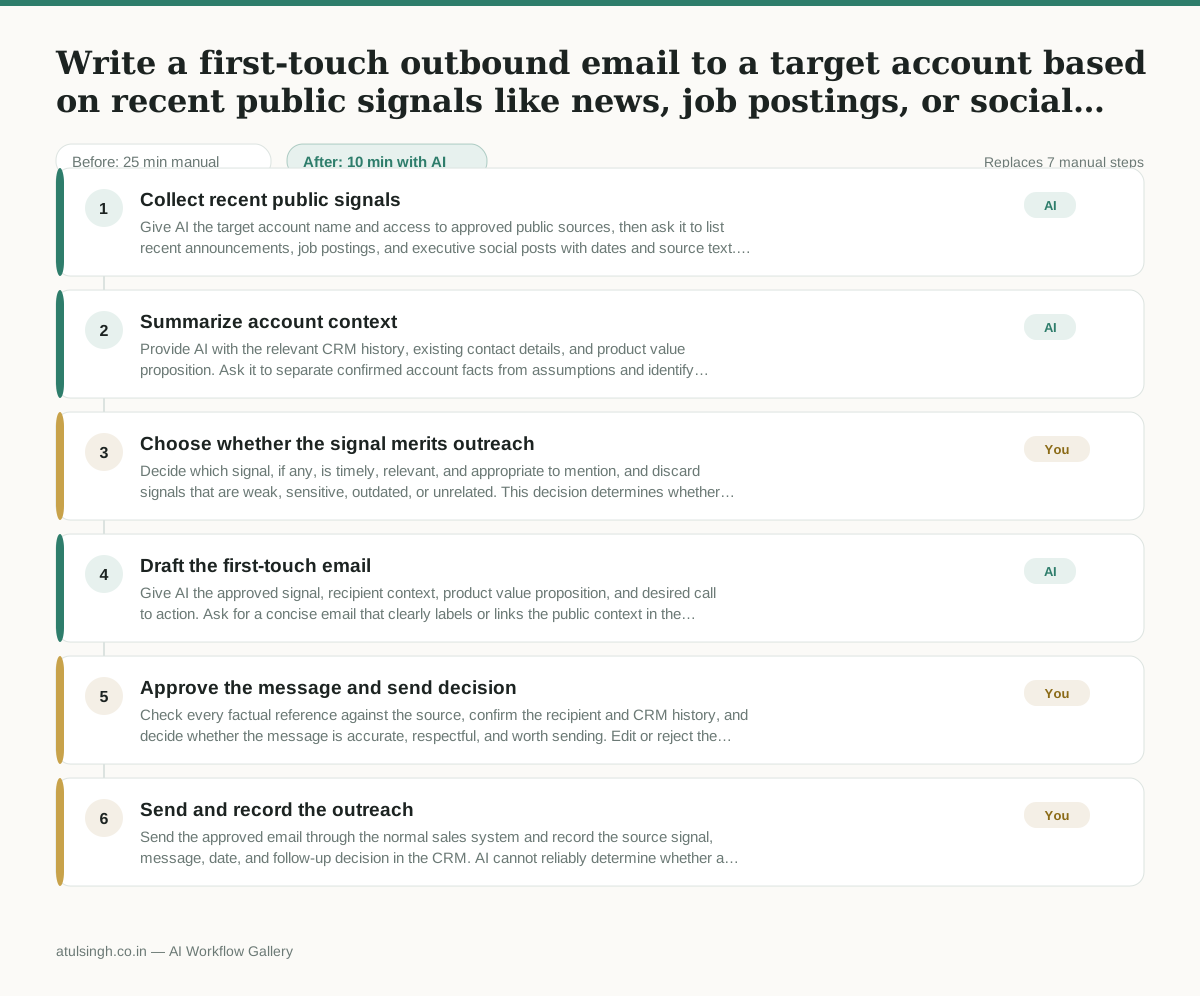
1. Collect recent public signals
Give AI the target account name and access to approved public sources, then ask it to list recent announcements, job postings, and executive social posts with dates and source text. AI may miss updates or misread context, so treat the list as research rather than verified fact.
- AI
2. Summarize account context
Provide AI with the relevant CRM history, existing contact details, and product value proposition. Ask it to separate confirmed account facts from assumptions and identify signals that could plausibly relate to the offer.
- You
3. Choose whether the signal merits outreach
Decide which signal, if any, is timely, relevant, and appropriate to mention, and discard signals that are weak, sensitive, outdated, or unrelated. This decision determines whether an email is sent and what evidence it can safely reference.
- AI
4. Draft the first-touch email
Give AI the approved signal, recipient context, product value proposition, and desired call to action. Ask for a concise email that clearly labels or links the public context in the draft, avoids unsupported claims, and does not pretend to know the prospect's priorities.
- You
5. Approve the message and send decision
Check every factual reference against the source, confirm the recipient and CRM history, and decide whether the message is accurate, respectful, and worth sending. Edit or reject the draft if the personalization feels speculative or the outreach would be inappropriate.
- You
6. Send and record the outreach
Send the approved email through the normal sales system and record the source signal, message, date, and follow-up decision in the CRM. AI cannot reliably determine whether a prospect welcomes contact or replace the sender's responsibility for compliance and judgment.
What you end up with
Where this falls apart
- The public signal is outdated or misinterpreted by the AI, which causes the draft to reference irrelevant company news.
- The AI relies on scraped data with factual errors, resulting in an outbound email that contains incorrect assertions about the target account.
More for SDR / BDR
- Researching target accounts for cold outreach by checking recent news and job postings to write a personalized first email
- Find specific triggers in a company annual report for a personalized pitch
- Mapping the buying committee for a target enterprise account before initial outreach
- Writing personalized LinkedIn connection requests based on a prospect's recent posts
Also in sales
- Research an incoming company and its decision makers before a first sales meeting
- Prep for a B2B demo call by checking recent company news, job postings, and tech stack changes to build relevant questions.
- Reviewing a new sales rep's practice pitch against the team's call criteria before letting them talk to real prospects
- reaching out to former colleagues and personal contacts to announce a new company or product launch without sounding like a spammy marketer