
reaching out to former colleagues and personal contacts to announce a new company or product launch without sounding like a spammy marketer
writing individual, warm notes to dozens of people takes hours, and generic templates look obviously mass-emailed, causing contacts to ignore or delete the message
- Before
- 120 min
- After
- 45 min
- Saved
- 75 min
How this used to go
- export a list of relevant contacts from LinkedIn and personal email
- sort contacts by how well you know them and when you last spoke
- draft a master template explaining the new launch
- rewrite the opening lines for each person to reference past history
- copy and paste each message into LinkedIn or email
- schedule calendar reminders to follow up with people who do not reply
spending hours trying to make a templated announcement sound like a genuine personal catch-up to people you respect
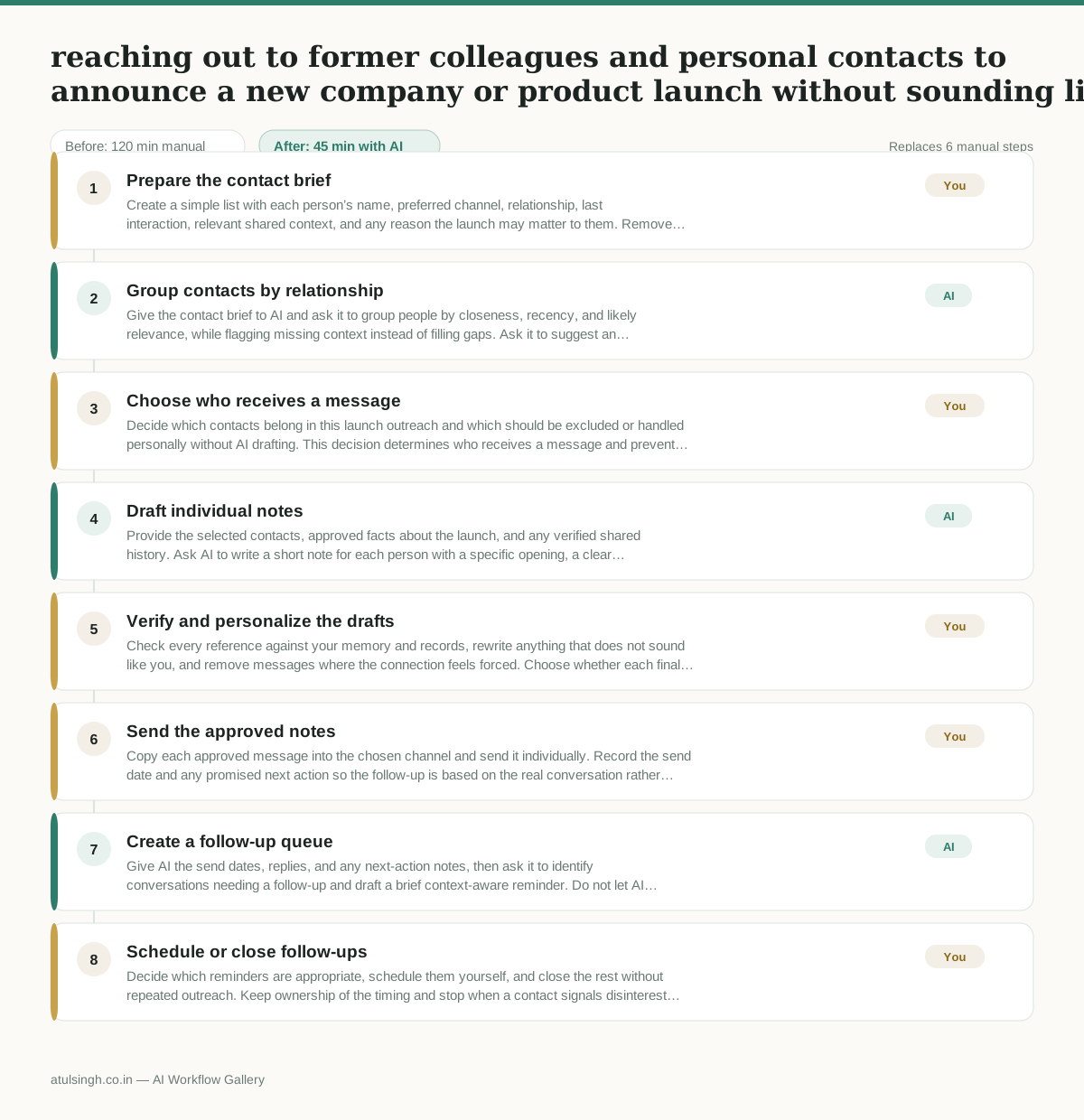
The workflow, step by step
- You
1. Prepare the contact brief
Create a simple list with each person’s name, preferred channel, relationship, last interaction, relevant shared context, and any reason the launch may matter to them. Remove anyone you would not genuinely want to hear from.
- AI
2. Group contacts by relationship
Give the contact brief to AI and ask it to group people by closeness, recency, and likely relevance, while flagging missing context instead of filling gaps. Ask it to suggest an appropriate tone and channel for each group.
- You
3. Choose who receives a message
Decide which contacts belong in this launch outreach and which should be excluded or handled personally without AI drafting. This decision determines who receives a message and prevents weak or outdated relationships from being treated like close contacts.
- AI
4. Draft individual notes
Provide the selected contacts, approved facts about the launch, and any verified shared history. Ask AI to write a short note for each person with a specific opening, a clear reason for reaching out, and a low-pressure next step; it must mark uncertain references rather than inventing them.
- You
5. Verify and personalize the drafts
Check every reference against your memory and records, rewrite anything that does not sound like you, and remove messages where the connection feels forced. Choose whether each final note should be sent by email, LinkedIn, or not sent at all.
- You
6. Send the approved notes
Copy each approved message into the chosen channel and send it individually. Record the send date and any promised next action so the follow-up is based on the real conversation rather than an automated assumption.
- AI
7. Create a follow-up queue
Give AI the send dates, replies, and any next-action notes, then ask it to identify conversations needing a follow-up and draft a brief context-aware reminder. Do not let AI send the reminder or infer that silence means interest.
- You
8. Schedule or close follow-ups
Decide which reminders are appropriate, schedule them yourself, and close the rest without repeated outreach. Keep ownership of the timing and stop when a contact signals disinterest or does not engage after a reasonable follow-up.
What you end up with
Where this falls apart
- The contact brief contains outdated or inaccurate past history, causing the AI to generate awkward references that damage professional trust.
- The user relies on the AI to guess relationship closeness without reviewing the list, resulting in overly familiar or completely inappropriate messaging sent to professional acquaintances.
More for Founder-led Sales
- Turn raw discovery call notes into a structured pilot proposal for a new client
- Reply to inbound beta signups to figure out if they are a real fit before getting on a call
- following up on proposals that went quiet without annoying the prospect
- Outline a custom proof-of-concept project plan after an enterprise discovery call
Also in sales
- Research an incoming company and its decision makers before a first sales meeting
- Prep for a B2B demo call by checking recent company news, job postings, and tech stack changes to build relevant questions.
- Reviewing a new sales rep's practice pitch against the team's call criteria before letting them talk to real prospects
- Reviving deals that went quiet after sending a proposal by finding matching case studies and writing a follow-up message.