
Mapping the buying committee for a target enterprise account before initial outreach
Relying on outdated directory data and guessing who holds decision-making power leads to generic outreach sent to the wrong people, resulting in low response rates and wasted time on dead-end accounts.
- Before
- 60 min
- After
- 35 min
- Saved
- 25 min
How this used to go
- Search the target company website and directory databases to find employee names and titles in relevant departments.
- Cross-reference profiles on professional networks to check tenure, current roles, and past experience.
- Review company annual reports, press releases, or earnings call transcripts to identify stated strategic priorities and departmental initiatives.
- Cross-reference past closed-won deals in the CRM to see which titles typically champion or block purchases in this industry.
- Compile the gathered names, inferred roles, and contact details into a spreadsheet or CRM account map.
Manually cross-referencing multiple tabs and databases to figure out who actually reports to whom, only to find that half the listed contacts have changed roles.
The workflow, step by step
- You
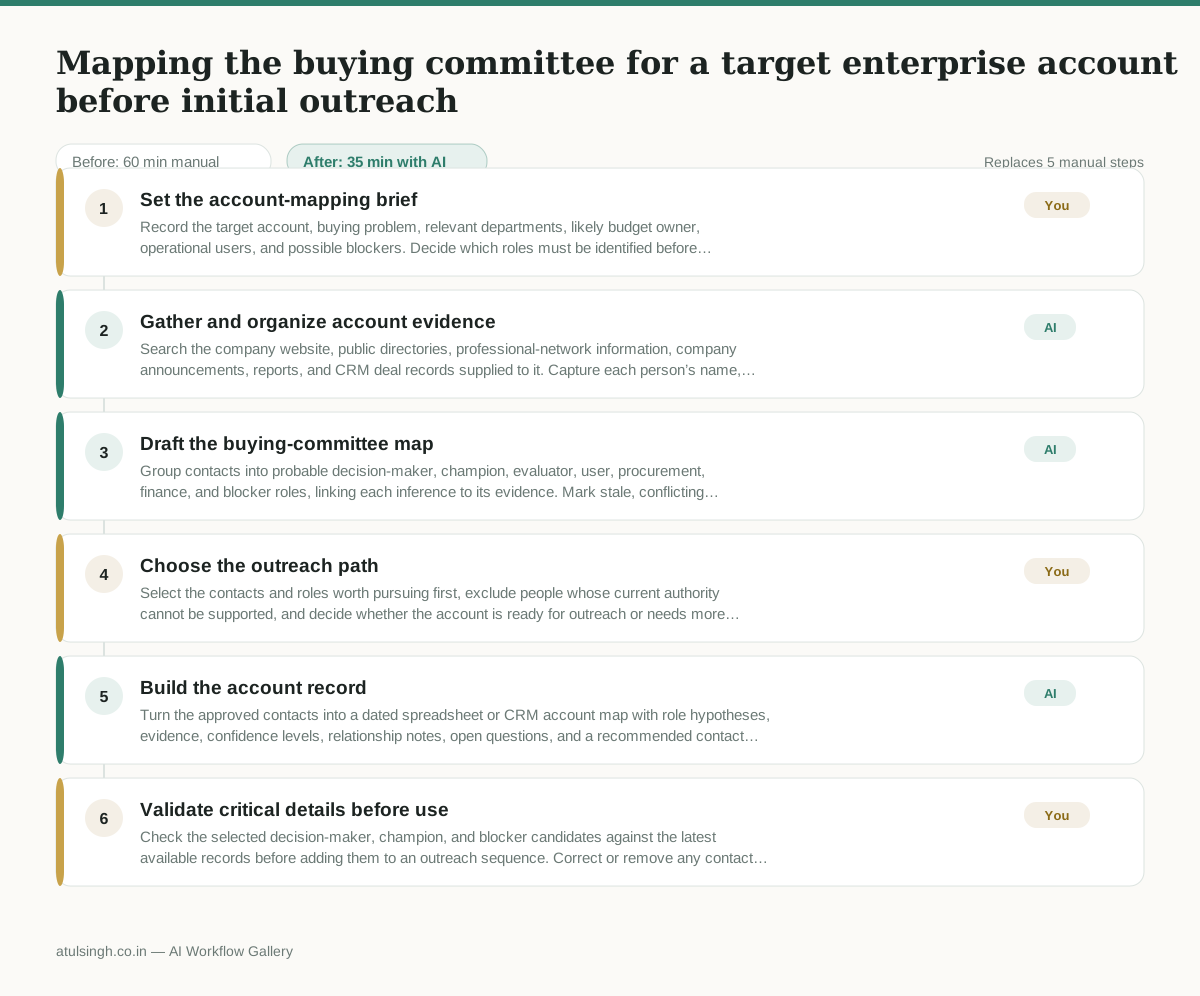
1. Set the account-mapping brief
Record the target account, buying problem, relevant departments, likely budget owner, operational users, and possible blockers. Decide which roles must be identified before outreach and which evidence is strong enough to include.
- AI
2. Gather and organize account evidence
Search the company website, public directories, professional-network information, company announcements, reports, and CRM deal records supplied to it. Capture each person’s name, title, department, tenure signals, relevant initiatives, source date, and any conflicting information.
- AI
3. Draft the buying-committee map
Group contacts into probable decision-maker, champion, evaluator, user, procurement, finance, and blocker roles, linking each inference to its evidence. Mark stale, conflicting, or unverified details instead of presenting them as facts.
- You
4. Choose the outreach path
Select the contacts and roles worth pursuing first, exclude people whose current authority cannot be supported, and decide whether the account is ready for outreach or needs more research. This choice determines who receives the first message and whether the account is paused.
- AI
5. Build the account record
Turn the approved contacts into a dated spreadsheet or CRM account map with role hypotheses, evidence, confidence levels, relationship notes, open questions, and a recommended contact sequence. Keep inferred reporting lines separate from confirmed ones.
- You
6. Validate critical details before use
Check the selected decision-maker, champion, and blocker candidates against the latest available records before adding them to an outreach sequence. Correct or remove any contact whose role, employer, or authority is not current enough to support a tailored message.
What you end up with
Where this falls apart
- The target company has undergone recent unpublicized reorganizations or layoffs, causing the model to map individuals who no longer hold decision-making authority and leading to misdirected outreach.
- Professional network profiles contain outdated titles or stale employment histories, causing the model to misclassify individual roles and result in irrelevant messaging sent to the wrong stakeholders.
More for SDR / BDR
- Researching target accounts for cold outreach by checking recent news and job postings to write a personalized first email
- Find specific triggers in a company annual report for a personalized pitch
- Write a first-touch outbound email to a target account based on recent public signals like news, job postings, or social media activity
- Writing personalized LinkedIn connection requests based on a prospect's recent posts
Also in sales
- Research an incoming company and its decision makers before a first sales meeting
- Prep for a B2B demo call by checking recent company news, job postings, and tech stack changes to build relevant questions.
- Reviewing a new sales rep's practice pitch against the team's call criteria before letting them talk to real prospects
- reaching out to former colleagues and personal contacts to announce a new company or product launch without sounding like a spammy marketer