
Find specific triggers in a company annual report for a personalized pitch
Reading through 100-page annual reports and financial filings takes hours, and it is easy to miss the specific strategic priorities, budget allocations, or stated challenges that tie directly to what you are selling.
- Before
- 60 min
- After
- 25 min
- Saved
- 35 min
How this used to go
- Locate the latest annual report or 10-K filing for the target company
- Scan the table of contents and executive letter for high-level company direction
- Search the document for keywords related to your product category or pain points
- Read through sections on risk factors and financial performance to find stated goals
- Copy relevant quotes and strategic priorities into a notes document or CRM
- Draft a personalized email referencing the specific findings
Spending an hour reading dense financial text only to find the company has no relevant strategic initiatives matching your solution.
The workflow, step by step
- You
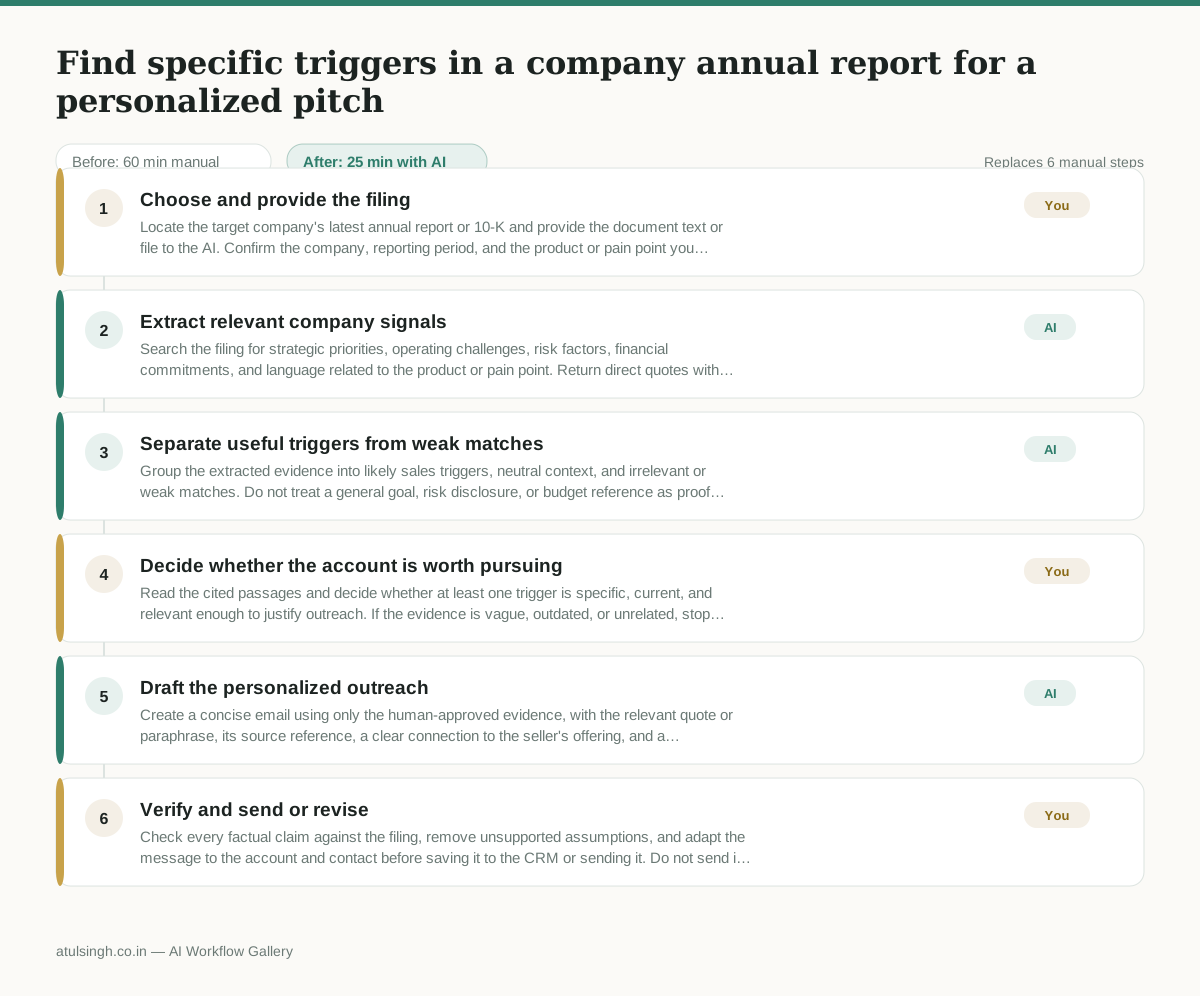
1. Choose and provide the filing
Locate the target company's latest annual report or 10-K and provide the document text or file to the AI. Confirm the company, reporting period, and the product or pain point you want to connect to the filing.
- AI
2. Extract relevant company signals
Search the filing for strategic priorities, operating challenges, risk factors, financial commitments, and language related to the product or pain point. Return direct quotes with page or section references, and label each item as a stated fact rather than an inference.
- AI
3. Separate useful triggers from weak matches
Group the extracted evidence into likely sales triggers, neutral context, and irrelevant or weak matches. Do not treat a general goal, risk disclosure, or budget reference as proof that the company has an active project or buying intent.
- You
4. Decide whether the account is worth pursuing
Read the cited passages and decide whether at least one trigger is specific, current, and relevant enough to justify outreach. If the evidence is vague, outdated, or unrelated, stop the workflow or choose a different angle; this decision determines whether a pitch is drafted.
- AI
5. Draft the personalized outreach
Create a concise email using only the human-approved evidence, with the relevant quote or paraphrase, its source reference, a clear connection to the seller's offering, and a low-pressure call to discuss the issue. Mark any suggested interpretation so the human can verify it.
- You
6. Verify and send or revise
Check every factual claim against the filing, remove unsupported assumptions, and adapt the message to the account and contact before saving it to the CRM or sending it. Do not send if the email implies an initiative, budget, or priority that the filing does not actually support.
What you end up with
Where this falls apart
- The annual report contains standard boiler-plate risk disclosures that the AI misinterprets as active company initiatives, resulting in outreach that pitches solutions for problems the company is not actively addressing.
- The target filing is too large for the model's context window and gets truncated, causing the AI to miss primary strategic priorities buried in the later sections of the document.
More for SDR / BDR
- Researching target accounts for cold outreach by checking recent news and job postings to write a personalized first email
- Mapping the buying committee for a target enterprise account before initial outreach
- Write a first-touch outbound email to a target account based on recent public signals like news, job postings, or social media activity
- Writing personalized LinkedIn connection requests based on a prospect's recent posts
Also in sales
- Research an incoming company and its decision makers before a first sales meeting
- Prep for a B2B demo call by checking recent company news, job postings, and tech stack changes to build relevant questions.
- Reviewing a new sales rep's practice pitch against the team's call criteria before letting them talk to real prospects
- reaching out to former colleagues and personal contacts to announce a new company or product launch without sounding like a spammy marketer