
Sending a meeting reminder email with a specific agenda before a scheduled product demo
Prospects often no-show or arrive unprepared to product demos because reminder emails lack a clear, customized agenda, leading to wasted time and delayed sales cycles.
- Before
- 10 min
- After
- 5 min
- Saved
- 5 min
How this used to go
- Open the CRM calendar and locate upcoming demos for the day.
- Review previous discovery call notes to identify specific pain points discussed.
- Draft a reminder email referencing the upcoming time slot.
- Manually write out a customized agenda based on the prospect's stated priorities.
- Attach any relevant collateral or documentation mentioned during the initial call.
- Send the email and update the CRM activity log.
Manually cross-referencing past notes to draft a fresh, relevant agenda for every single meeting takes up valuable time that could be spent on outreach.
The workflow, step by step
- You
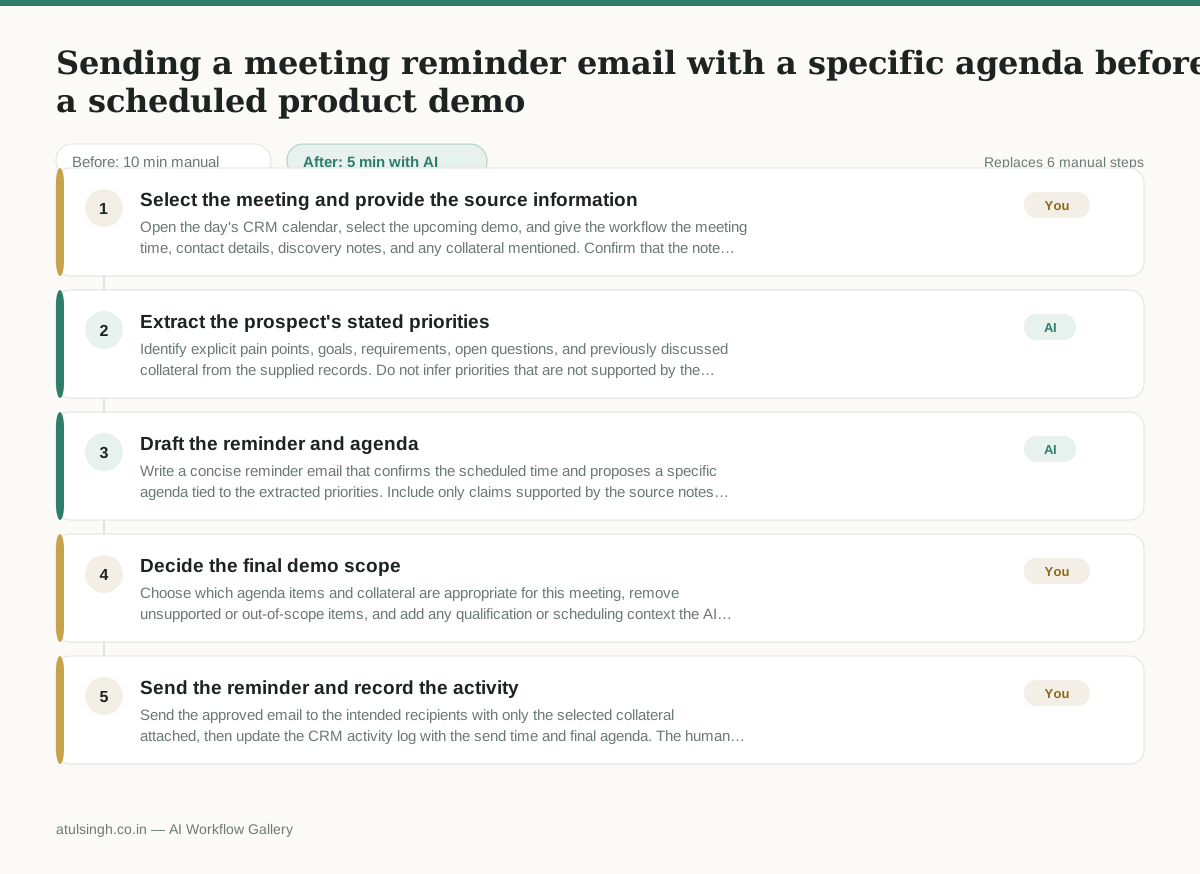
1. Select the meeting and provide the source information
Open the day's CRM calendar, select the upcoming demo, and give the workflow the meeting time, contact details, discovery notes, and any collateral mentioned. Confirm that the notes belong to the selected prospect before continuing.
- AI
2. Extract the prospect's stated priorities
Identify explicit pain points, goals, requirements, open questions, and previously discussed collateral from the supplied records. Do not infer priorities that are not supported by the notes; flag missing or contradictory information.
- AI
3. Draft the reminder and agenda
Write a concise reminder email that confirms the scheduled time and proposes a specific agenda tied to the extracted priorities. Include only claims supported by the source notes and list relevant collateral for human confirmation.
- You
4. Decide the final demo scope
Choose which agenda items and collateral are appropriate for this meeting, remove unsupported or out-of-scope items, and add any qualification or scheduling context the AI could not know. If the notes are too weak to support a customized agenda, replace it with a plainly labeled general agenda or pause the send.
- You
5. Send the reminder and record the activity
Send the approved email to the intended recipients with only the selected collateral attached, then update the CRM activity log with the send time and final agenda. The human owns the final recipient, attachment, and send decision.
What you end up with
Where this falls apart
- Discovery notes contain contradictory priorities or outdated requirements, which causes the model to draft a confusing agenda that misaligns with the prospect's current needs.
- Initial call notes are too sparse or missing entirely, which forces the model to invent generic talking points that defeat the purpose of a customized reminder.
More for SDR / BDR
- Researching target accounts for cold outreach by checking recent news and job postings to write a personalized first email
- Find specific triggers in a company annual report for a personalized pitch
- Mapping the buying committee for a target enterprise account before initial outreach
- Write a first-touch outbound email to a target account based on recent public signals like news, job postings, or social media activity
Also in sales
- Research an incoming company and its decision makers before a first sales meeting
- Prep for a B2B demo call by checking recent company news, job postings, and tech stack changes to build relevant questions.
- Reviewing a new sales rep's practice pitch against the team's call criteria before letting them talk to real prospects
- reaching out to former colleagues and personal contacts to announce a new company or product launch without sounding like a spammy marketer