
Scrubbing the prospecting list to remove bounced emails, outdated job titles, and accounts that went out of business.
Outdated data fills the CRM with dead ends, causing reps to waste hours calling wrong numbers, emailing former employees, and working accounts that no longer match the ideal customer profile.
- Before
- 120 min
- After
- 45 min
- Saved
- 75 min
How this used to go
- Export the current list from the CRM into a spreadsheet.
- Run an email verification tool against the contact list to flag hard bounces and invalid addresses.
- Spot-check company websites and LinkedIn profiles to confirm if contacts are still at the company and hold the correct titles.
- Cross-reference company employee counts and industries against target criteria to filter out bad-fit accounts.
- Identify and merge duplicate contact and account records manually in the CRM.
- Update CRM statuses for removed, departed, or mismatched records.
Manually checking dozens of individual LinkedIn profiles and company websites one by one to verify employment status.
The workflow, step by step
- You
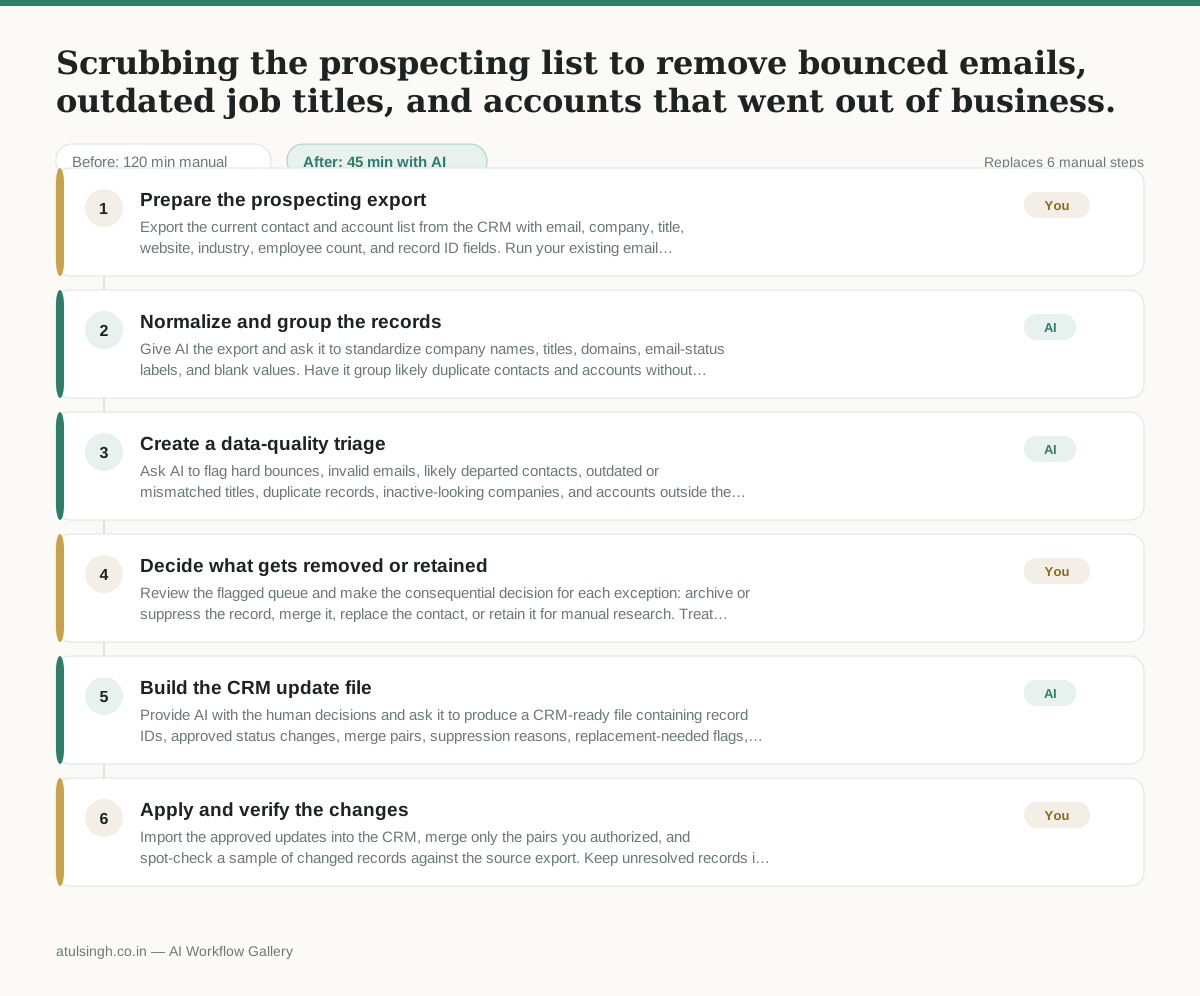
1. Prepare the prospecting export
Export the current contact and account list from the CRM with email, company, title, website, industry, employee count, and record ID fields. Run your existing email verification process and add its result to the export before giving the file to AI.
- AI
2. Normalize and group the records
Give AI the export and ask it to standardize company names, titles, domains, email-status labels, and blank values. Have it group likely duplicate contacts and accounts without deleting any source rows.
- AI
3. Create a data-quality triage
Ask AI to flag hard bounces, invalid emails, likely departed contacts, outdated or mismatched titles, duplicate records, inactive-looking companies, and accounts outside the target employee-count or industry criteria. AI can prioritize records from the supplied evidence, but it cannot reliably confirm current employment or that a business has closed without up-to-date external verification.
- You
4. Decide what gets removed or retained
Review the flagged queue and make the consequential decision for each exception: archive or suppress the record, merge it, replace the contact, or retain it for manual research. Treat unverified AI flags as follow-up work rather than proof that a person or company is no longer valid.
- AI
5. Build the CRM update file
Provide AI with the human decisions and ask it to produce a CRM-ready file containing record IDs, approved status changes, merge pairs, suppression reasons, replacement-needed flags, and notes for unresolved records. Require every proposed change to retain the original record ID and source evidence.
- You
6. Apply and verify the changes
Import the approved updates into the CRM, merge only the pairs you authorized, and spot-check a sample of changed records against the source export. Keep unresolved records in a review queue instead of deleting them.
What you end up with
Where this falls apart
- The source export lacks current employment or external web data, causing the model to guess job status and generate false positives that remove valid prospects.
- The CRM export contains ambiguous or overlapping company names, causing the model to incorrectly group separate entities as duplicate accounts.
More for SDR / BDR
- Researching target accounts for cold outreach by checking recent news and job postings to write a personalized first email
- Find specific triggers in a company annual report for a personalized pitch
- Mapping the buying committee for a target enterprise account before initial outreach
- Write a first-touch outbound email to a target account based on recent public signals like news, job postings, or social media activity
Also in sales
- Research an incoming company and its decision makers before a first sales meeting
- Prep for a B2B demo call by checking recent company news, job postings, and tech stack changes to build relevant questions.
- Reviewing a new sales rep's practice pitch against the team's call criteria before letting them talk to real prospects
- reaching out to former colleagues and personal contacts to announce a new company or product launch without sounding like a spammy marketer