
Reviewing unresponsive sales prospects to decide whether to follow up again, change messaging, or close the file
Reps spend hours digging through past email threads and CRM activity logs to figure out if a silent prospect is worth another touch, often leading to inconsistent follow-ups or missed opportunities because decisions are made by gut feel rather than clear signals.
- Before
- 15 min
- After
- 8 min
- Saved
- 7 min
How this used to go
- Open the sales engagement platform or CRM and filter for accounts with no response after three or more touchpoints.
- Review the last email sent and any notes on the prospect's company or role.
- Check LinkedIn or company news for any recent triggers, funding rounds, or leadership changes.
- Compare the account profile against the original ideal customer profile criteria.
- Decide whether to queue a new sequence, try a different channel, or mark the lead as closed-lost.
Manually cross-referencing old conversation history with external context for dozens of accounts takes tedious detective work and leads to decision fatigue.
The workflow, step by step
- You
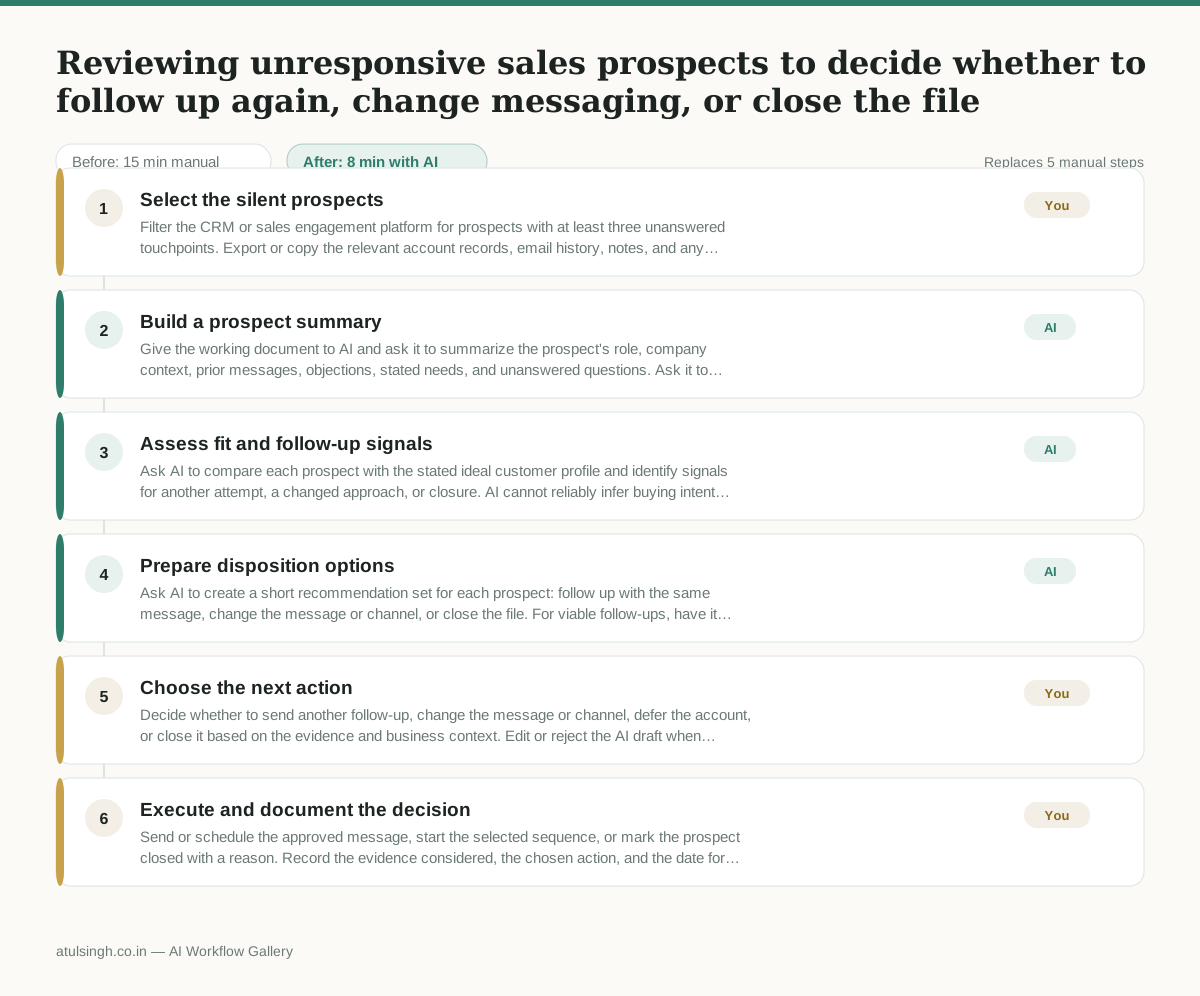
1. Select the silent prospects
Filter the CRM or sales engagement platform for prospects with at least three unanswered touchpoints. Export or copy the relevant account records, email history, notes, and any available external research into one working document.
- AI
2. Build a prospect summary
Give the working document to AI and ask it to summarize the prospect's role, company context, prior messages, objections, stated needs, and unanswered questions. Ask it to separate recorded facts from assumptions and flag missing information.
- AI
3. Assess fit and follow-up signals
Ask AI to compare each prospect with the stated ideal customer profile and identify signals for another attempt, a changed approach, or closure. AI cannot reliably infer buying intent from silence, so it should show its evidence, confidence, and unknowns rather than present a definitive verdict.
- AI
4. Prepare disposition options
Ask AI to create a short recommendation set for each prospect: follow up with the same message, change the message or channel, or close the file. For viable follow-ups, have it draft a concise message tied only to documented context and label any unsupported detail for verification.
- You
5. Choose the next action
Decide whether to send another follow-up, change the message or channel, defer the account, or close it based on the evidence and business context. Edit or reject the AI draft when timing, relationship history, compliance requirements, or account knowledge make the proposed action unsuitable.
- You
6. Execute and document the decision
Send or schedule the approved message, start the selected sequence, or mark the prospect closed with a reason. Record the evidence considered, the chosen action, and the date for any future review in the CRM.
What you end up with
Where this falls apart
- The CRM export contains outdated email threads or conflicting contact notes, which causes the AI to hallucinate false prospect objections and recommend the wrong follow-up action.
- The ideal customer profile criteria are vague or unstated in the prompt, causing the AI to evaluate fit incorrectly and misclassify unqualified prospects as viable leads.
More for SDR / BDR
- Researching target accounts for cold outreach by checking recent news and job postings to write a personalized first email
- Find specific triggers in a company annual report for a personalized pitch
- Mapping the buying committee for a target enterprise account before initial outreach
- Write a first-touch outbound email to a target account based on recent public signals like news, job postings, or social media activity
Also in sales
- Research an incoming company and its decision makers before a first sales meeting
- Prep for a B2B demo call by checking recent company news, job postings, and tech stack changes to build relevant questions.
- Reviewing a new sales rep's practice pitch against the team's call criteria before letting them talk to real prospects
- reaching out to former colleagues and personal contacts to announce a new company or product launch without sounding like a spammy marketer