
Reviewing daily prospecting activity across accounts to figure out which leads need follow-up and which ones haven't replied yet.
Relying on manual scans of email inboxes, CRM tasks, and LinkedIn notes means leads get missed, follow-ups go out late, and time is wasted checking accounts that already replied.
- Before
- 45 min
- After
- 15 min
- Saved
- 30 min
How this used to go
- Open the CRM and filter for leads assigned to today's follow-up queue.
- Check the email outbox or CRM activity log to see if the lead responded.
- Open LinkedIn and check message history for replies from prospects who didn't email back.
- Cross-reference notes in the spreadsheet or CRM to decide if a second or third touchpoint is needed.
- Manually update the status or create a new task for the leads requiring action today.
Switching back and forth between the CRM, email client, and LinkedIn just to figure out who actually needs a response today.
The workflow, step by step
- You
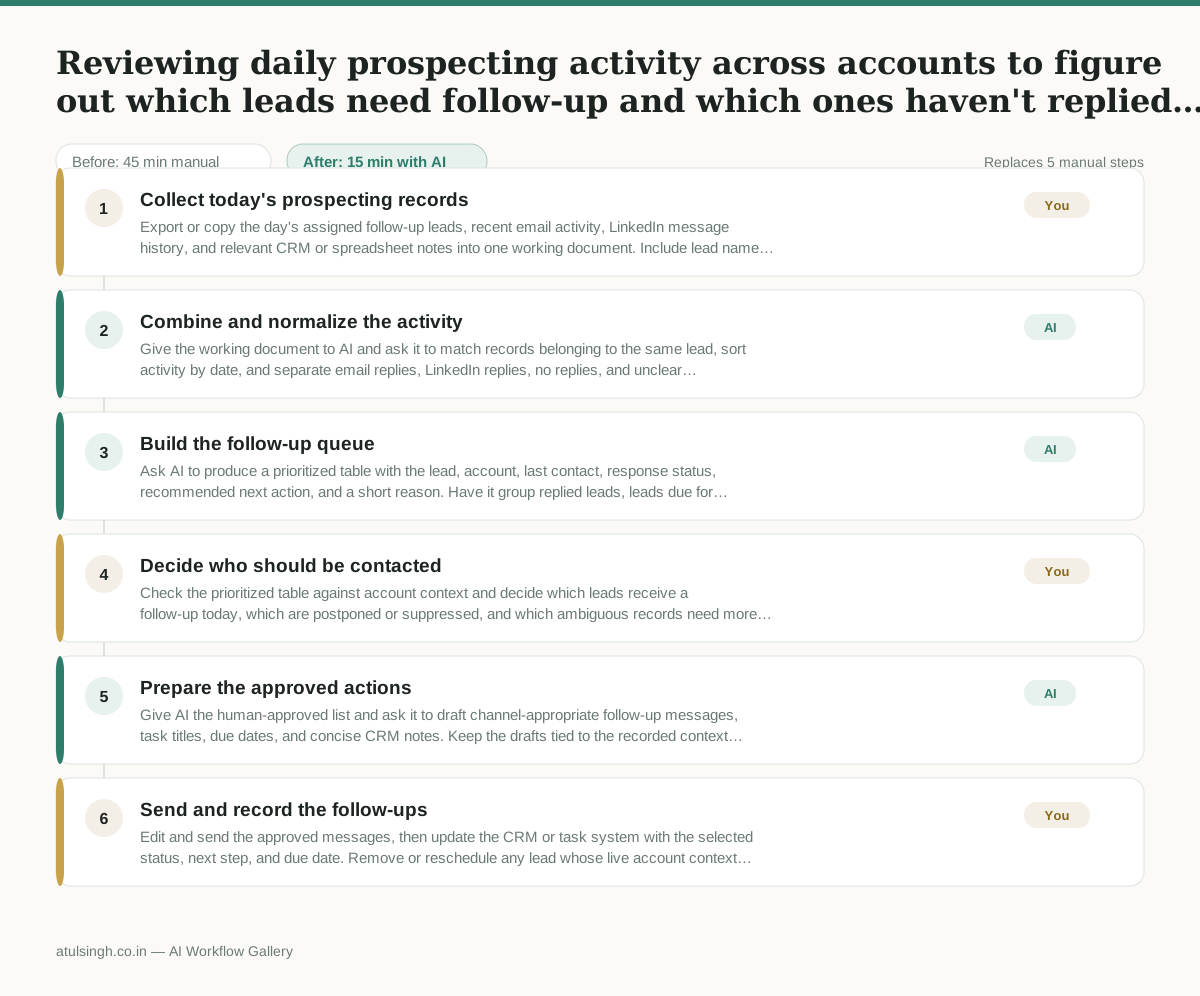
1. Collect today's prospecting records
Export or copy the day's assigned follow-up leads, recent email activity, LinkedIn message history, and relevant CRM or spreadsheet notes into one working document. Include lead name, account, last touch date, channel, and message text where available.
- AI
2. Combine and normalize the activity
Give the working document to AI and ask it to match records belonging to the same lead, sort activity by date, and separate email replies, LinkedIn replies, no replies, and unclear cases. AI should flag possible duplicate names or incomplete records instead of guessing.
- AI
3. Build the follow-up queue
Ask AI to produce a prioritized table with the lead, account, last contact, response status, recommended next action, and a short reason. Have it group replied leads, leads due for another touch, leads that should wait, and records needing human verification.
- You
4. Decide who should be contacted
Check the prioritized table against account context and decide which leads receive a follow-up today, which are postponed or suppressed, and which ambiguous records need more research. This decision owns the risk of contacting someone who already replied, over-contacting a prospect, or missing a time-sensitive opportunity; AI cannot reliably infer those business judgments from activity text alone.
- AI
5. Prepare the approved actions
Give AI the human-approved list and ask it to draft channel-appropriate follow-up messages, task titles, due dates, and concise CRM notes. Keep the drafts tied to the recorded context and mark any missing information for the human to fill in.
- You
6. Send and record the follow-ups
Edit and send the approved messages, then update the CRM or task system with the selected status, next step, and due date. Remove or reschedule any lead whose live account context has changed since the records were collected.
What you end up with
Where this falls apart
- A prospect replies from a different email address or a shared inbox without updating the CRM record, causing the AI to treat them as unresponsive and recommend an unwanted follow-up.
- LinkedIn message history exports fail to capture recent conversation replies due to platform API limits, causing the AI to misclassify active threads as dead leads.
More for SDR / BDR
- Researching target accounts for cold outreach by checking recent news and job postings to write a personalized first email
- Find specific triggers in a company annual report for a personalized pitch
- Mapping the buying committee for a target enterprise account before initial outreach
- Write a first-touch outbound email to a target account based on recent public signals like news, job postings, or social media activity
Also in sales
- Research an incoming company and its decision makers before a first sales meeting
- Prep for a B2B demo call by checking recent company news, job postings, and tech stack changes to build relevant questions.
- Reviewing a new sales rep's practice pitch against the team's call criteria before letting them talk to real prospects
- reaching out to former colleagues and personal contacts to announce a new company or product launch without sounding like a spammy marketer