
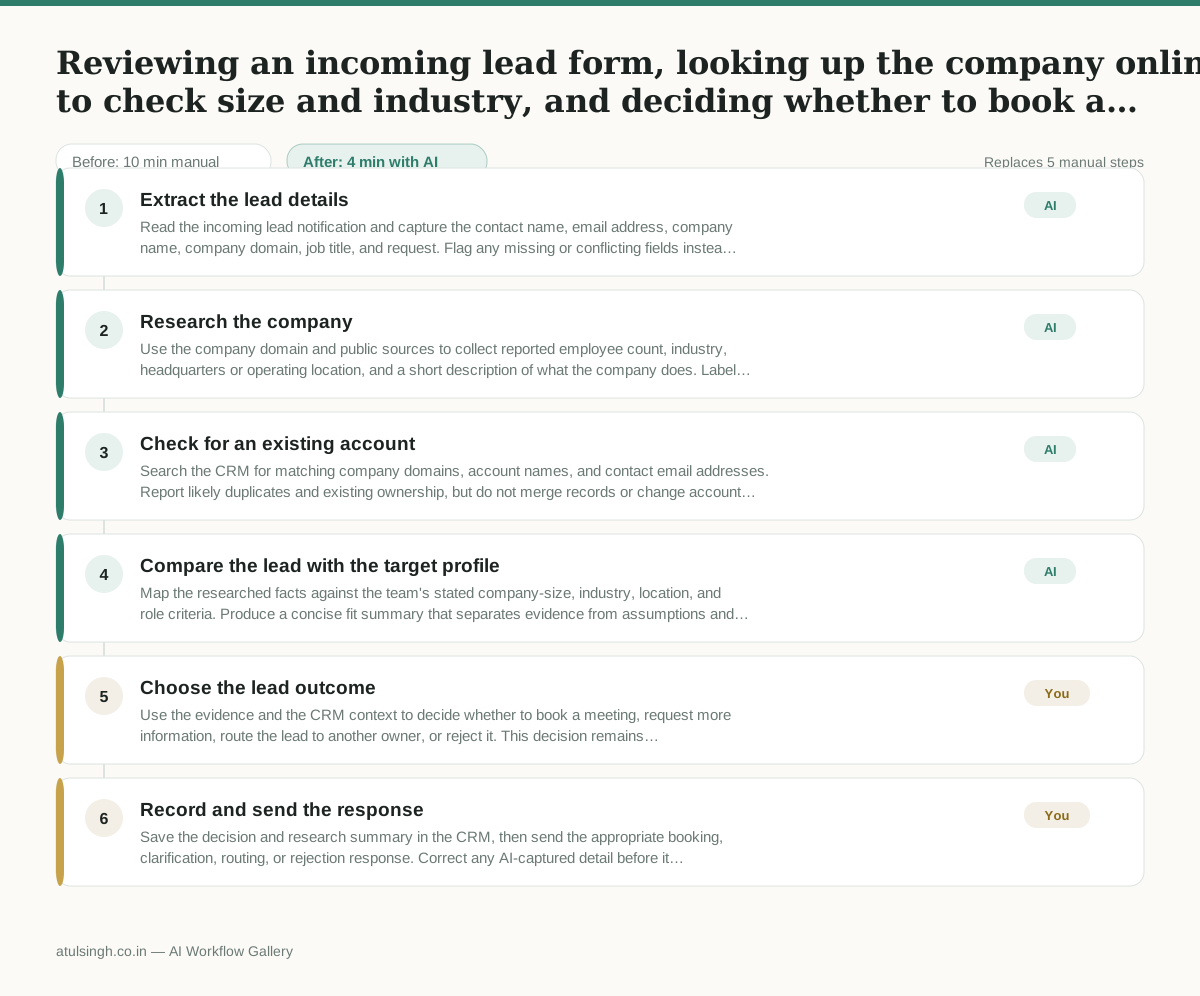
Reviewing an incoming lead form, looking up the company online to check size and industry, and deciding whether to book a meeting or send them away.
Leads sit in the inbox while sales reps spend valuable time manually researching company sizes and checking if the prospect matches the ideal customer profile, often resulting in slow response times for good prospects.
- Before
- 10 min
- After
- 4 min
- Saved
- 6 min
How this used to go
- Open the notification email for the new inbound lead.
- Copy the company domain and search for the company on LinkedIn or Google.
- Check employee count, industry, and location to see if they fit the target profile.
- Check the CRM to see if the account or contact already exists.
- Write a manual research summary and decide whether to book a call or reject the lead.
Switching back and forth between the inbox, LinkedIn, and the CRM just to figure out basic company details for every single lead.
The workflow, step by step
- AI
1. Extract the lead details
Read the incoming lead notification and capture the contact name, email address, company name, company domain, job title, and request. Flag any missing or conflicting fields instead of guessing.
- AI
2. Research the company
Use the company domain and public sources to collect reported employee count, industry, headquarters or operating location, and a short description of what the company does. Label each detail as confirmed, estimated, or not found because public company data can be outdated or incomplete.
- AI
3. Check for an existing account
Search the CRM for matching company domains, account names, and contact email addresses. Report likely duplicates and existing ownership, but do not merge records or change account ownership automatically.
- AI
4. Compare the lead with the target profile
Map the researched facts against the team's stated company-size, industry, location, and role criteria. Produce a concise fit summary that separates evidence from assumptions and identifies any information that still needs confirmation.
- You
5. Choose the lead outcome
Use the evidence and the CRM context to decide whether to book a meeting, request more information, route the lead to another owner, or reject it. This decision remains human-owned because public data may be wrong and the business impact of accepting or rejecting a lead is consequential.
- You
6. Record and send the response
Save the decision and research summary in the CRM, then send the appropriate booking, clarification, routing, or rejection response. Correct any AI-captured detail before it becomes part of the account record.
What you end up with
Where this falls apart
- The incoming lead form uses a generic email provider like Gmail or Outlook instead of a company domain, which prevents the AI from identifying the correct organization to research.
- Public business registries and professional networks list outdated employee counts or closed offices, causing the AI to evaluate the lead against incorrect company size and location criteria.
More for SDR / BDR
- Researching target accounts for cold outreach by checking recent news and job postings to write a personalized first email
- Find specific triggers in a company annual report for a personalized pitch
- Mapping the buying committee for a target enterprise account before initial outreach
- Write a first-touch outbound email to a target account based on recent public signals like news, job postings, or social media activity
Also in sales
- Research an incoming company and its decision makers before a first sales meeting
- Prep for a B2B demo call by checking recent company news, job postings, and tech stack changes to build relevant questions.
- Reviewing a new sales rep's practice pitch against the team's call criteria before letting them talk to real prospects
- reaching out to former colleagues and personal contacts to announce a new company or product launch without sounding like a spammy marketer