
Review incoming prospect replies and sort them into a queue for human outreach
Manual triage of inbound responses across email and social channels leads to missed buying signals, delayed replies to interested prospects, and wasted time sifting through out-of-office messages and unqualified replies.
- Before
- 45 min
- After
- 15 min
- Saved
- 30 min
How this used to go
- Open the email inbox and sales engagement platform notification feed
- Read each new reply to determine if it is a positive response, an objection, a referral, or an out-of-office notice
- Check the CRM record for context on the account and previous touchpoints
- Label or tag the conversation based on the reply category
- Draft a response or assign a task in the CRM for a human colleague to handle the next step
Sorting through dozens of irrelevant out-of-office replies and spam to find the handful of prospects who actually asked a question or requested a meeting.
The workflow, step by step
- AI
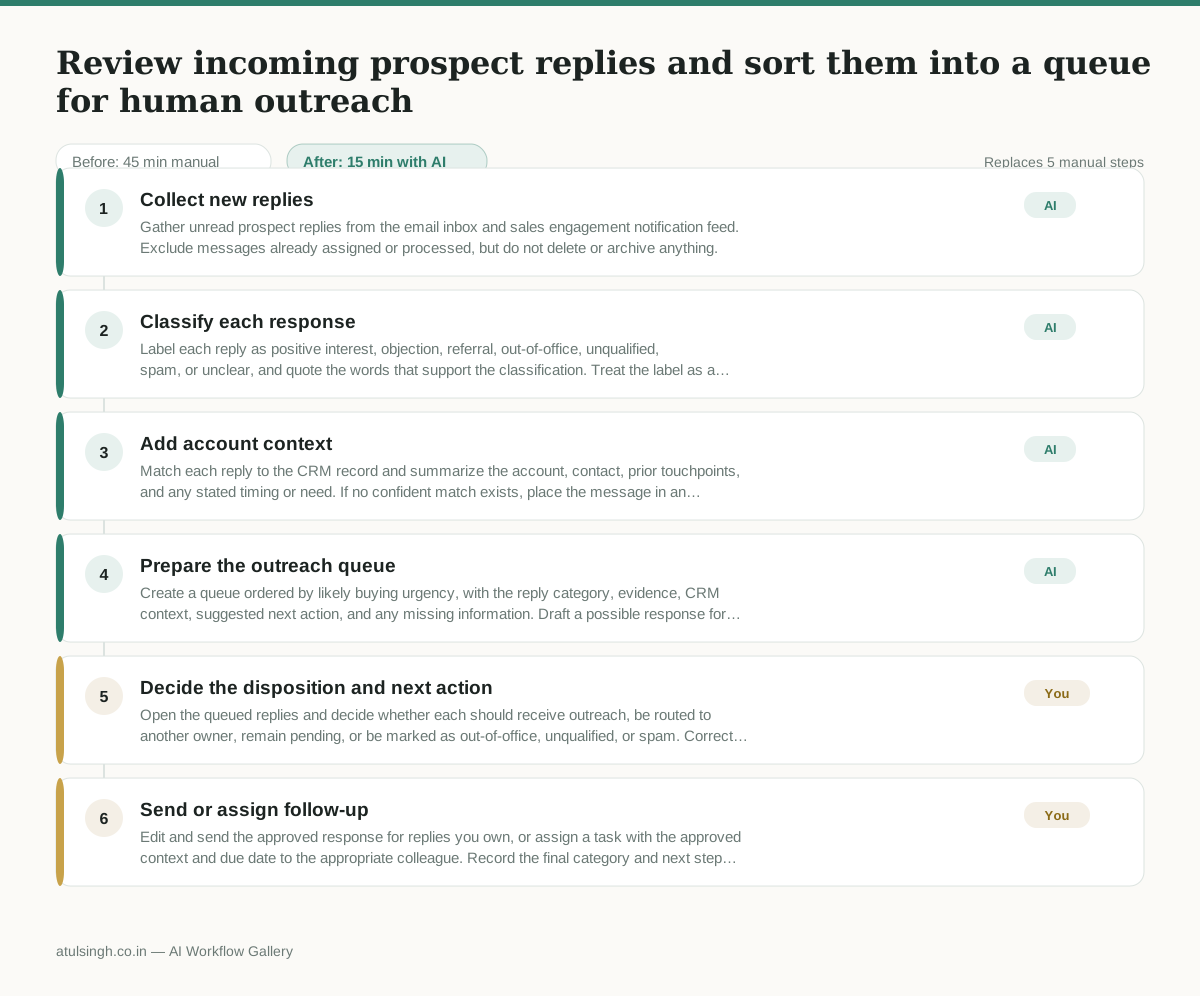
1. Collect new replies
Gather unread prospect replies from the email inbox and sales engagement notification feed. Exclude messages already assigned or processed, but do not delete or archive anything.
- AI
2. Classify each response
Label each reply as positive interest, objection, referral, out-of-office, unqualified, spam, or unclear, and quote the words that support the classification. Treat the label as a triage aid rather than a final judgment, especially for short or ambiguous replies.
- AI
3. Add account context
Match each reply to the CRM record and summarize the account, contact, prior touchpoints, and any stated timing or need. If no confident match exists, place the message in an unmatched queue instead of guessing.
- AI
4. Prepare the outreach queue
Create a queue ordered by likely buying urgency, with the reply category, evidence, CRM context, suggested next action, and any missing information. Draft a possible response for positive interest, objections, and referrals, but leave messages unsent.
- You
5. Decide the disposition and next action
Open the queued replies and decide whether each should receive outreach, be routed to another owner, remain pending, or be marked as out-of-office, unqualified, or spam. Correct the AI label when needed; this decision determines who is contacted and which records receive follow-up.
- You
6. Send or assign follow-up
Edit and send the approved response for replies you own, or assign a task with the approved context and due date to the appropriate colleague. Record the final category and next step in the CRM, and leave unclear or sensitive replies unresolved until the right person decides.
What you end up with
Where this falls apart
- A prospect uses nuanced sarcasm or conditional interest that the classification model misinterprets as a positive buying signal, causing an inappropriate automated draft to be placed near the top of the outreach queue.
- An inbound email contains multiple thread participants or forwarding headers that break the account matching logic, resulting in prospect context being mapped to the wrong CRM record.
More for SDR / BDR
- Researching target accounts for cold outreach by checking recent news and job postings to write a personalized first email
- Find specific triggers in a company annual report for a personalized pitch
- Mapping the buying committee for a target enterprise account before initial outreach
- Write a first-touch outbound email to a target account based on recent public signals like news, job postings, or social media activity
Also in sales
- Research an incoming company and its decision makers before a first sales meeting
- Prep for a B2B demo call by checking recent company news, job postings, and tech stack changes to build relevant questions.
- Reviewing a new sales rep's practice pitch against the team's call criteria before letting them talk to real prospects
- reaching out to former colleagues and personal contacts to announce a new company or product launch without sounding like a spammy marketer