
Review a drafted cold prospecting email to check for weak personalisation, unsupported claims, and a missing reason to reply before sending it to a lead.
Cold emails often rely on generic compliments about a company's website or recent news, include vague claims about results, and end with an unclear question that requires too much thought to answer, leading to low reply rates.
- Before
- 10 min
- After
- 6 min
- Saved
- 4 min
How this used to go
- Open the drafted email template inside the sales engagement platform.
- Scan the opening line to check if the company mention or trigger event is accurate.
- Check the body paragraphs for statistics or product claims that lack context or proof.
- Read the call to action to determine if it asks a simple, direct question.
- Rewrite weak sentences or replace generic placeholders with specific details found during manual research.
- Save the updated draft back into the sequence queue.
Catching weak personalisation or vague claims requires reading through the eyes of a busy buyer, which is easy to miss when you have dozens of drafts to get through.
The workflow, step by step
- AI
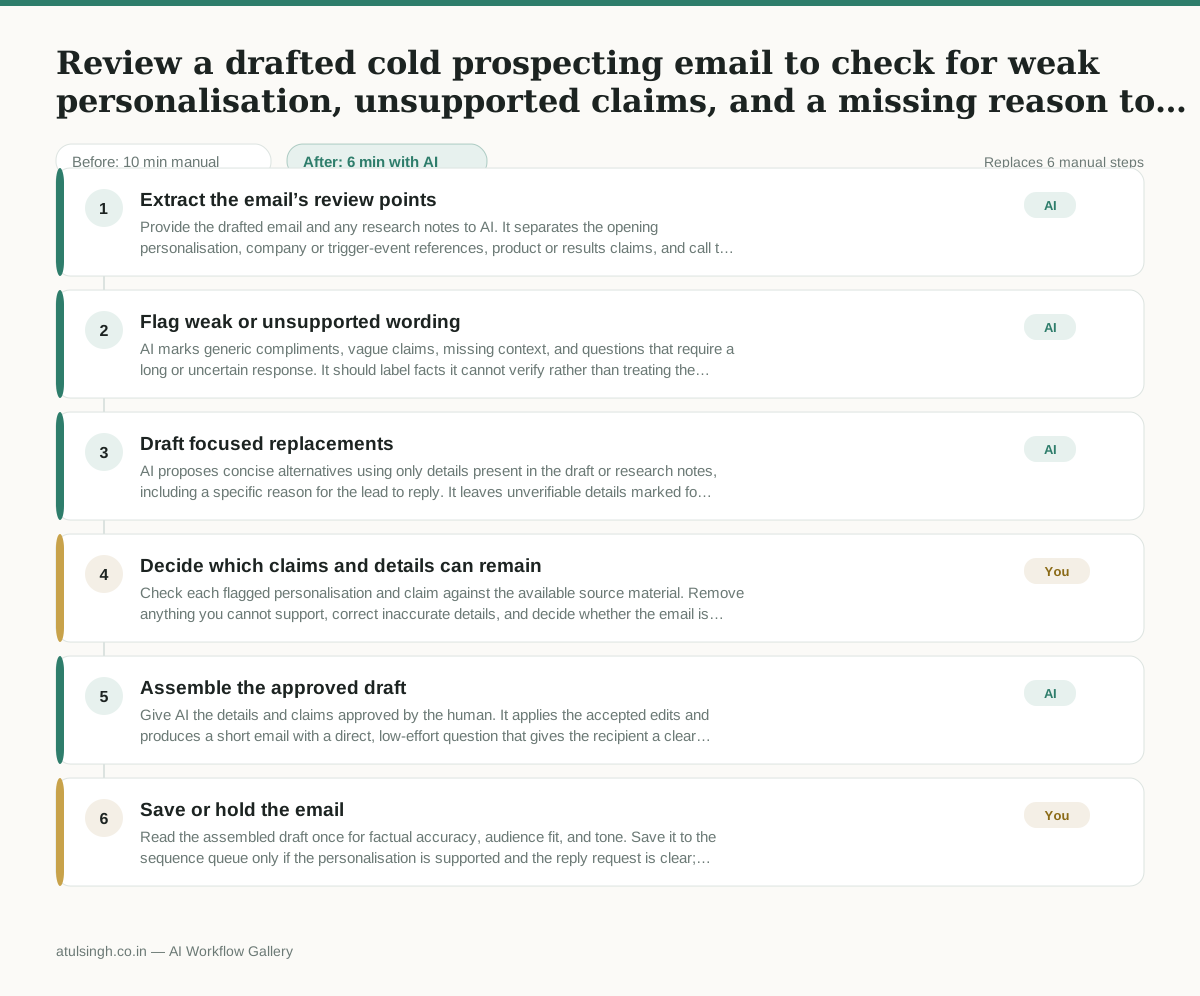
1. Extract the email’s review points
Provide the drafted email and any research notes to AI. It separates the opening personalisation, company or trigger-event references, product or results claims, and call to action.
- AI
2. Flag weak or unsupported wording
AI marks generic compliments, vague claims, missing context, and questions that require a long or uncertain response. It should label facts it cannot verify rather than treating them as true.
- AI
3. Draft focused replacements
AI proposes concise alternatives using only details present in the draft or research notes, including a specific reason for the lead to reply. It leaves unverifiable details marked for human confirmation.
- You
4. Decide which claims and details can remain
Check each flagged personalisation and claim against the available source material. Remove anything you cannot support, correct inaccurate details, and decide whether the email is relevant enough to send or needs more research.
- AI
5. Assemble the approved draft
Give AI the details and claims approved by the human. It applies the accepted edits and produces a short email with a direct, low-effort question that gives the recipient a clear reason to reply.
- You
6. Save or hold the email
Read the assembled draft once for factual accuracy, audience fit, and tone. Save it to the sequence queue only if the personalisation is supported and the reply request is clear; otherwise hold it for revision.
What you end up with
Where this falls apart
- The research notes contain inaccurate facts about the prospect's company, causing the AI to treat false information as valid personalisation and leave it unflagged.
- The drafted email relies on industry-specific technical jargon that the model misinterprets, leading the AI to suggest replacements that alter the factual meaning of the product claims.
More for SDR / BDR
- Researching target accounts for cold outreach by checking recent news and job postings to write a personalized first email
- Find specific triggers in a company annual report for a personalized pitch
- Mapping the buying committee for a target enterprise account before initial outreach
- Write a first-touch outbound email to a target account based on recent public signals like news, job postings, or social media activity
Also in sales
- Research an incoming company and its decision makers before a first sales meeting
- Prep for a B2B demo call by checking recent company news, job postings, and tech stack changes to build relevant questions.
- Reviewing a new sales rep's practice pitch against the team's call criteria before letting them talk to real prospects
- reaching out to former colleagues and personal contacts to announce a new company or product launch without sounding like a spammy marketer