
Log prospect qualification details and next steps into the CRM after a sales call
Reps finish a call and immediately jump to the next one, forgetting to log key details in the CRM or leaving fields blank because re-listening to the recording takes too much time.
- Before
- 15 min
- After
- 8 min
- Saved
- 7 min
How this used to go
- Open the recording or transcript of the completed sales call.
- Scan through the text to find budget, authority, need, and timeline details.
- Open the CRM and navigate to the prospect's contact and deal records.
- Type or paste the notes into the activity log and update standard custom fields.
- Set the next step task and date for follow-up.
Having to re-read a long transcript to pull out specific qualification answers while trying to remember unrecorded nuances from the call.
The workflow, step by step
- You
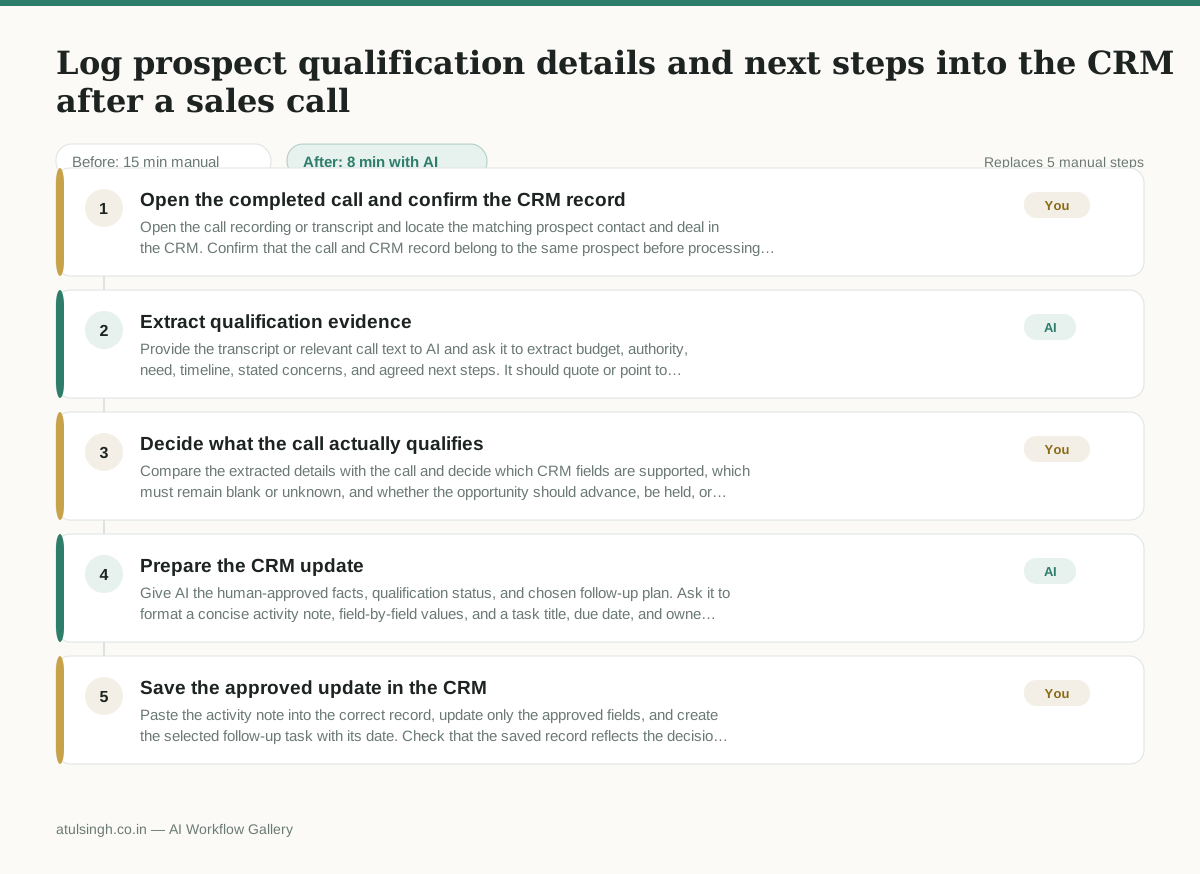
1. Open the completed call and confirm the CRM record
Open the call recording or transcript and locate the matching prospect contact and deal in the CRM. Confirm that the call and CRM record belong to the same prospect before processing the details.
- AI
2. Extract qualification evidence
Provide the transcript or relevant call text to AI and ask it to extract budget, authority, need, timeline, stated concerns, and agreed next steps. It should quote or point to supporting language and mark anything missing or ambiguous as unknown rather than infer it.
- You
3. Decide what the call actually qualifies
Compare the extracted details with the call and decide which CRM fields are supported, which must remain blank or unknown, and whether the opportunity should advance, be held, or receive a different follow-up. Correct any AI interpretation that misses tone, nuance, or an unrecorded commitment.
- AI
4. Prepare the CRM update
Give AI the human-approved facts, qualification status, and chosen follow-up plan. Ask it to format a concise activity note, field-by-field values, and a task title, due date, and owner without adding unsupported details.
- You
5. Save the approved update in the CRM
Paste the activity note into the correct record, update only the approved fields, and create the selected follow-up task with its date. Check that the saved record reflects the decision from the call and not merely the AI draft.
What you end up with
Where this falls apart
- The call transcript lacks speaker identification or contains overlapping cross-talk, causing the model to misattribute budget or authority statements to the wrong participant.
- The prospect speaks in heavy industry jargon or conditional phrasing, causing the model to misinterpret a polite objection as a definitive statement of need.
More for SDR / BDR
- Researching target accounts for cold outreach by checking recent news and job postings to write a personalized first email
- Find specific triggers in a company annual report for a personalized pitch
- Mapping the buying committee for a target enterprise account before initial outreach
- Write a first-touch outbound email to a target account based on recent public signals like news, job postings, or social media activity
Also in sales
- Research an incoming company and its decision makers before a first sales meeting
- Prep for a B2B demo call by checking recent company news, job postings, and tech stack changes to build relevant questions.
- Reviewing a new sales rep's practice pitch against the team's call criteria before letting them talk to real prospects
- reaching out to former colleagues and personal contacts to announce a new company or product launch without sounding like a spammy marketer