
following up with prospects who opened an email but did not reply
Sales reps spend hours digging through email tracking data to manually identify who opened a previous message, checking CRM records to ensure they aren't already in an active sequence, and then writing a custom follow-up from scratch for every single person. Because it takes too much time, reps often fall behind on these warm leads, sending generic follow-ups days too late or missing them entirely.
- Before
- 15 min
- After
- 7 min
- Saved
- 8 min
How this used to go
- Open the email tracking tool to review campaign or individual message open reports.
- Filter for recipients who opened the email at least once but have no recorded reply.
- Cross-reference each opened recipient against the CRM to check recent calls, meetings, or active deals.
- Draft a manual follow-up message trying to reference the context of the first email.
- Schedule or send the follow-up email and update the CRM task status.
Manually cross-checking CRM records for every single opener to avoid sending a conflicting message is tedious and repetitive.
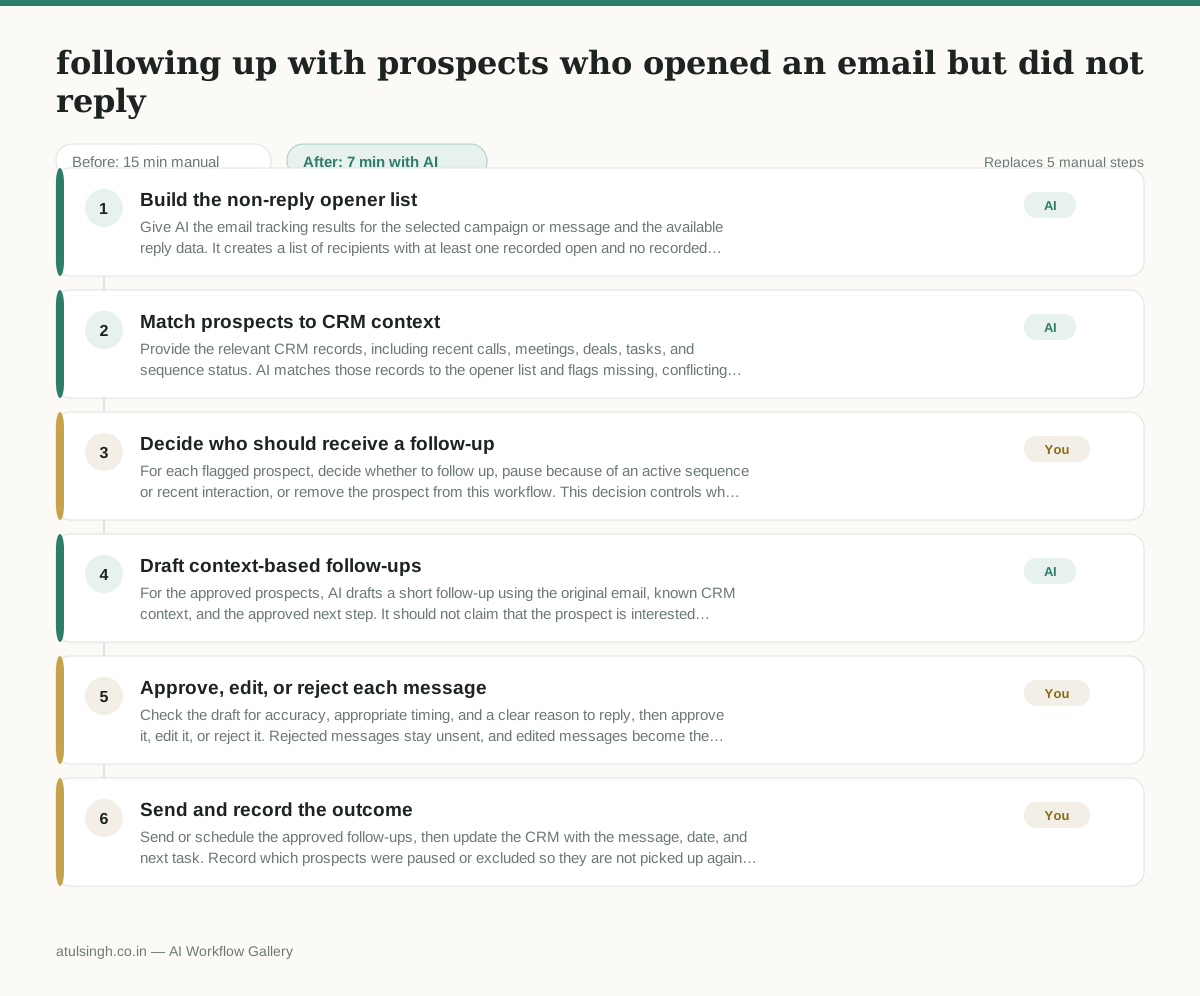
The workflow, step by step
- AI
1. Build the non-reply opener list
Give AI the email tracking results for the selected campaign or message and the available reply data. It creates a list of recipients with at least one recorded open and no recorded reply, while noting that an open is only a weak engagement signal.
- AI
2. Match prospects to CRM context
Provide the relevant CRM records, including recent calls, meetings, deals, tasks, and sequence status. AI matches those records to the opener list and flags missing, conflicting, or ambiguous information instead of treating an uncertain match as safe to contact.
- You
3. Decide who should receive a follow-up
For each flagged prospect, decide whether to follow up, pause because of an active sequence or recent interaction, or remove the prospect from this workflow. This decision controls who may be contacted and prevents a message from conflicting with current sales activity.
- AI
4. Draft context-based follow-ups
For the approved prospects, AI drafts a short follow-up using the original email, known CRM context, and the approved next step. It should not claim that the prospect is interested merely because they opened the email, and it should leave unknown details out.
- You
5. Approve, edit, or reject each message
Check the draft for accuracy, appropriate timing, and a clear reason to reply, then approve it, edit it, or reject it. Rejected messages stay unsent, and edited messages become the version used for outreach.
- You
6. Send and record the outcome
Send or schedule the approved follow-ups, then update the CRM with the message, date, and next task. Record which prospects were paused or excluded so they are not picked up again without a new decision.
What you end up with
Where this falls apart
- An email tracking tool reports false positive opens due to automated security scanners, causing the workflow to treat an unopened email as an open and generate an unwanted follow-up.
- The CRM contains outdated deal statuses or missing task records, leading the workflow to misidentify an active prospect as inactive and draft a conflicting follow-up.
More for SDR / BDR
- Researching target accounts for cold outreach by checking recent news and job postings to write a personalized first email
- Find specific triggers in a company annual report for a personalized pitch
- Mapping the buying committee for a target enterprise account before initial outreach
- Write a first-touch outbound email to a target account based on recent public signals like news, job postings, or social media activity
Also in sales
- Research an incoming company and its decision makers before a first sales meeting
- Prep for a B2B demo call by checking recent company news, job postings, and tech stack changes to build relevant questions.
- Reviewing a new sales rep's practice pitch against the team's call criteria before letting them talk to real prospects
- reaching out to former colleagues and personal contacts to announce a new company or product launch without sounding like a spammy marketer