
following up with a prospect who no-showed a scheduled sales meeting
when a prospect misses a call, the rep often notices late, forgets to send the right follow-up sequence, or drops the follow-up entirely while rushing to handle other live calls and prospecting blocks.
- Before
- 10 min
- After
- 6 min
- Saved
- 4 min
How this used to go
- Check the calendar or CRM to confirm the prospect actually missed the meeting after waiting a few minutes.
- Open the email client and draft a polite no-show follow-up message.
- Look up the prospect's original booking link or calendar availability to include in the note.
- Update the CRM deal stage or activity record to reflect that the meeting was missed.
- Set a manual task or reminder in the calendar to try reaching out again in a few days.
interrupting active prospecting flow to manually draft and schedule a follow-up for a dead lead while feeling frustrated about the wasted time.
The workflow, step by step
- You
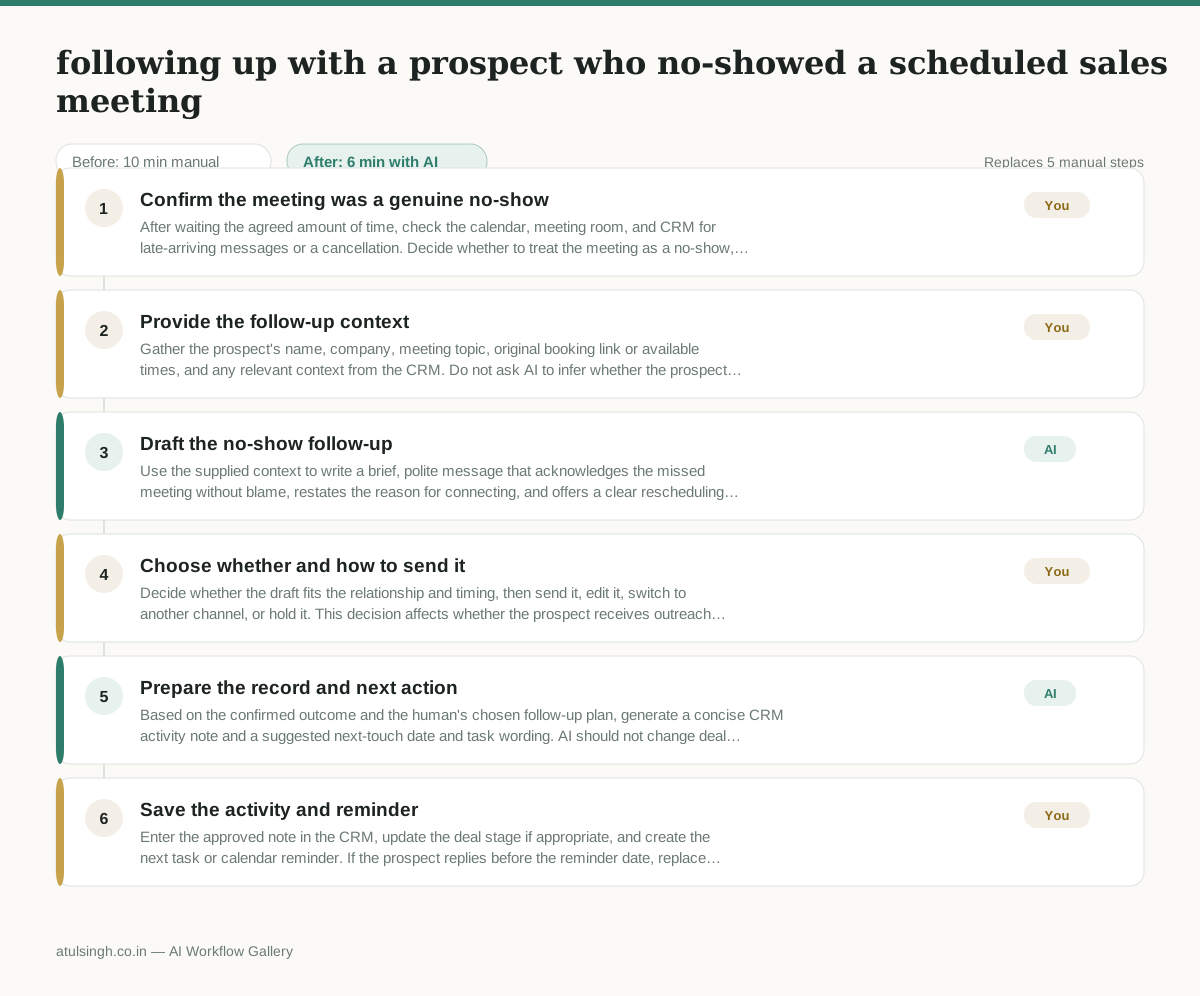
1. Confirm the meeting was a genuine no-show
After waiting the agreed amount of time, check the calendar, meeting room, and CRM for late-arriving messages or a cancellation. Decide whether to treat the meeting as a no-show, reschedule immediately, or close the follow-up because the prospect provided a reason.
- You
2. Provide the follow-up context
Gather the prospect's name, company, meeting topic, original booking link or available times, and any relevant context from the CRM. Do not ask AI to infer whether the prospect missed the meeting or what action is appropriate without this context.
- AI
3. Draft the no-show follow-up
Use the supplied context to write a brief, polite message that acknowledges the missed meeting without blame, restates the reason for connecting, and offers a clear rescheduling option. Include only booking links or availability that the human supplied.
- You
4. Choose whether and how to send it
Decide whether the draft fits the relationship and timing, then send it, edit it, switch to another channel, or hold it. This decision affects whether the prospect receives outreach now and whether the message could feel inappropriate after a cancellation or sensitive event.
- AI
5. Prepare the record and next action
Based on the confirmed outcome and the human's chosen follow-up plan, generate a concise CRM activity note and a suggested next-touch date and task wording. AI should not change deal stages or schedule outreach on its own.
- You
6. Save the activity and reminder
Enter the approved note in the CRM, update the deal stage if appropriate, and create the next task or calendar reminder. If the prospect replies before the reminder date, replace the planned task with the new agreed action.
What you end up with
Where this falls apart
- The human provides incorrect meeting context or outdated booking links to the model, which causes the generated message to direct the prospect to a broken scheduling page.
- The prospect cancels the meeting via email just before the start time but the calendar sync is delayed, which causes the AI to draft an inappropriate no-show message that blames the prospect for missing the call.
More for SDR / BDR
- Researching target accounts for cold outreach by checking recent news and job postings to write a personalized first email
- Find specific triggers in a company annual report for a personalized pitch
- Mapping the buying committee for a target enterprise account before initial outreach
- Write a first-touch outbound email to a target account based on recent public signals like news, job postings, or social media activity
Also in sales
- Research an incoming company and its decision makers before a first sales meeting
- Prep for a B2B demo call by checking recent company news, job postings, and tech stack changes to build relevant questions.
- Reviewing a new sales rep's practice pitch against the team's call criteria before letting them talk to real prospects
- reaching out to former colleagues and personal contacts to announce a new company or product launch without sounding like a spammy marketer