
Fixing bounced and invalid prospect email addresses so outreach sequences stop failing
When outreach emails bounce, outbound sequences pause, sender reputation drops, and valuable prospecting time is wasted manually digging through LinkedIn and company websites to find correct contact details.
- Before
- 15 min
- After
- 8 min
- Saved
- 7 min
How this used to go
- Review the daily email tool dashboard or CRM bounce report to identify failed deliveries.
- Cross-reference bounced email addresses with the original prospecting list to identify the affected contact records.
- Search for the prospect on LinkedIn or company directory pages to check if they have changed roles or companies.
- Guess potential email structure patterns based on known company formats or use a manual email pattern generator.
- Test or verify the newly guessed email address using an external verification checker.
- Update the CRM record or sales engagement sequence with the corrected contact information.
Manually guessing email patterns and verifying them one by one when a prospect has moved to a new company or has an uncommon name format.
The workflow, step by step
- You
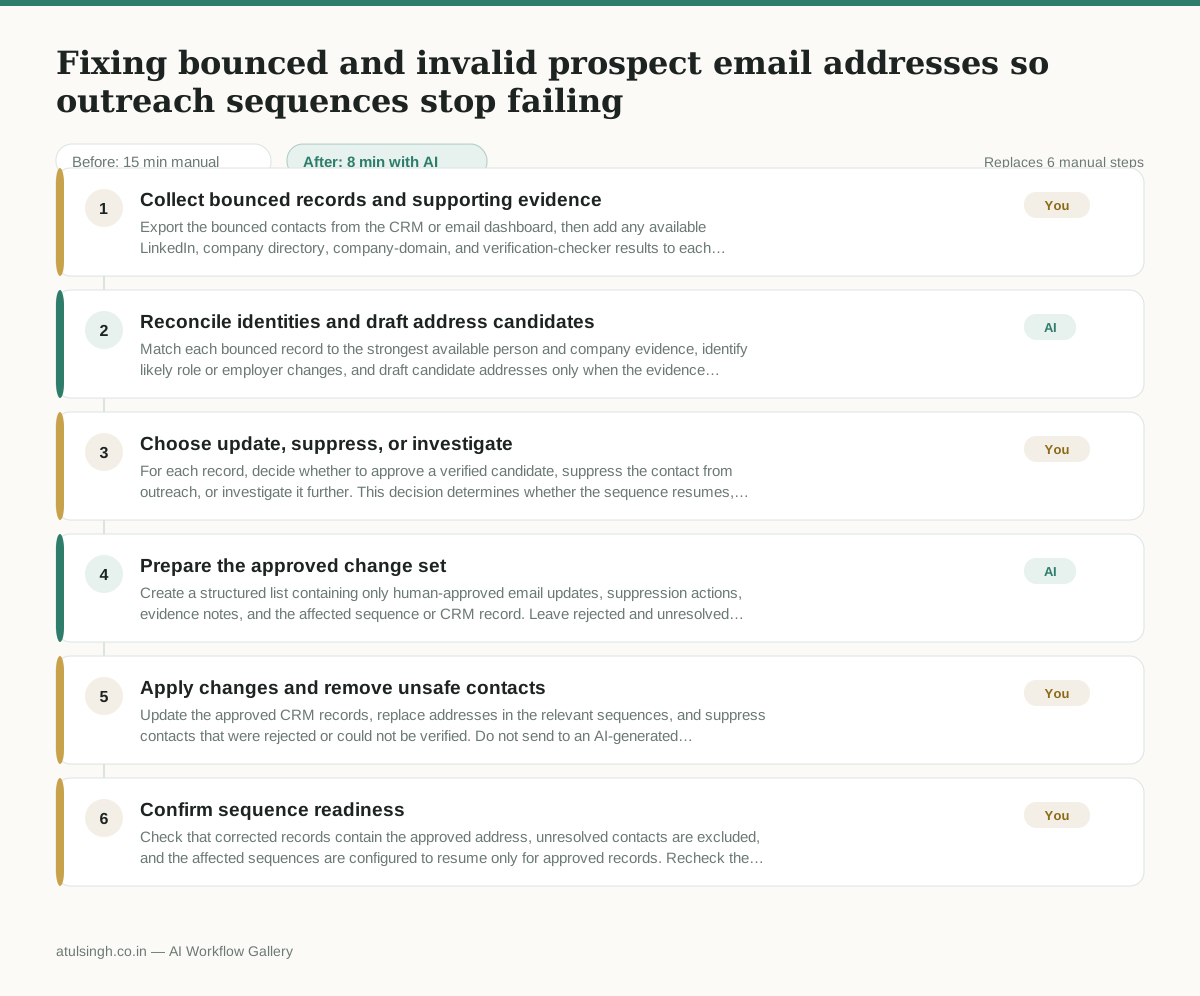
1. Collect bounced records and supporting evidence
Export the bounced contacts from the CRM or email dashboard, then add any available LinkedIn, company directory, company-domain, and verification-checker results to each record. Keep records with no reliable evidence marked as unresolved.
- AI
2. Reconcile identities and draft address candidates
Match each bounced record to the strongest available person and company evidence, identify likely role or employer changes, and draft candidate addresses only when the evidence supports them. AI must not treat a name-based guess as a verified address.
- You
3. Choose update, suppress, or investigate
For each record, decide whether to approve a verified candidate, suppress the contact from outreach, or investigate it further. This decision determines whether the sequence resumes, stops for that prospect, or remains unchanged.
- AI
4. Prepare the approved change set
Create a structured list containing only human-approved email updates, suppression actions, evidence notes, and the affected sequence or CRM record. Leave rejected and unresolved candidates out of the update list.
- You
5. Apply changes and remove unsafe contacts
Update the approved CRM records, replace addresses in the relevant sequences, and suppress contacts that were rejected or could not be verified. Do not send to an AI-generated candidate without independent verification.
- You
6. Confirm sequence readiness
Check that corrected records contain the approved address, unresolved contacts are excluded, and the affected sequences are configured to resume only for approved records. Recheck the next delivery report for fresh bounces.
What you end up with
Where this falls apart
- The input evidence contains outdated or incorrect professional history, which causes the AI to draft an invalid email address candidate based on false premises.
- The available company domain data is ambiguous or shared across multiple subsidiaries, which leads the model to assign an incorrect corporate email structure to the prospect.
More for SDR / BDR
- Researching target accounts for cold outreach by checking recent news and job postings to write a personalized first email
- Find specific triggers in a company annual report for a personalized pitch
- Mapping the buying committee for a target enterprise account before initial outreach
- Write a first-touch outbound email to a target account based on recent public signals like news, job postings, or social media activity
Also in sales
- Research an incoming company and its decision makers before a first sales meeting
- Prep for a B2B demo call by checking recent company news, job postings, and tech stack changes to build relevant questions.
- Reviewing a new sales rep's practice pitch against the team's call criteria before letting them talk to real prospects
- reaching out to former colleagues and personal contacts to announce a new company or product launch without sounding like a spammy marketer