
Figuring out when an account has gone quiet because I am talking to the wrong person, and finding who else at the company I should reach out to.
Deals stall out because the initial contact lacks purchasing authority or internal influence, but manually researching organization charts and recent email threads for buying committee members takes too much time away from active outreach.
- Before
- 25 min
- After
- 12 min
- Saved
- 13 min
How this used to go
- Review stalled accounts in the CRM to check the last touchpoint and title of the current contact.
- Open LinkedIn and search the target company's employee directory to find department heads or decision-makers.
- Cross-reference LinkedIn profiles with company website leadership pages to confirm current roles.
- Check email finder databases to locate verified email addresses for the newly identified stakeholders.
- Draft a new outreach message tailored to the second stakeholder, referencing the context of the stalled conversation if appropriate.
Digging through LinkedIn and database tools for every stalled account breaks momentum and eats into the time needed to hit daily activity quotas.
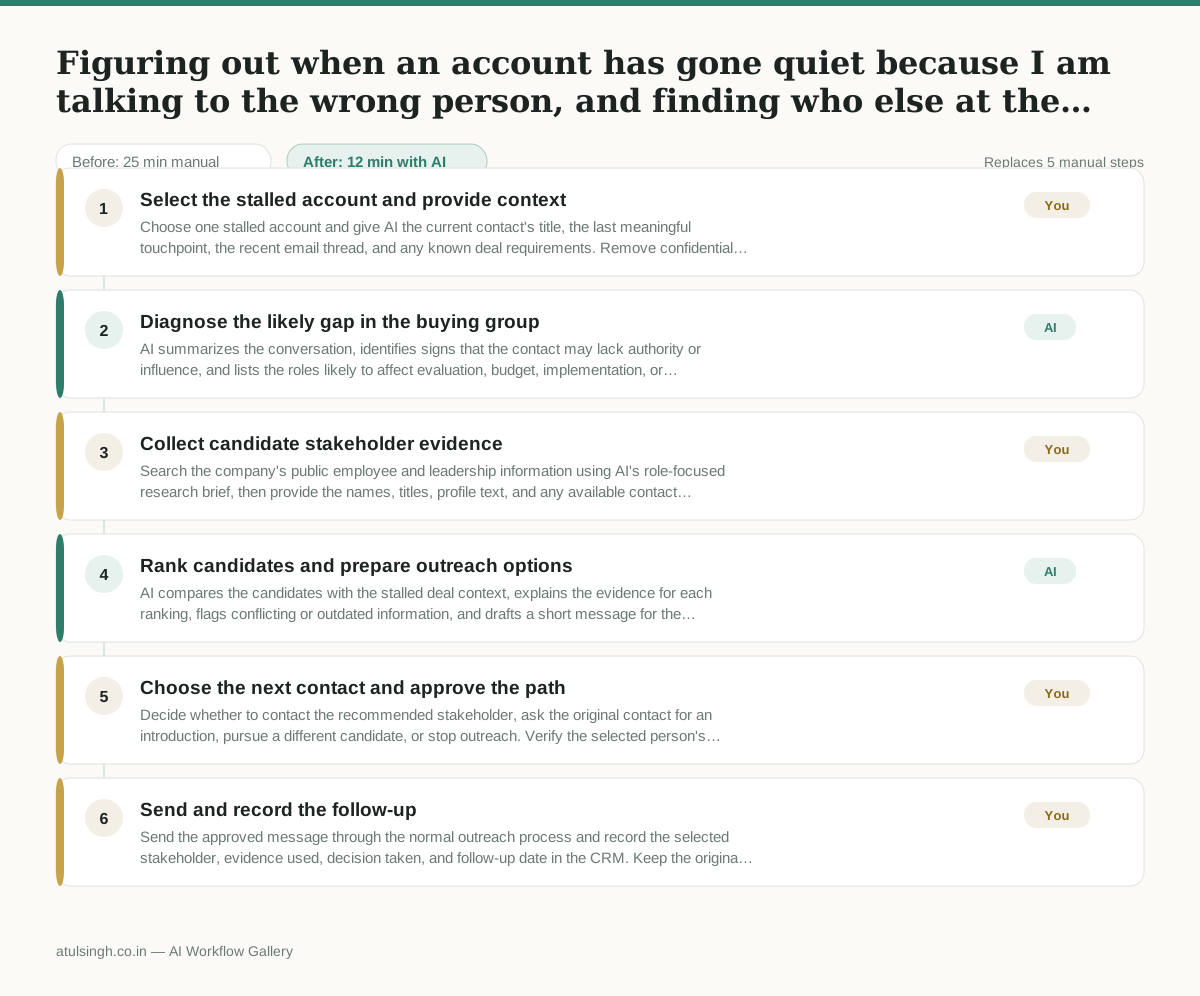
The workflow, step by step
- You
1. Select the stalled account and provide context
Choose one stalled account and give AI the current contact's title, the last meaningful touchpoint, the recent email thread, and any known deal requirements. Remove confidential information that is not needed for the analysis.
- AI
2. Diagnose the likely gap in the buying group
AI summarizes the conversation, identifies signs that the contact may lack authority or influence, and lists the roles likely to affect evaluation, budget, implementation, or approval. It separates evidence from assumptions and notes what cannot be established from the supplied information.
- You
3. Collect candidate stakeholder evidence
Search the company's public employee and leadership information using AI's role-focused research brief, then provide the names, titles, profile text, and any available contact details for plausible candidates. Treat current employment, authority, and email validity as unconfirmed until checked.
- AI
4. Rank candidates and prepare outreach options
AI compares the candidates with the stalled deal context, explains the evidence for each ranking, flags conflicting or outdated information, and drafts a short message for the strongest candidate. The draft may reference the existing conversation only where the supplied thread supports it.
- You
5. Choose the next contact and approve the path
Decide whether to contact the recommended stakeholder, ask the original contact for an introduction, pursue a different candidate, or stop outreach. Verify the selected person's role and address before approving or rewriting the message; AI cannot reliably determine purchasing authority or validate a current email address on its own.
- You
6. Send and record the follow-up
Send the approved message through the normal outreach process and record the selected stakeholder, evidence used, decision taken, and follow-up date in the CRM. Keep the original contact's status and the new outreach path connected to the same account.
What you end up with
Where this falls apart
- The public profile data for the target company is outdated or heavily neglected, which causes the AI to rank irrelevant or former employees as viable stakeholders.
- The initial contact's communication contains ambiguous internal jargon, which leads the AI to misdiagnose the actual reason the deal stalled.
More for SDR / BDR
- Researching target accounts for cold outreach by checking recent news and job postings to write a personalized first email
- Find specific triggers in a company annual report for a personalized pitch
- Mapping the buying committee for a target enterprise account before initial outreach
- Write a first-touch outbound email to a target account based on recent public signals like news, job postings, or social media activity
Also in sales
- Research an incoming company and its decision makers before a first sales meeting
- Prep for a B2B demo call by checking recent company news, job postings, and tech stack changes to build relevant questions.
- Reviewing a new sales rep's practice pitch against the team's call criteria before letting them talk to real prospects
- reaching out to former colleagues and personal contacts to announce a new company or product launch without sounding like a spammy marketer