
figuring out what to do when an inbound lead stops replying after showing initial interest
inbound leads go cold after a few emails, and reps lose track of when and how to follow up, resulting in missed meetings because manual tracking in the CRM falls behind daily call and email volume
- Before
- 15 min
- After
- 8 min
- Saved
- 7 min
How this used to go
- Open the CRM or sales engagement platform to review open tasks and past activity history for unresponsive leads
- Check the lead's last email, LinkedIn profile, or company news to find a relevant hook for a new message
- Draft a follow-up message referencing their previous interaction or objections raised
- Select a template or write a custom message tailored to their specific industry or role
- Schedule the email or task for a future date and update the deal stage or pipeline notes in the CRM
digging through past email threads and notes to remember context before writing a follow-up that doesn't sound generic
The workflow, step by step
- AI
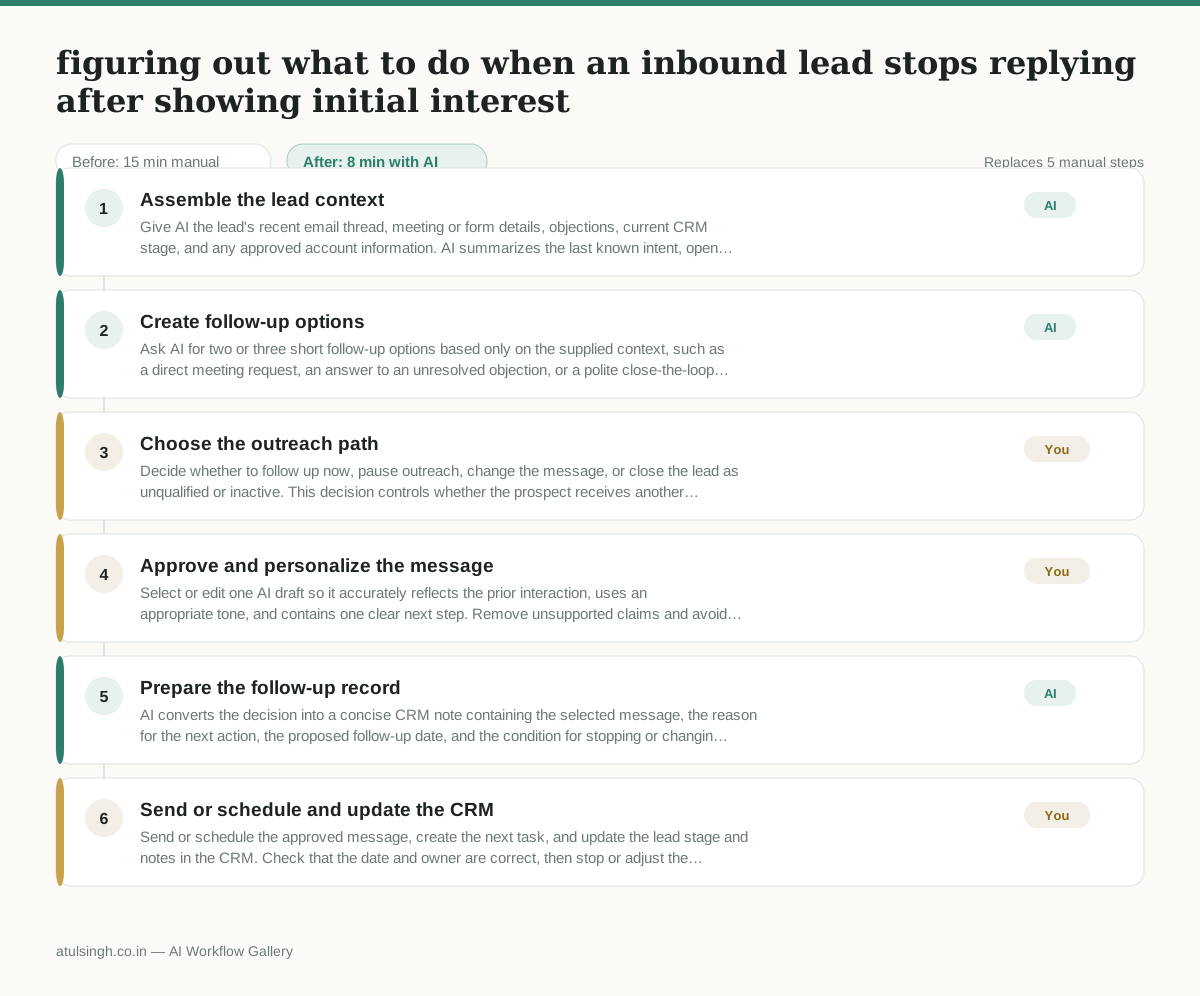
1. Assemble the lead context
Give AI the lead's recent email thread, meeting or form details, objections, current CRM stage, and any approved account information. AI summarizes the last known intent, open question, and time since the lead replied; it cannot reliably determine why the lead stopped responding.
- AI
2. Create follow-up options
Ask AI for two or three short follow-up options based only on the supplied context, such as a direct meeting request, an answer to an unresolved objection, or a polite close-the-loop note. Require it to mark missing context instead of inventing a reason, fact, or personal detail.
- You
3. Choose the outreach path
Decide whether to follow up now, pause outreach, change the message, or close the lead as unqualified or inactive. This decision controls whether the prospect receives another message and what pipeline status the opportunity carries, so do not delegate it to AI.
- You
4. Approve and personalize the message
Select or edit one AI draft so it accurately reflects the prior interaction, uses an appropriate tone, and contains one clear next step. Remove unsupported claims and avoid implying urgency or intent that the lead has not expressed.
- AI
5. Prepare the follow-up record
AI converts the decision into a concise CRM note containing the selected message, the reason for the next action, the proposed follow-up date, and the condition for stopping or changing outreach. It can format the record but cannot confirm that the CRM update was completed unless a connected system provides that confirmation.
- You
6. Send or schedule and update the CRM
Send or schedule the approved message, create the next task, and update the lead stage and notes in the CRM. Check that the date and owner are correct, then stop or adjust the sequence when the lead replies, opts out, or provides new information.
What you end up with
Where this falls apart
- The input email thread contains sarcastic or ambiguous phrasing that the model misinterprets as genuine interest, causing the system to draft an inappropriate follow-up message.
- The lead has communicated an objection through an unrecorded phone call that is missing from the CRM notes, leading the model to draft options that ignore the primary reason the lead went cold.
More for SDR / BDR
- Researching target accounts for cold outreach by checking recent news and job postings to write a personalized first email
- Find specific triggers in a company annual report for a personalized pitch
- Mapping the buying committee for a target enterprise account before initial outreach
- Write a first-touch outbound email to a target account based on recent public signals like news, job postings, or social media activity
Also in sales
- Research an incoming company and its decision makers before a first sales meeting
- Prep for a B2B demo call by checking recent company news, job postings, and tech stack changes to build relevant questions.
- Reviewing a new sales rep's practice pitch against the team's call criteria before letting them talk to real prospects
- reaching out to former colleagues and personal contacts to announce a new company or product launch without sounding like a spammy marketer