
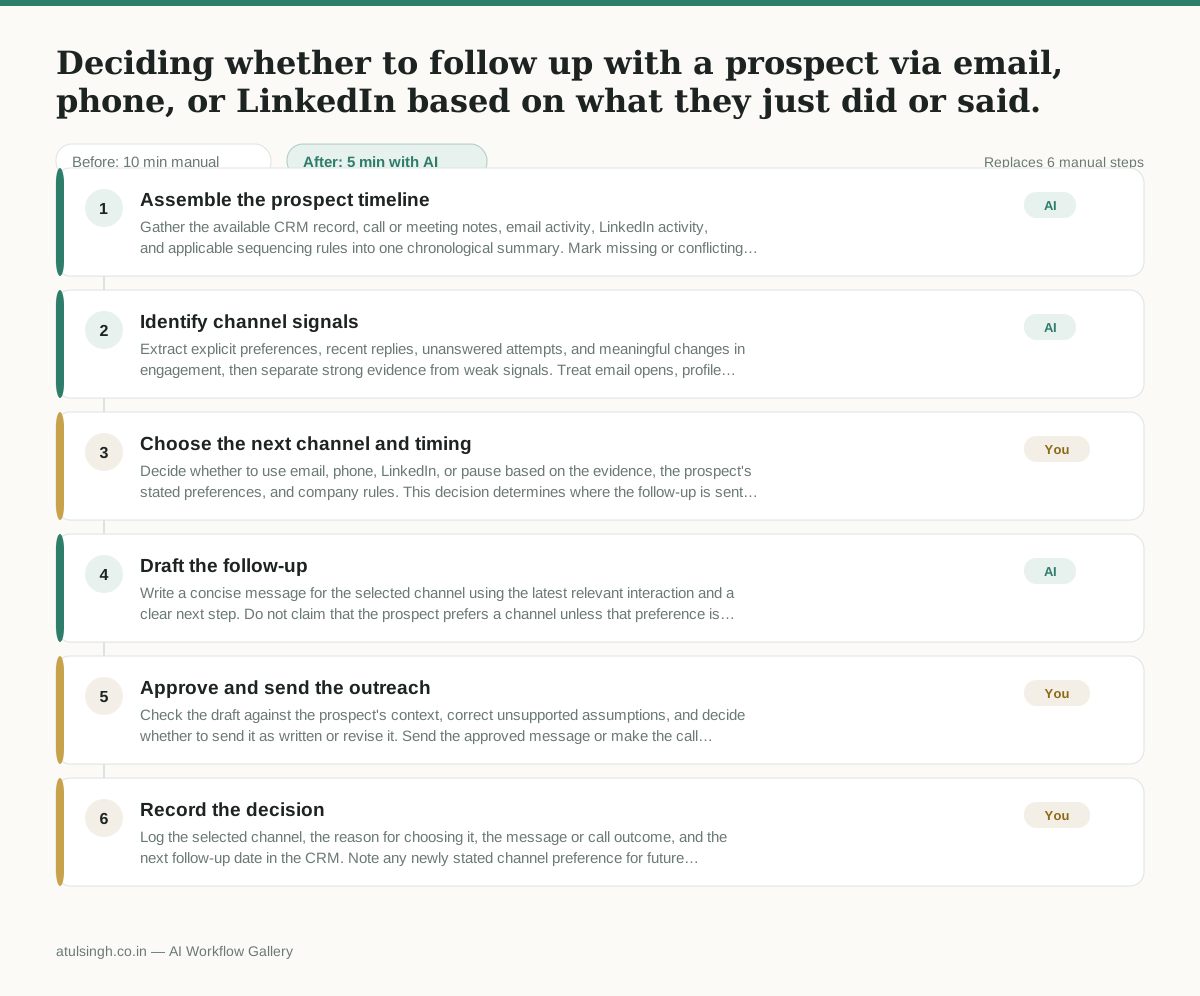
Deciding whether to follow up with a prospect via email, phone, or LinkedIn based on what they just did or said.
Sales reps spend too much time manually reviewing past interaction history across different platforms to figure out the right next communication channel, often leading to delayed follow-ups or sending messages on channels the prospect dislikes.
- Before
- 10 min
- After
- 5 min
- Saved
- 5 min
How this used to go
- Open the CRM and look at the prospect's contact record.
- Review the notes from the last phone call or meeting to understand their tone and stated preferences.
- Check the email engagement history to see if they opened or replied to recent messages.
- Check LinkedIn to see if they accepted a connection request, viewed a profile, or posted recently.
- Cross-reference company communication guidelines or sequencing rules to decide which channel to use next.
- Draft the outreach using the chosen channel.
Switching between multiple tabs and tools to piece together the interaction history, which disrupts focus and delays the actual outreach.
The workflow, step by step
- AI
1. Assemble the prospect timeline
Gather the available CRM record, call or meeting notes, email activity, LinkedIn activity, and applicable sequencing rules into one chronological summary. Mark missing or conflicting information instead of filling gaps.
- AI
2. Identify channel signals
Extract explicit preferences, recent replies, unanswered attempts, and meaningful changes in engagement, then separate strong evidence from weak signals. Treat email opens, profile views, and inferred tone as unreliable evidence of channel preference.
- You
3. Choose the next channel and timing
Decide whether to use email, phone, LinkedIn, or pause based on the evidence, the prospect's stated preferences, and company rules. This decision determines where the follow-up is sent and whether the prospect is contacted now.
- AI
4. Draft the follow-up
Write a concise message for the selected channel using the latest relevant interaction and a clear next step. Do not claim that the prospect prefers a channel unless that preference is explicitly recorded.
- You
5. Approve and send the outreach
Check the draft against the prospect's context, correct unsupported assumptions, and decide whether to send it as written or revise it. Send the approved message or make the call through the chosen channel.
- You
6. Record the decision
Log the selected channel, the reason for choosing it, the message or call outcome, and the next follow-up date in the CRM. Note any newly stated channel preference for future outreach.
What you end up with
Where this falls apart
- The CRM contains outdated or contradictory contact information, which causes the AI to assemble a confused timeline and leads the rep to select the wrong outreach channel.
- A prospect expresses a channel preference verbally during a phone call that is never logged in the system, which causes the AI to draft messages for channels the prospect dislikes.
More for SDR / BDR
- Researching target accounts for cold outreach by checking recent news and job postings to write a personalized first email
- Find specific triggers in a company annual report for a personalized pitch
- Mapping the buying committee for a target enterprise account before initial outreach
- Write a first-touch outbound email to a target account based on recent public signals like news, job postings, or social media activity
Also in sales
- Research an incoming company and its decision makers before a first sales meeting
- Prep for a B2B demo call by checking recent company news, job postings, and tech stack changes to build relevant questions.
- Reviewing a new sales rep's practice pitch against the team's call criteria before letting them talk to real prospects
- reaching out to former colleagues and personal contacts to announce a new company or product launch without sounding like a spammy marketer