
Checking if the person I am emailing is actually the decision-maker or if they changed jobs.
Leads change roles or companies constantly, meaning outreach lands on the desk of someone who cannot buy, doesn't care, or has already left the company, wasting time on dead ends.
- Before
- 10 min
- After
- 6 min
- Saved
- 4 min
How this used to go
- Open a company account in the CRM or spreadsheet.
- Click on the current contact's name and open their LinkedIn profile.
- Check their tenure and current job title to see if they are still in the same role.
- If they left or changed titles, search the company directory or LinkedIn again for a replacement.
- Update the CRM record with the new contact name, title, and email address.
Digging through LinkedIn and company websites manually for every single account to find out the person left six months ago.
The workflow, step by step
- You
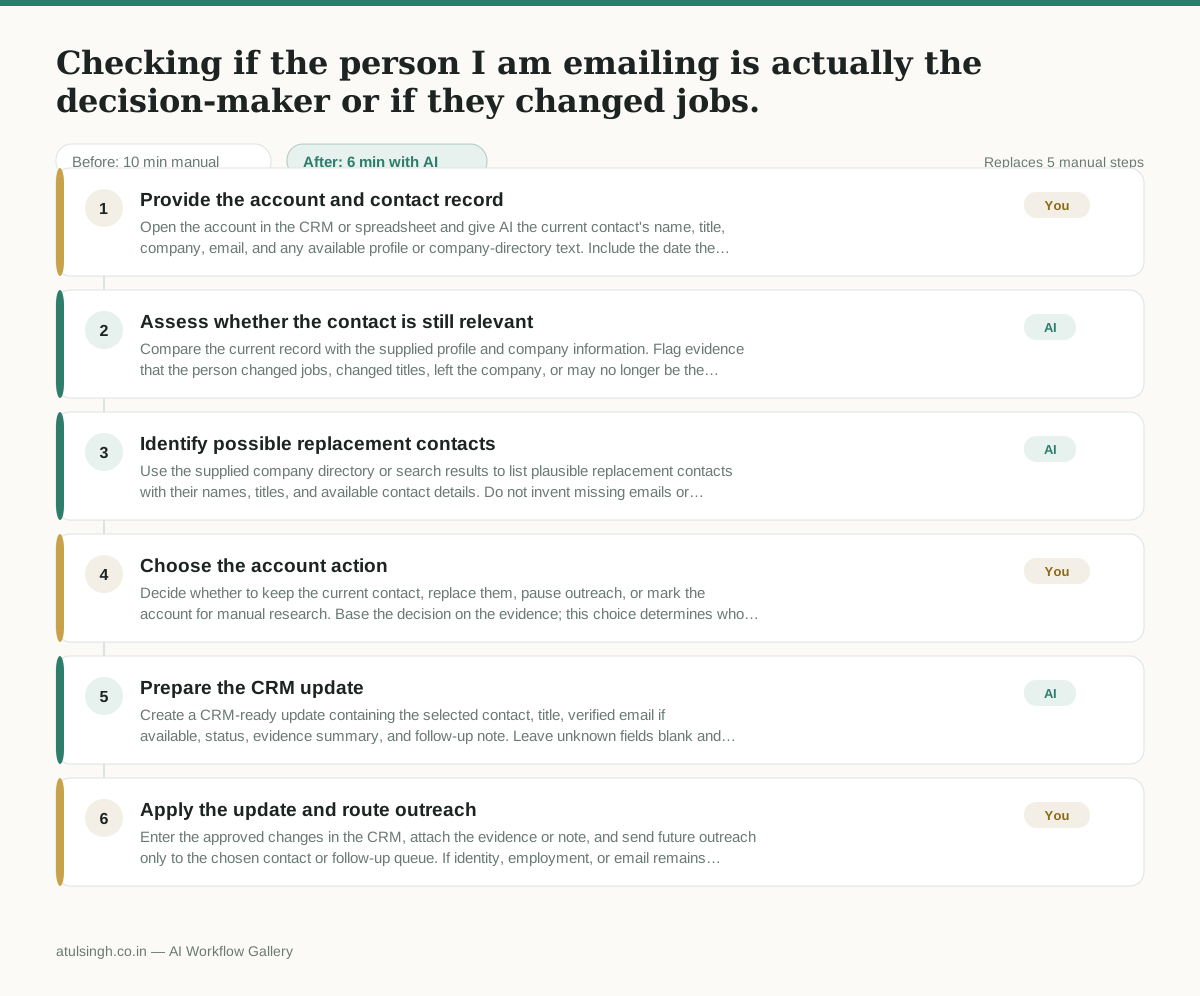
1. Provide the account and contact record
Open the account in the CRM or spreadsheet and give AI the current contact's name, title, company, email, and any available profile or company-directory text. Include the date the record was last checked.
- AI
2. Assess whether the contact is still relevant
Compare the current record with the supplied profile and company information. Flag evidence that the person changed jobs, changed titles, left the company, or may no longer be the decision-maker, and separate confirmed details from uncertainty.
- AI
3. Identify possible replacement contacts
Use the supplied company directory or search results to list plausible replacement contacts with their names, titles, and available contact details. Do not invent missing emails or treat a job title alone as proof of buying authority.
- You
4. Choose the account action
Decide whether to keep the current contact, replace them, pause outreach, or mark the account for manual research. Base the decision on the evidence; this choice determines who receives outreach and whether the account remains active.
- AI
5. Prepare the CRM update
Create a CRM-ready update containing the selected contact, title, verified email if available, status, evidence summary, and follow-up note. Leave unknown fields blank and state clearly when AI could not reliably confirm the person or role.
- You
6. Apply the update and route outreach
Enter the approved changes in the CRM, attach the evidence or note, and send future outreach only to the chosen contact or follow-up queue. If identity, employment, or email remains uncertain, keep the record paused instead of guessing.
What you end up with
Where this falls apart
- The contact has a common name and multiple professionals share the same name at the same company, which causes the AI to mix up employment histories and assign the wrong job title or status.
- The company website or directory uses outdated or conflicting titles that do not match current organizational structures, which leads the AI to flag active decision-makers as departed or misidentify non-buying staff as replacements.
More for SDR / BDR
- Researching target accounts for cold outreach by checking recent news and job postings to write a personalized first email
- Find specific triggers in a company annual report for a personalized pitch
- Mapping the buying committee for a target enterprise account before initial outreach
- Write a first-touch outbound email to a target account based on recent public signals like news, job postings, or social media activity
Also in sales
- Research an incoming company and its decision makers before a first sales meeting
- Prep for a B2B demo call by checking recent company news, job postings, and tech stack changes to build relevant questions.
- Reviewing a new sales rep's practice pitch against the team's call criteria before letting them talk to real prospects
- reaching out to former colleagues and personal contacts to announce a new company or product launch without sounding like a spammy marketer