
Checking if a prospect is already in the database or active in another sequence before starting new outreach
When reps fail to check for duplicates before starting a sequence, multiple people from the same company end up getting conflicting messages, or the same person gets emailed twice by different reps, which looks disorganized and damages credibility.
- Before
- 5 min
- After
- 3 min
- Saved
- 2 min
How this used to go
- Open the sales engagement platform and the CRM.
- Search for the prospect's email address and company name in the CRM to check for existing records.
- Check the activity history to see if another team member has recently contacted them.
- Cross-reference the account list with existing open opportunities or active customer accounts.
- If a duplicate or active record is found, check who owns the relationship to coordinate next steps.
Switching back and forth between different tabs and systems just to confirm whether it is safe to email someone.
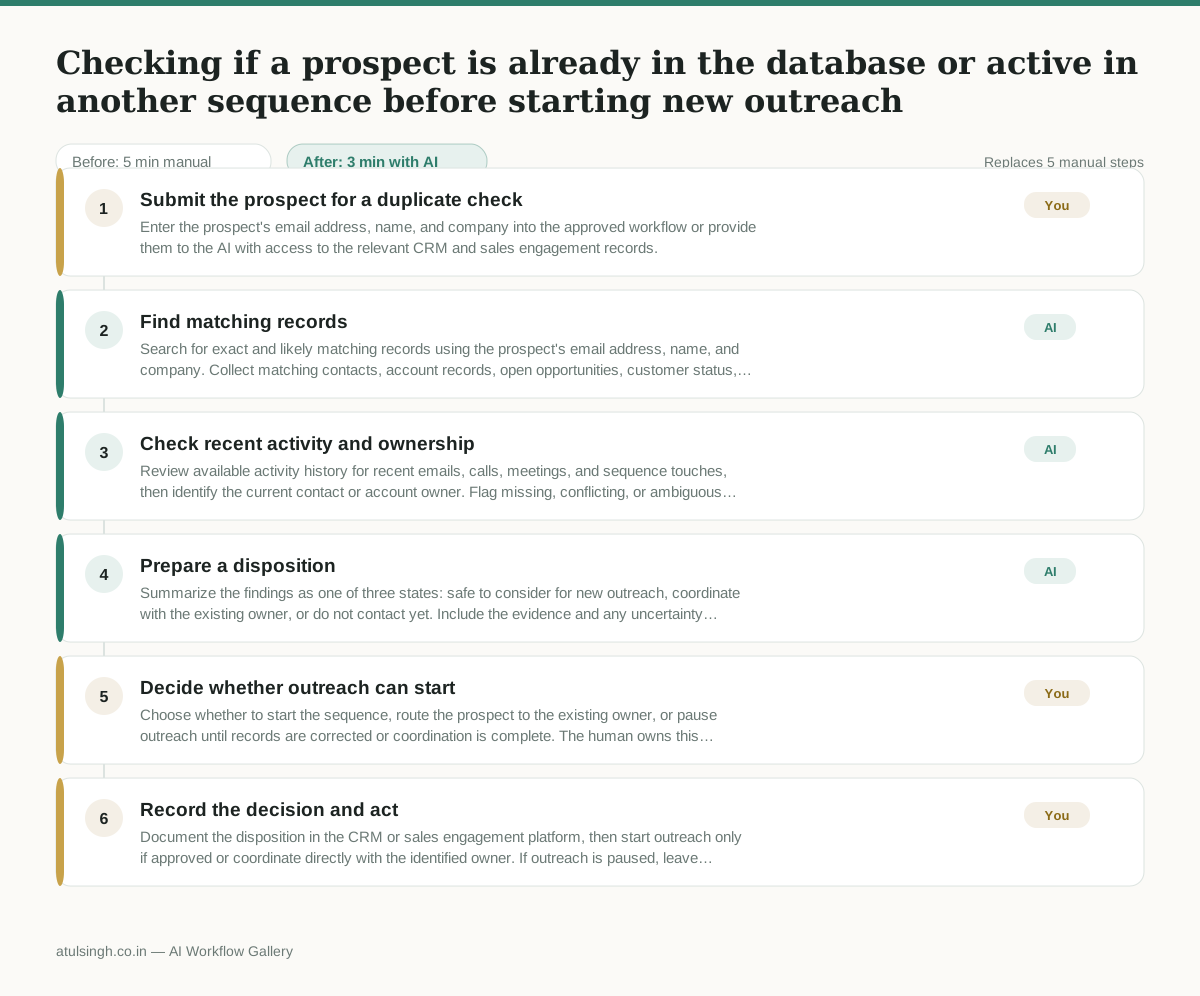
The workflow, step by step
- You
1. Submit the prospect for a duplicate check
Enter the prospect's email address, name, and company into the approved workflow or provide them to the AI with access to the relevant CRM and sales engagement records.
- AI
2. Find matching records
Search for exact and likely matching records using the prospect's email address, name, and company. Collect matching contacts, account records, open opportunities, customer status, and sequence enrollment.
- AI
3. Check recent activity and ownership
Review available activity history for recent emails, calls, meetings, and sequence touches, then identify the current contact or account owner. Flag missing, conflicting, or ambiguous data instead of treating it as clear.
- AI
4. Prepare a disposition
Summarize the findings as one of three states: safe to consider for new outreach, coordinate with the existing owner, or do not contact yet. Include the evidence and any uncertainty behind the state.
- You
5. Decide whether outreach can start
Choose whether to start the sequence, route the prospect to the existing owner, or pause outreach until records are corrected or coordination is complete. The human owns this decision because incomplete or conflicting records can make an automated clearance unreliable.
- You
6. Record the decision and act
Document the disposition in the CRM or sales engagement platform, then start outreach only if approved or coordinate directly with the identified owner. If outreach is paused, leave the reason and next action for the team.
What you end up with
Where this falls apart
- The CRM contains duplicate contact profiles with differing email addresses for the same person, which causes the AI to miss existing records and clear the prospect for new outreach in error.
- A prospect uses a shared corporate email domain or generic alias, which causes the AI to pull incorrect account history and misidentify the relationship owner.
More for SDR / BDR
- Researching target accounts for cold outreach by checking recent news and job postings to write a personalized first email
- Find specific triggers in a company annual report for a personalized pitch
- Mapping the buying committee for a target enterprise account before initial outreach
- Write a first-touch outbound email to a target account based on recent public signals like news, job postings, or social media activity
Also in sales
- Research an incoming company and its decision makers before a first sales meeting
- Prep for a B2B demo call by checking recent company news, job postings, and tech stack changes to build relevant questions.
- Reviewing a new sales rep's practice pitch against the team's call criteria before letting them talk to real prospects
- reaching out to former colleagues and personal contacts to announce a new company or product launch without sounding like a spammy marketer