
Check incoming leads to see which ones have been waiting the longest and need a reply right now before we miss the window.
Leads slip through the cracks when reps get busy with calls or existing deals, leading to slow response times and cold prospects.
- Before
- 15 min
- After
- 5 min
- Saved
- 10 min
How this used to go
- Open the lead routing view or shared inbox.
- Sort incoming leads by time received or last activity.
- Scan the list to find leads approaching the internal response time limit.
- Cross-reference the lead details with company assignment rules to see who owns them.
- Ping the assigned rep or draft a quick reply directly if overdue.
Manually scanning and sorting lists every hour to find time-sensitive leads takes focus away from actually talking to prospects.
The workflow, step by step
- You
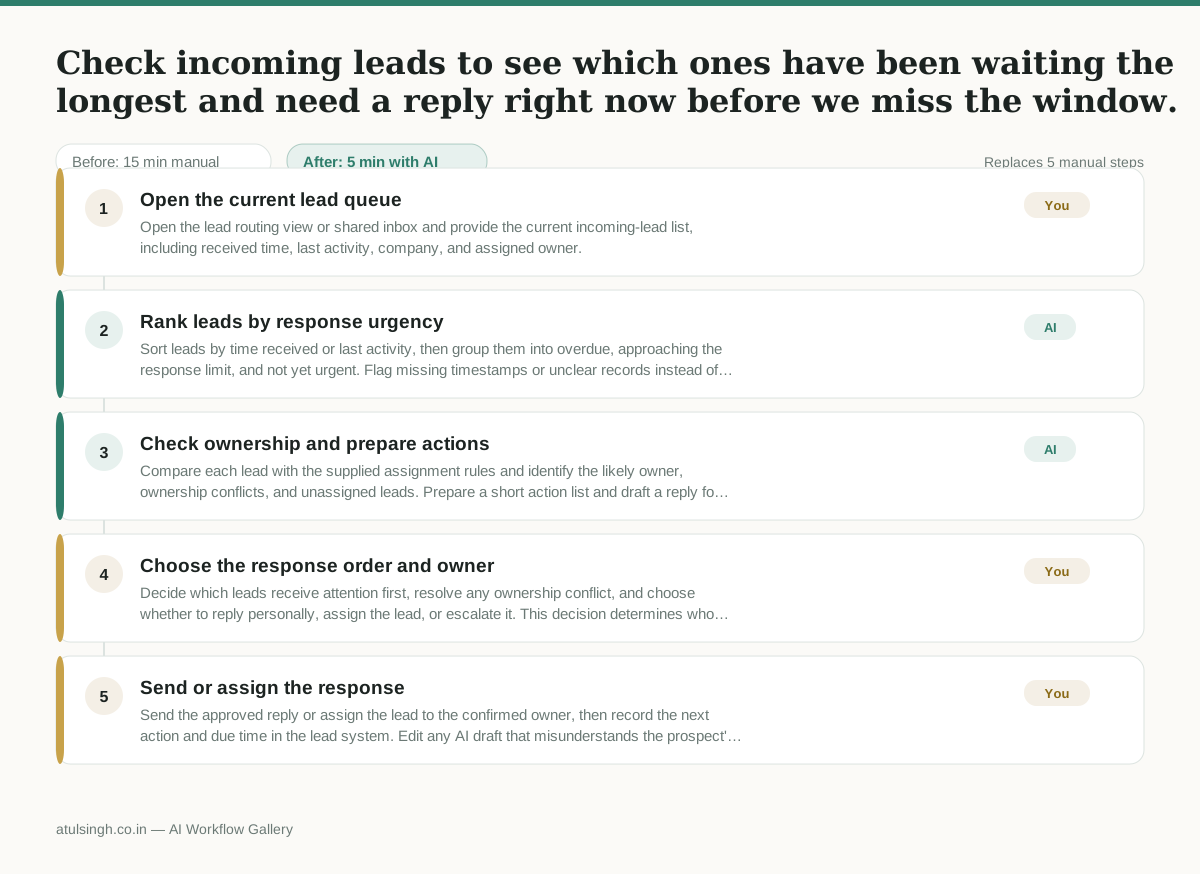
1. Open the current lead queue
Open the lead routing view or shared inbox and provide the current incoming-lead list, including received time, last activity, company, and assigned owner.
- AI
2. Rank leads by response urgency
Sort leads by time received or last activity, then group them into overdue, approaching the response limit, and not yet urgent. Flag missing timestamps or unclear records instead of guessing.
- AI
3. Check ownership and prepare actions
Compare each lead with the supplied assignment rules and identify the likely owner, ownership conflicts, and unassigned leads. Prepare a short action list and draft a reply for leads with enough context; do not infer ownership when the rules are ambiguous.
- You
4. Choose the response order and owner
Decide which leads receive attention first, resolve any ownership conflict, and choose whether to reply personally, assign the lead, or escalate it. This decision determines who contacts the prospect and whether the response window is protected.
- You
5. Send or assign the response
Send the approved reply or assign the lead to the confirmed owner, then record the next action and due time in the lead system. Edit any AI draft that misunderstands the prospect's intent or lacks important context.
What you end up with
Where this falls apart
- Inbound lead records contain incomplete or mismatched timestamps, which causes the AI to miscalculate urgency and push stale leads to the bottom of the queue.
- Assignment rules contain undocumented edge cases or verbal exceptions, which causes the model to generate incorrect ownership flags and creates routing confusion.
More for SDR / BDR
- Researching target accounts for cold outreach by checking recent news and job postings to write a personalized first email
- Find specific triggers in a company annual report for a personalized pitch
- Mapping the buying committee for a target enterprise account before initial outreach
- Write a first-touch outbound email to a target account based on recent public signals like news, job postings, or social media activity
Also in sales
- Research an incoming company and its decision makers before a first sales meeting
- Prep for a B2B demo call by checking recent company news, job postings, and tech stack changes to build relevant questions.
- Reviewing a new sales rep's practice pitch against the team's call criteria before letting them talk to real prospects
- reaching out to former colleagues and personal contacts to announce a new company or product launch without sounding like a spammy marketer