
Build today's call list from a raw exported lead file
Raw lead lists are messy, unformatted, and contain outdated phone numbers or mismatched time zones, making the morning prep take hours before any actual dialing begins.
- Before
- 60 min
- After
- 20 min
- Saved
- 40 min
How this used to go
- Export the raw lead list from the database or marketing platform into a spreadsheet.
- Scan rows to remove duplicates, blank phone numbers, and obvious bad data.
- Cross-reference company locations against time zones to filter out prospects who are outside calling hours.
- Look up missing or outdated phone numbers individually in the directory or data provider.
- Sort and prioritize the remaining contacts by tier, company size, or last touch date.
- Copy and paste the finalized list into the phone dialer queue for the day.
Wasting the first hour of the day cleaning messy data and looking up phone numbers instead of talking to prospects.
The workflow, step by step
- You
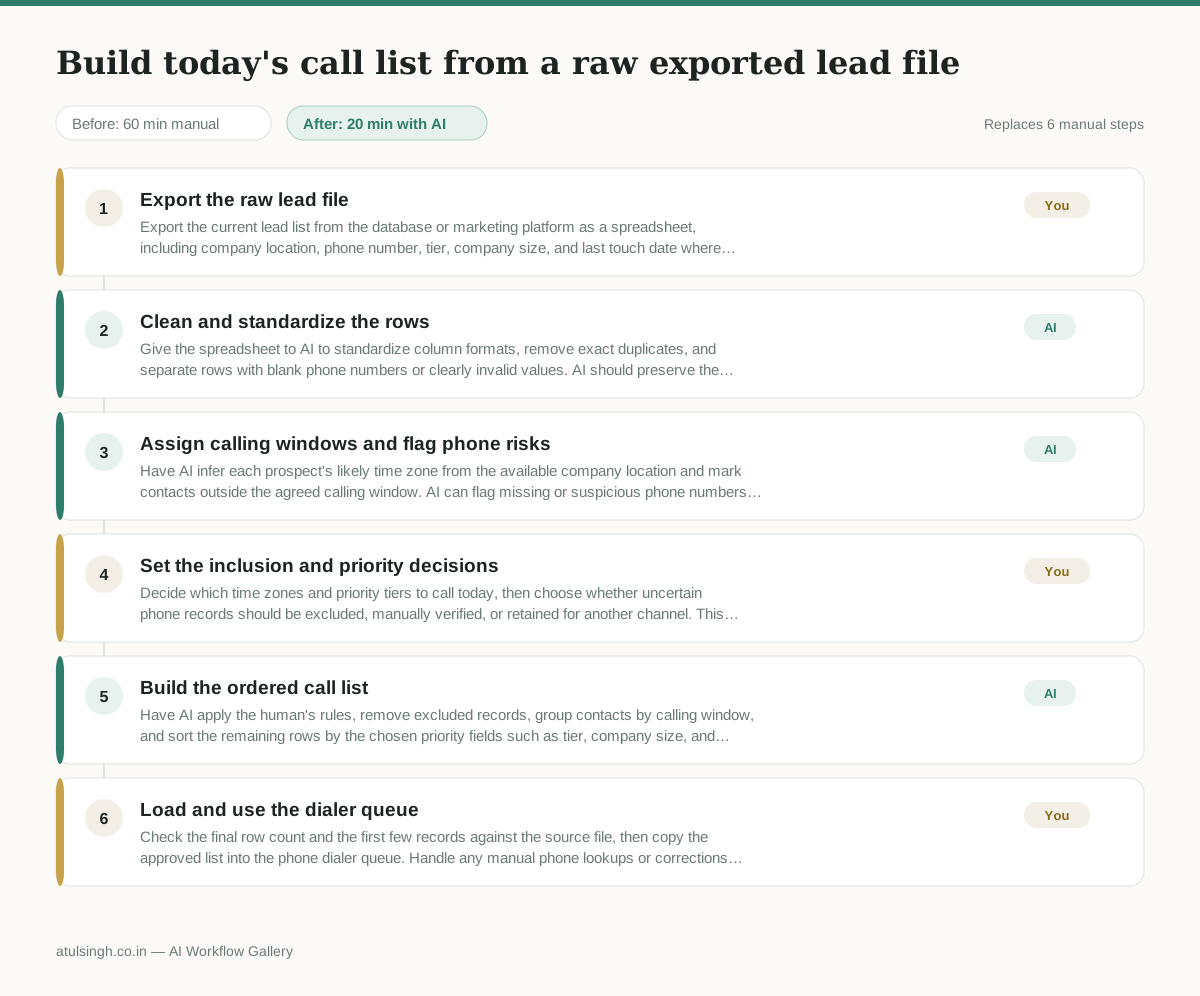
1. Export the raw lead file
Export the current lead list from the database or marketing platform as a spreadsheet, including company location, phone number, tier, company size, and last touch date where available.
- AI
2. Clean and standardize the rows
Give the spreadsheet to AI to standardize column formats, remove exact duplicates, and separate rows with blank phone numbers or clearly invalid values. AI should preserve the original data and produce a flagged-record list rather than silently deleting uncertain rows.
- AI
3. Assign calling windows and flag phone risks
Have AI infer each prospect's likely time zone from the available company location and mark contacts outside the agreed calling window. AI can flag missing or suspicious phone numbers, but it cannot reliably confirm that a number is current without an authoritative directory or data provider.
- You
4. Set the inclusion and priority decisions
Decide which time zones and priority tiers to call today, then choose whether uncertain phone records should be excluded, manually verified, or retained for another channel. This determines which prospects enter the dialer and which opportunities are deferred.
- AI
5. Build the ordered call list
Have AI apply the human's rules, remove excluded records, group contacts by calling window, and sort the remaining rows by the chosen priority fields such as tier, company size, and last touch date. Keep unresolved phone records visibly marked so they are not mistaken for verified contacts.
- You
6. Load and use the dialer queue
Check the final row count and the first few records against the source file, then copy the approved list into the phone dialer queue. Handle any manual phone lookups or corrections before dialing those specific contacts.
What you end up with
Where this falls apart
- The exported lead file contains ambiguous city or region names that do not map to a single unambiguous time zone, causing AI to miscalculate calling windows and place calls outside legal or practical hours.
- Phone numbers are stored in non-standard or fragmented formats across multiple columns, causing AI to misread digits and output corrupted numbers that fail in the dialer.
More for SDR / BDR
- Researching target accounts for cold outreach by checking recent news and job postings to write a personalized first email
- Find specific triggers in a company annual report for a personalized pitch
- Mapping the buying committee for a target enterprise account before initial outreach
- Write a first-touch outbound email to a target account based on recent public signals like news, job postings, or social media activity
Also in sales
- Research an incoming company and its decision makers before a first sales meeting
- Prep for a B2B demo call by checking recent company news, job postings, and tech stack changes to build relevant questions.
- Reviewing a new sales rep's practice pitch against the team's call criteria before letting them talk to real prospects
- reaching out to former colleagues and personal contacts to announce a new company or product launch without sounding like a spammy marketer