
Audit active sales sequences for contacts who should be paused or removed
Reps send automated follow-up emails to prospects who have already replied, booked a meeting, or changed jobs, which damages sender reputation and leads to awkward conversations.
- Before
- 45 min
- After
- 20 min
- Saved
- 25 min
How this used to go
- Open the email sequencing platform and filter for all currently active sequences.
- Cross-reference active prospects with the CRM to check for recent inbound replies, phone calls, or meetings booked.
- Check LinkedIn manually for replies or status updates indicating job changes for high-priority accounts.
- Identify contacts who have replied or met but remain active in automated steps.
- Select and manually pause or remove those specific contacts from the active sequences.
Checking records one by one across multiple tabs while knowing that a single missed contact means sending an irrelevant or tone-deaf follow-up email.
The workflow, step by step
- You
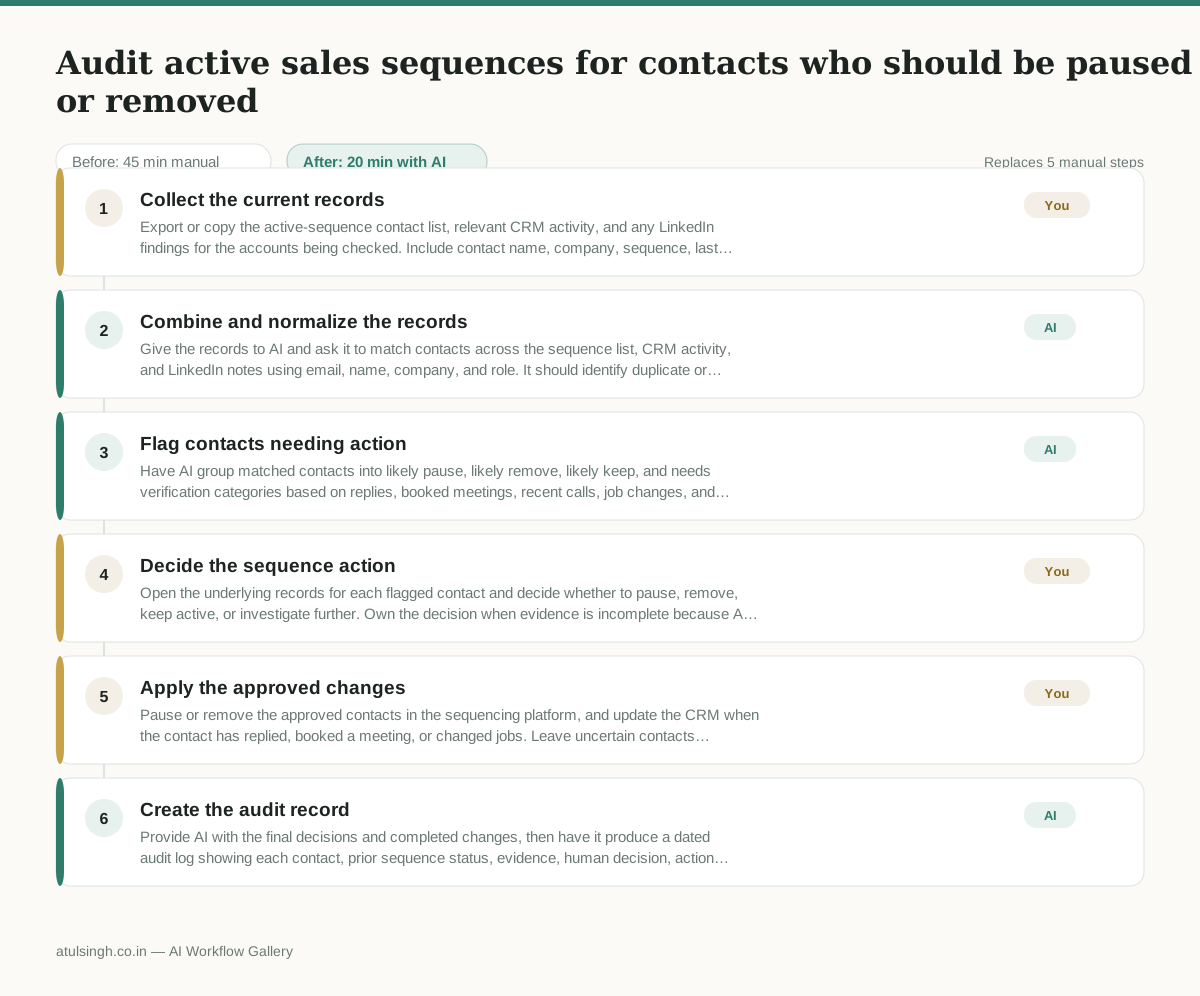
1. Collect the current records
Export or copy the active-sequence contact list, relevant CRM activity, and any LinkedIn findings for the accounts being checked. Include contact name, company, sequence, last touch, recent activity, and job status where available.
- AI
2. Combine and normalize the records
Give the records to AI and ask it to match contacts across the sequence list, CRM activity, and LinkedIn notes using email, name, company, and role. It should identify duplicate or uncertain matches instead of treating them as confirmed.
- AI
3. Flag contacts needing action
Have AI group matched contacts into likely pause, likely remove, likely keep, and needs verification categories based on replies, booked meetings, recent calls, job changes, and conflicting evidence. Require a short evidence summary for every flag.
- You
4. Decide the sequence action
Open the underlying records for each flagged contact and decide whether to pause, remove, keep active, or investigate further. Own the decision when evidence is incomplete because AI cannot reliably determine intent from ambiguous activity or confirm that a job change is current.
- You
5. Apply the approved changes
Pause or remove the approved contacts in the sequencing platform, and update the CRM when the contact has replied, booked a meeting, or changed jobs. Leave uncertain contacts unchanged until the required verification is complete.
- AI
6. Create the audit record
Provide AI with the final decisions and completed changes, then have it produce a dated audit log showing each contact, prior sequence status, evidence, human decision, action taken, and any follow-up needed.
What you end up with
Where this falls apart
- The exported contact records contain duplicate names or common email domains without distinct company identifiers, causing the AI to incorrectly merge separate individuals into a single entity.
- A contact replies from a personal email address or a newly acquired corporate domain not yet logged in the CRM, causing the AI to miss the inbound signal and recommend keeping the active sequence running.
More for SDR / BDR
- Researching target accounts for cold outreach by checking recent news and job postings to write a personalized first email
- Find specific triggers in a company annual report for a personalized pitch
- Mapping the buying committee for a target enterprise account before initial outreach
- Write a first-touch outbound email to a target account based on recent public signals like news, job postings, or social media activity
Also in sales
- Research an incoming company and its decision makers before a first sales meeting
- Prep for a B2B demo call by checking recent company news, job postings, and tech stack changes to build relevant questions.
- Reviewing a new sales rep's practice pitch against the team's call criteria before letting them talk to real prospects
- reaching out to former colleagues and personal contacts to announce a new company or product launch without sounding like a spammy marketer