
Reviewing stagnant deals in the pipeline before the weekly forecast meeting to figure out what is actually blocking them and decide who to call or email.
By the time a deal sits without movement for two weeks, the notes in the CRM are often outdated, buried across multiple meeting recordings, or missing entirely, making it hard to figure out the real reason the deal stalled without manually reading through every single email thread and call transcript.
- Before
- 60 min
- After
- 25 min
- Saved
- 35 min
How this used to go
- Open the CRM and filter the pipeline view for opportunities that have not moved stages in 14 or more days.
- Click into the first stalled deal and check the most recent activity date and last logged note.
- Open the associated email history to read the last few messages sent back and forth with the prospect.
- Search the call recording software for the last meeting with this account to check what verbal objections or next steps were discussed.
- Open a separate spreadsheet or notepad to write down a summary of the situation and a suggested next step for the rep.
- Repeat steps two through five for the remaining stalled deals on the list.
Digging through long email threads and hour-long call transcripts just to find out why a deal stopped responding.
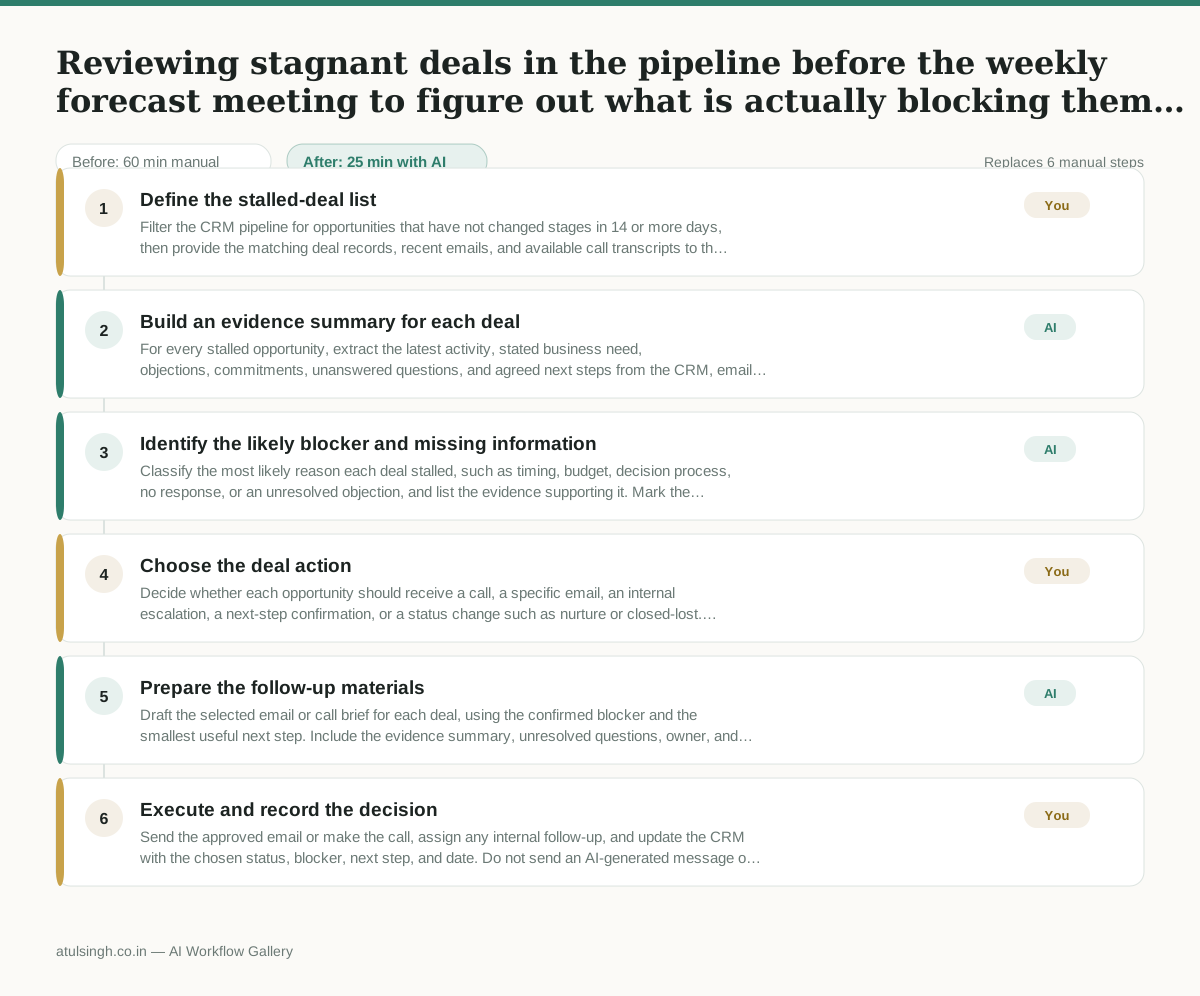
The workflow, step by step
- You
1. Define the stalled-deal list
Filter the CRM pipeline for opportunities that have not changed stages in 14 or more days, then provide the matching deal records, recent emails, and available call transcripts to the workflow.
- AI
2. Build an evidence summary for each deal
For every stalled opportunity, extract the latest activity, stated business need, objections, commitments, unanswered questions, and agreed next steps from the CRM, email history, and call transcripts. Keep direct evidence separate from inferred explanations.
- AI
3. Identify the likely blocker and missing information
Classify the most likely reason each deal stalled, such as timing, budget, decision process, no response, or an unresolved objection, and list the evidence supporting it. Mark the blocker as uncertain when the records are incomplete or contradictory; AI cannot reliably determine the prospect's true reason without enough direct evidence.
- You
4. Choose the deal action
Decide whether each opportunity should receive a call, a specific email, an internal escalation, a next-step confirmation, or a status change such as nurture or closed-lost. Reject or revise the AI's proposed action when it does not match the account context or the evidence.
- AI
5. Prepare the follow-up materials
Draft the selected email or call brief for each deal, using the confirmed blocker and the smallest useful next step. Include the evidence summary, unresolved questions, owner, and proposed follow-up date so the drafts do not present assumptions as facts.
- You
6. Execute and record the decision
Send the approved email or make the call, assign any internal follow-up, and update the CRM with the chosen status, blocker, next step, and date. Do not send an AI-generated message or change a forecast category without checking it against the account record.
What you end up with
Where this falls apart
- The CRM contains outdated meeting notes and missing email threads, which causes the AI to fabricate plausible-sounding deal blockers that do not match reality.
- A prospect communicates primarily through phone calls that were never recorded or transcribed, which causes the AI to misinterpret the account status due to a complete lack of context.
More for Sales Manager
- Research an incoming company and its decision makers before a first sales meeting
- Reviewing a new sales rep's practice pitch against the team's call criteria before letting them talk to real prospects
- Review the sales pipeline before the weekly team meeting to find deals that haven't moved stages and figure out why.
- Reviewing sales call recordings to see how reps handle customer objections and figuring out what coaching they need
Also in sales
- Prep for a B2B demo call by checking recent company news, job postings, and tech stack changes to build relevant questions.
- reaching out to former colleagues and personal contacts to announce a new company or product launch without sounding like a spammy marketer
- Reviving deals that went quiet after sending a proposal by finding matching case studies and writing a follow-up message.
- Turn raw discovery call notes into a structured pilot proposal for a new client