
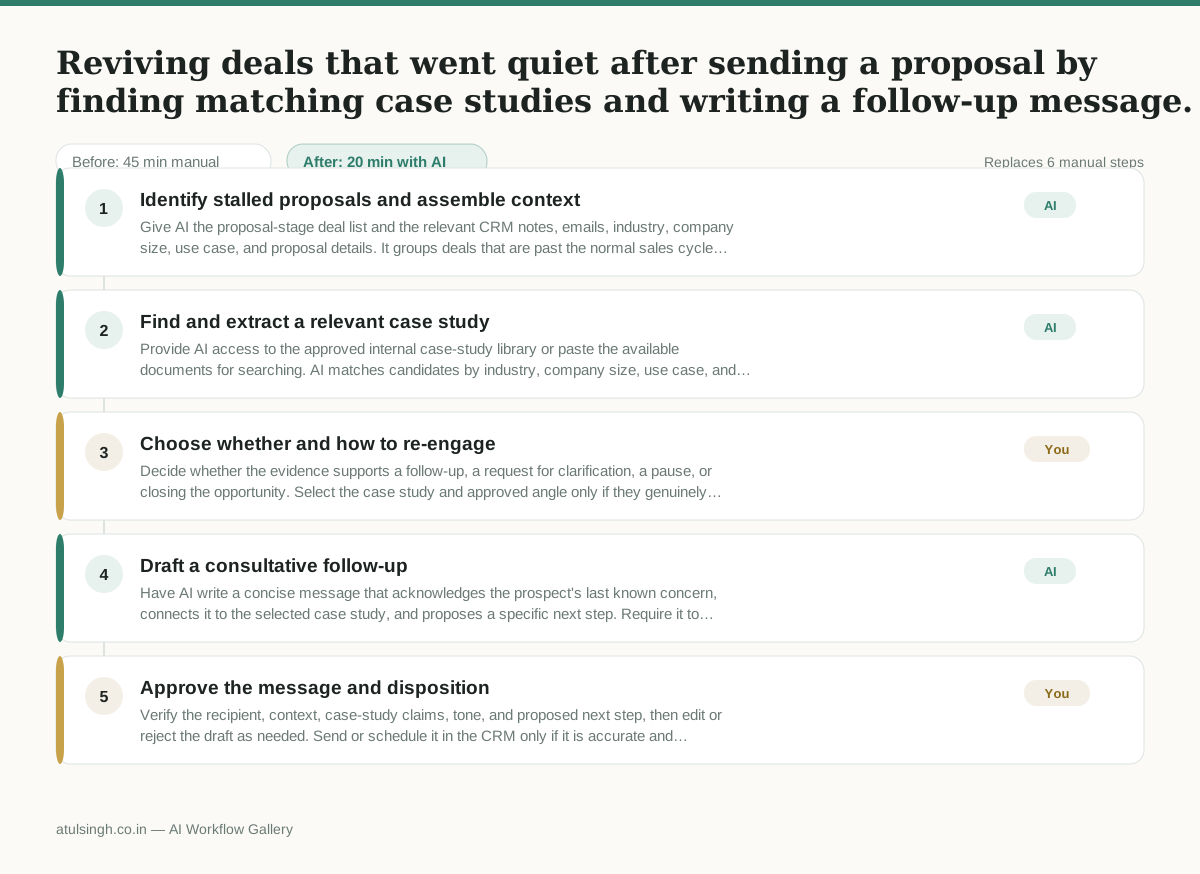
Reviving deals that went quiet after sending a proposal by finding matching case studies and writing a follow-up message.
When deals stall after a proposal, account executives often let them sit indefinitely because reviewing past CRM notes and digging through marketing collateral for a relevant case study takes too much time during a busy pipeline week. When they do try to follow up, the messages are often generic check-ins rather than specific, consultative touchpoints that address the prospect's actual hesitation.
- Before
- 45 min
- After
- 20 min
- Saved
- 25 min
How this used to go
- Filter the CRM for deals stuck in the proposal-sent stage past the normal sales cycle length.
- Open individual prospect records and read through past call notes and email threads to identify the specific reason the deal stalled or the last objection raised.
- Search internal document folders, shared drives, or marketing wikis to find a case study that matches the prospect's industry, company size, or specific use case.
- Read through the located case study to extract relevant metrics and implementation details.
- Draft a custom re-engagement email connecting the prospect's original hesitation to the results achieved in the case study.
- Copy and paste the draft into the CRM or sales engagement platform and schedule the send.
Reading through fragmented, poorly formatted CRM notes to figure out why a deal stalled, only to discover the previous rep never actually recorded the reason.
The workflow, step by step
- AI
1. Identify stalled proposals and assemble context
Give AI the proposal-stage deal list and the relevant CRM notes, emails, industry, company size, use case, and proposal details. It groups deals that are past the normal sales cycle and summarizes the latest known buying signal, objection, and missing information for each one.
- AI
2. Find and extract a relevant case study
Provide AI access to the approved internal case-study library or paste the available documents for searching. AI matches candidates by industry, company size, use case, and objection, then extracts only the documented results and implementation details while flagging when the CRM does not reliably explain why the deal stalled.
- You
3. Choose whether and how to re-engage
Decide whether the evidence supports a follow-up, a request for clarification, a pause, or closing the opportunity. Select the case study and approved angle only if they genuinely match the prospect; if the stall reason is missing or the match is weak, do not send a proof-point-led message.
- AI
4. Draft a consultative follow-up
Have AI write a concise message that acknowledges the prospect's last known concern, connects it to the selected case study, and proposes a specific next step. Require it to preserve documented figures and details exactly, avoid filling gaps with assumptions, and label any claim that still needs verification.
- You
5. Approve the message and disposition
Verify the recipient, context, case-study claims, tone, and proposed next step, then edit or reject the draft as needed. Send or schedule it in the CRM only if it is accurate and appropriate; otherwise record the reason for pausing or closing the opportunity.
What you end up with
Where this falls apart
- CRM notes are blank or inaccurate, causing the AI to hallucinate an objection or summarize an incorrect reason for the deal stall.
- Internal case studies lack concrete metrics or are stored in inconsistent formats, leading the AI to select an irrelevant match or misstate implementation details.
More for Account Executive
- Prep for a B2B demo call by checking recent company news, job postings, and tech stack changes to build relevant questions.
- Reviewing discovery call notes before booking a software demo to check if the prospect has a real budget, a hard timeline, and actual authority to buy.
- Tailor the demo pitch to different stakeholders based on company research and discovery notes
- Write an account handoff brief for customer success after a closed-won deal
Also in sales
- Research an incoming company and its decision makers before a first sales meeting
- Reviewing a new sales rep's practice pitch against the team's call criteria before letting them talk to real prospects
- reaching out to former colleagues and personal contacts to announce a new company or product launch without sounding like a spammy marketer
- Turn raw discovery call notes into a structured pilot proposal for a new client