
Review the sales pipeline before the weekly team meeting to find deals that haven't moved stages and figure out why.
Sales managers spend hours hunting through CRM records right before pipeline reviews, often missing stagnant deals because checking every opportunity individually takes too much time.
- Before
- 45 min
- After
- 20 min
- Saved
- 25 min
How this used to go
- Open the CRM dashboard and filter for open opportunities closing this quarter.
- Sort the deal list by 'last activity date' or 'stage modified date'.
- Open individual deal records that appear stuck in the same stage for more than two weeks.
- Read through recent email threads, call notes, and activity history to understand the current status.
- Ping the deal owner on chat to ask for an update on why the deal hasn't progressed.
- Manually jot down notes for which deals to bring up during the weekly pipeline review meeting.
Cross-referencing old activity dates with rep updates while trying to build a list of talking points before the meeting starts.
The workflow, step by step
- You
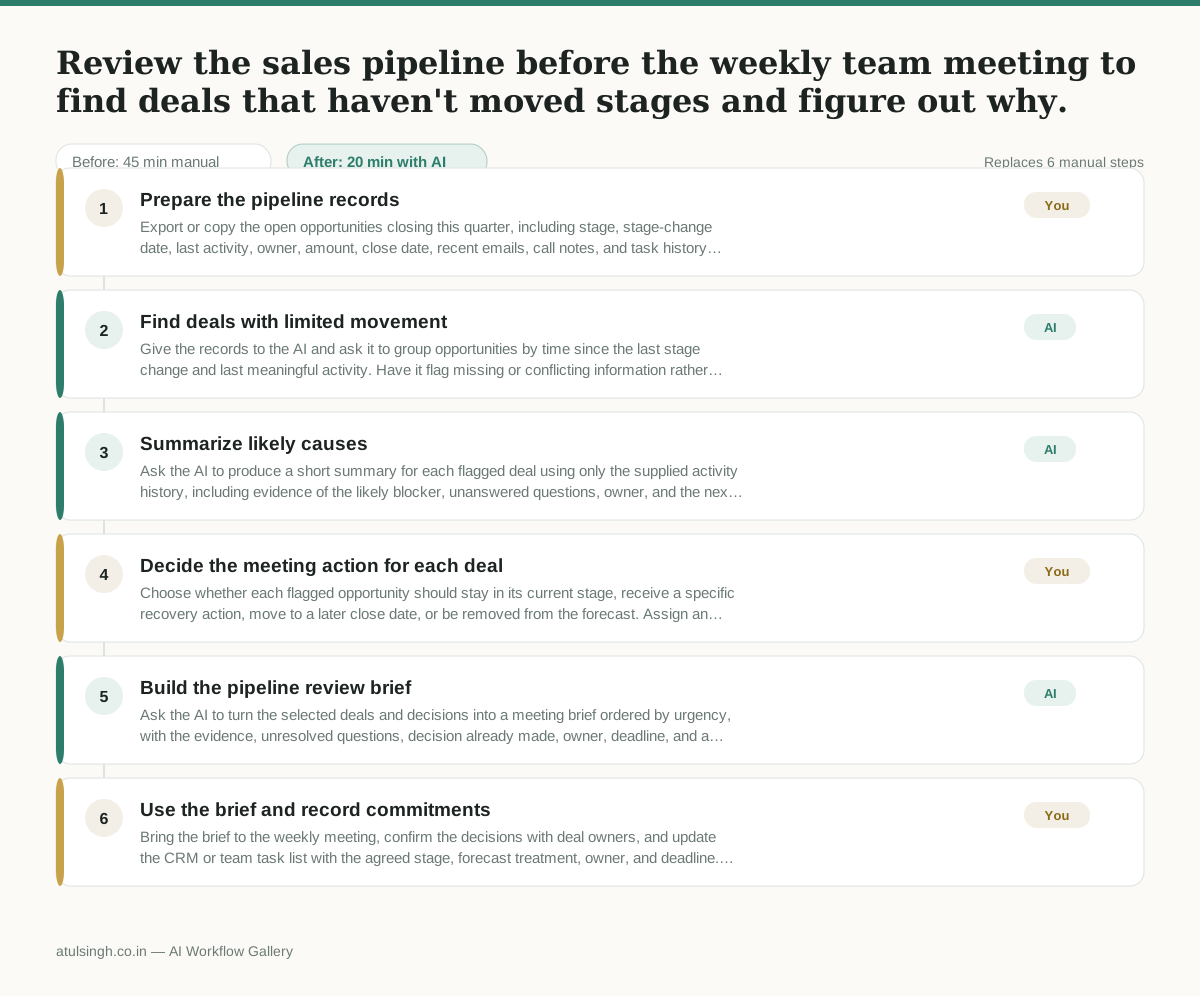
1. Prepare the pipeline records
Export or copy the open opportunities closing this quarter, including stage, stage-change date, last activity, owner, amount, close date, recent emails, call notes, and task history. Remove sensitive information that is not needed for the review.
- AI
2. Find deals with limited movement
Give the records to the AI and ask it to group opportunities by time since the last stage change and last meaningful activity. Have it flag missing or conflicting information rather than treating silence as proof that a deal is stalled.
- AI
3. Summarize likely causes
Ask the AI to produce a short summary for each flagged deal using only the supplied activity history, including evidence of the likely blocker, unanswered questions, owner, and the next customer or internal action. It should label assumptions and note when the records do not explain the delay.
- You
4. Decide the meeting action for each deal
Choose whether each flagged opportunity should stay in its current stage, receive a specific recovery action, move to a later close date, or be removed from the forecast. Assign an owner and deadline for every recovery action; do not rely on the AI summary where the source records are incomplete.
- AI
5. Build the pipeline review brief
Ask the AI to turn the selected deals and decisions into a meeting brief ordered by urgency, with the evidence, unresolved questions, decision already made, owner, deadline, and a concise discussion prompt for each deal.
- You
6. Use the brief and record commitments
Bring the brief to the weekly meeting, confirm the decisions with deal owners, and update the CRM or team task list with the agreed stage, forecast treatment, owner, and deadline. Correct any AI-generated summary that does not match the record.
What you end up with
Where this falls apart
- The CRM activity history is incomplete or logged incorrectly, causing the AI to misidentify active deals as stalled.
- Communication happens over untracked channels like phone calls or external chats, leading the AI to conclude there is no progress when deals are actually moving.
More for Sales Manager
- Research an incoming company and its decision makers before a first sales meeting
- Reviewing a new sales rep's practice pitch against the team's call criteria before letting them talk to real prospects
- Reviewing stagnant deals in the pipeline before the weekly forecast meeting to figure out what is actually blocking them and decide who to call or email.
- Reviewing sales call recordings to see how reps handle customer objections and figuring out what coaching they need
Also in sales
- Prep for a B2B demo call by checking recent company news, job postings, and tech stack changes to build relevant questions.
- reaching out to former colleagues and personal contacts to announce a new company or product launch without sounding like a spammy marketer
- Reviving deals that went quiet after sending a proposal by finding matching case studies and writing a follow-up message.
- Turn raw discovery call notes into a structured pilot proposal for a new client