
Calculate if the sales team actually has enough pipeline to hit their quarterly targets before locking in their quotas.
Sales managers often set quarterly quotas based strictly on historical targets or top-down revenue goals without accurately verifying whether the active pipeline actually has enough weighted value and historical win-rate probability to support those numbers. When reps fall short mid-quarter, it is usually because the pipeline coverage calculation relied on outdated deal stages or bloated opportunity amounts rather than realistic deal health.
- Before
- 120 min
- After
- 60 min
- Saved
- 60 min
How this used to go
- Export the current open pipeline report from the CRM into a spreadsheet.
- Filter out deals that have not had activity in the last 30 days or are past their expected close date.
- Group the remaining pipeline by sales rep and multiply each deal amount by its stage probability percentage.
- Compare the total weighted pipeline for each rep against their proposed quarterly quota to check the coverage ratio.
- Review individual rep territories and historical close rates manually to adjust expectations.
- Adjust quotas up or down in a separate tracking sheet and notify leadership.
Cleaning up outdated, stale deals that reps forgot to update makes the initial pipeline report completely unreliable, forcing manual double-checking of individual records.
The workflow, step by step
- You
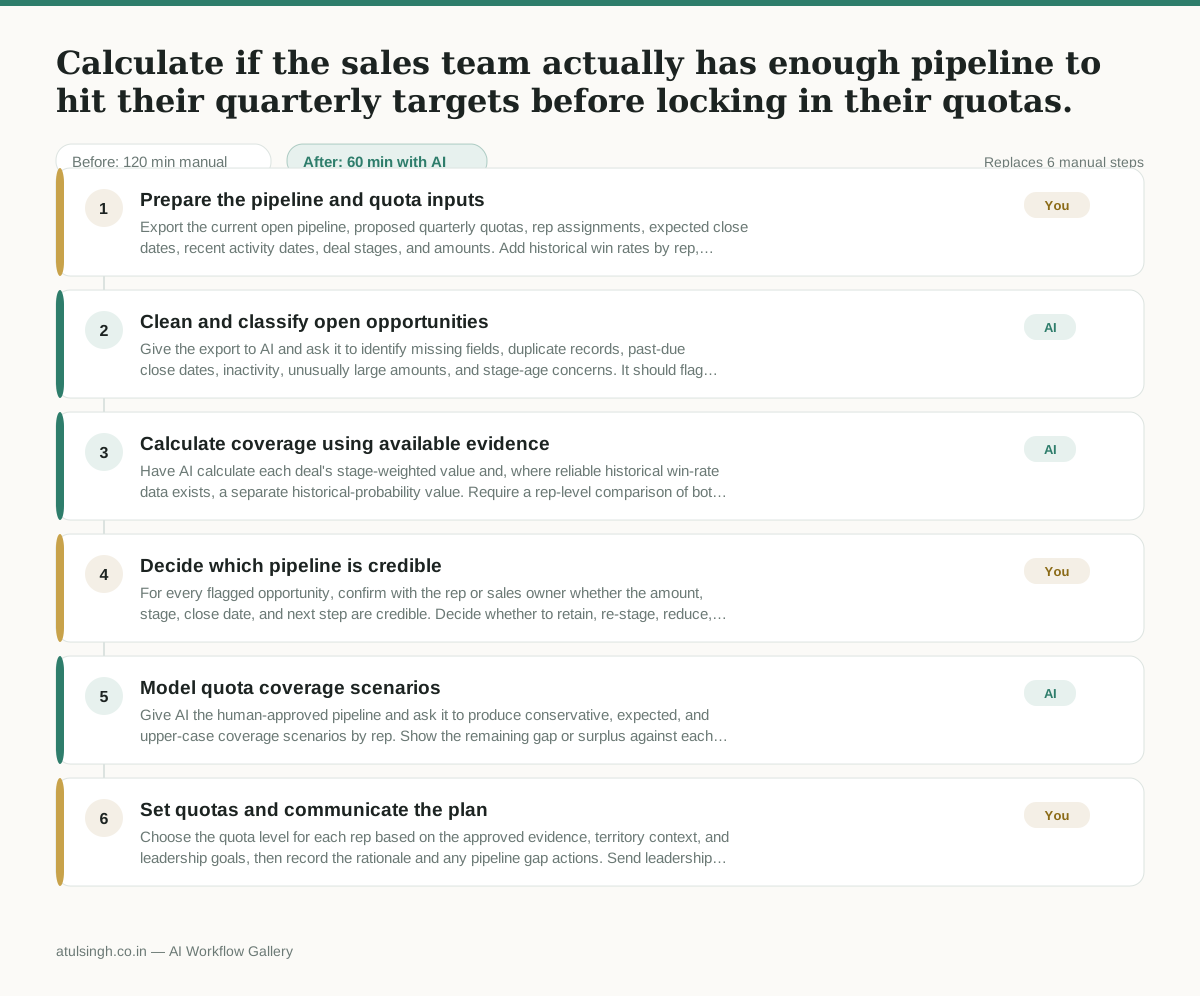
1. Prepare the pipeline and quota inputs
Export the current open pipeline, proposed quarterly quotas, rep assignments, expected close dates, recent activity dates, deal stages, and amounts. Add historical win rates by rep, segment, or stage when those records are available.
- AI
2. Clean and classify open opportunities
Give the export to AI and ask it to identify missing fields, duplicate records, past-due close dates, inactivity, unusually large amounts, and stage-age concerns. It should flag questionable deals for human confirmation rather than deciding that a deal is invalid.
- AI
3. Calculate coverage using available evidence
Have AI calculate each deal's stage-weighted value and, where reliable historical win-rate data exists, a separate historical-probability value. Require a rep-level comparison of both totals with the proposed quota, and label results as incomplete when the underlying history is missing or inconsistent.
- You
4. Decide which pipeline is credible
For every flagged opportunity, confirm with the rep or sales owner whether the amount, stage, close date, and next step are credible. Decide whether to retain, re-stage, reduce, or remove each deal; these decisions determine the pipeline value used for quota planning.
- AI
5. Model quota coverage scenarios
Give AI the human-approved pipeline and ask it to produce conservative, expected, and upper-case coverage scenarios by rep. Show the remaining gap or surplus against each proposed quota and identify whether the result depends on unverified assumptions.
- You
6. Set quotas and communicate the plan
Choose the quota level for each rep based on the approved evidence, territory context, and leadership goals, then record the rationale and any pipeline gap actions. Send leadership the final quota decision, coverage table, assumptions, and required pipeline-building actions.
What you end up with
Where this falls apart
- Historical win-rate data is missing or incomplete, causing the model to output coverage calculations based purely on inflated stage probabilities.
- Sales representatives fail to update deal notes and next steps in the CRM, resulting in AI flagging valid opportunities as stale or inaccurate.
More for Sales Manager
- Research an incoming company and its decision makers before a first sales meeting
- Reviewing a new sales rep's practice pitch against the team's call criteria before letting them talk to real prospects
- Review the sales pipeline before the weekly team meeting to find deals that haven't moved stages and figure out why.
- Reviewing stagnant deals in the pipeline before the weekly forecast meeting to figure out what is actually blocking them and decide who to call or email.
Also in sales
- Prep for a B2B demo call by checking recent company news, job postings, and tech stack changes to build relevant questions.
- reaching out to former colleagues and personal contacts to announce a new company or product launch without sounding like a spammy marketer
- Reviving deals that went quiet after sending a proposal by finding matching case studies and writing a follow-up message.
- Turn raw discovery call notes into a structured pilot proposal for a new client