
Audit slipped close dates in the CRM before the monthly executive forecast call
Pipeline reports are often inaccurate because reps leave past-due close dates sitting in the CRM, leading to awkward surprises and scrambling during leadership reviews.
- Before
- 60 min
- After
- 25 min
- Saved
- 35 min
How this used to go
- Open the primary CRM pipeline view and filter for open deals with close dates set in the past.
- Export the filtered list of stale deals into a spreadsheet.
- Cross-reference each deal with recent activity history or notes to check the last actual touchpoint.
- Slack or email individual account executives to ask for updated close dates and deal health status.
- Wait for responses, manually update the close dates and forecast categories in the CRM based on replies, and recalculate the summary totals.
Chasing reps for updates on deals that have already slipped past their close dates, only to find out nobody has spoken to the buyer in weeks.
The workflow, step by step
- You
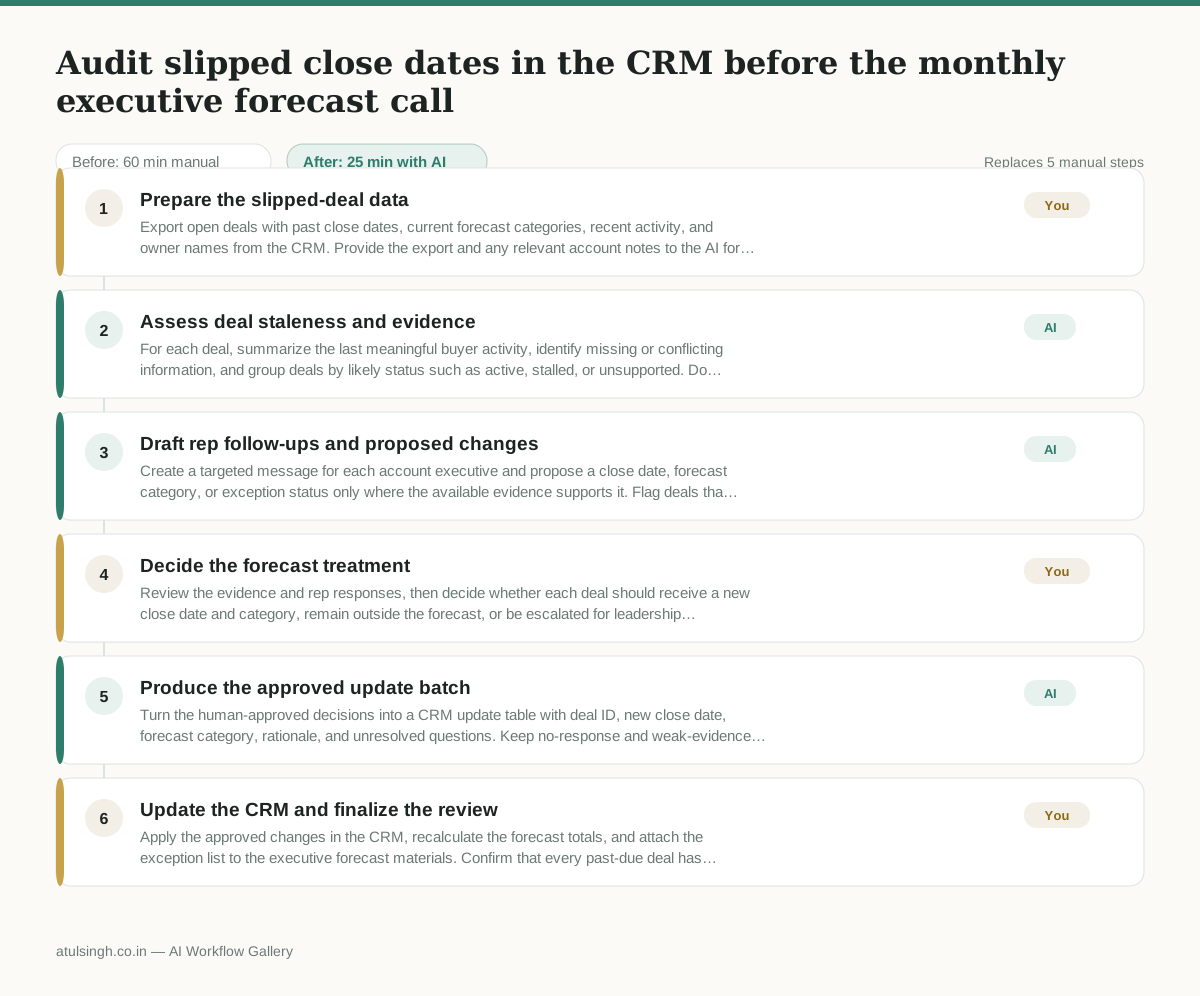
1. Prepare the slipped-deal data
Export open deals with past close dates, current forecast categories, recent activity, and owner names from the CRM. Provide the export and any relevant account notes to the AI for analysis.
- AI
2. Assess deal staleness and evidence
For each deal, summarize the last meaningful buyer activity, identify missing or conflicting information, and group deals by likely status such as active, stalled, or unsupported. Do not treat a lack of logged activity as proof that the deal is dead.
- AI
3. Draft rep follow-ups and proposed changes
Create a targeted message for each account executive and propose a close date, forecast category, or exception status only where the available evidence supports it. Flag deals that require a rep response before any CRM change is made.
- You
4. Decide the forecast treatment
Review the evidence and rep responses, then decide whether each deal should receive a new close date and category, remain outside the forecast, or be escalated for leadership attention. This decision determines which opportunities affect the executive forecast and which remain exceptions.
- AI
5. Produce the approved update batch
Turn the human-approved decisions into a CRM update table with deal ID, new close date, forecast category, rationale, and unresolved questions. Keep no-response and weak-evidence deals in a separate exception list rather than inventing values.
- You
6. Update the CRM and finalize the review
Apply the approved changes in the CRM, recalculate the forecast totals, and attach the exception list to the executive forecast materials. Confirm that every past-due deal has either a documented disposition or a named follow-up owner.
What you end up with
Where this falls apart
- Sales reps consistently fail to log meeting notes and email threads in the CRM, which starves the AI of the activity data it needs to accurately assess deal staleness.
- Custom CRM fields or unstructured notes contain contradictory update dates, causing the AI to generate incorrect close date proposals that require tedious manual correction.
More for Sales Manager
- Research an incoming company and its decision makers before a first sales meeting
- Reviewing a new sales rep's practice pitch against the team's call criteria before letting them talk to real prospects
- Review the sales pipeline before the weekly team meeting to find deals that haven't moved stages and figure out why.
- Reviewing stagnant deals in the pipeline before the weekly forecast meeting to figure out what is actually blocking them and decide who to call or email.
Also in sales
- Prep for a B2B demo call by checking recent company news, job postings, and tech stack changes to build relevant questions.
- reaching out to former colleagues and personal contacts to announce a new company or product launch without sounding like a spammy marketer
- Reviving deals that went quiet after sending a proposal by finding matching case studies and writing a follow-up message.
- Turn raw discovery call notes into a structured pilot proposal for a new client