
Turn a raw CRM export into a sales forecast, flagging missing close dates before reporting
Pipeline reports break or show incorrect totals when reps leave mandatory fields blank, requiring manual spreadsheet scrubbing before leadership meetings.
- Before
- 45 min
- After
- 20 min
- Saved
- 25 min
How this used to go
- Export open pipeline data from the CRM to a spreadsheet.
- Filter and sort the sheet by close date to identify blank or past-due entries.
- Cross-reference individual deal owners to find who owns the incomplete records.
- Email or message individual reps to request updated close dates.
- Manually update the spreadsheet once reps reply or guess a date based on stage history.
- Calculate total weighted and unweighted forecast totals for the leadership report.
Chasing down sales reps for missing close dates while trying to build the report under a tight deadline.
The workflow, step by step
- You
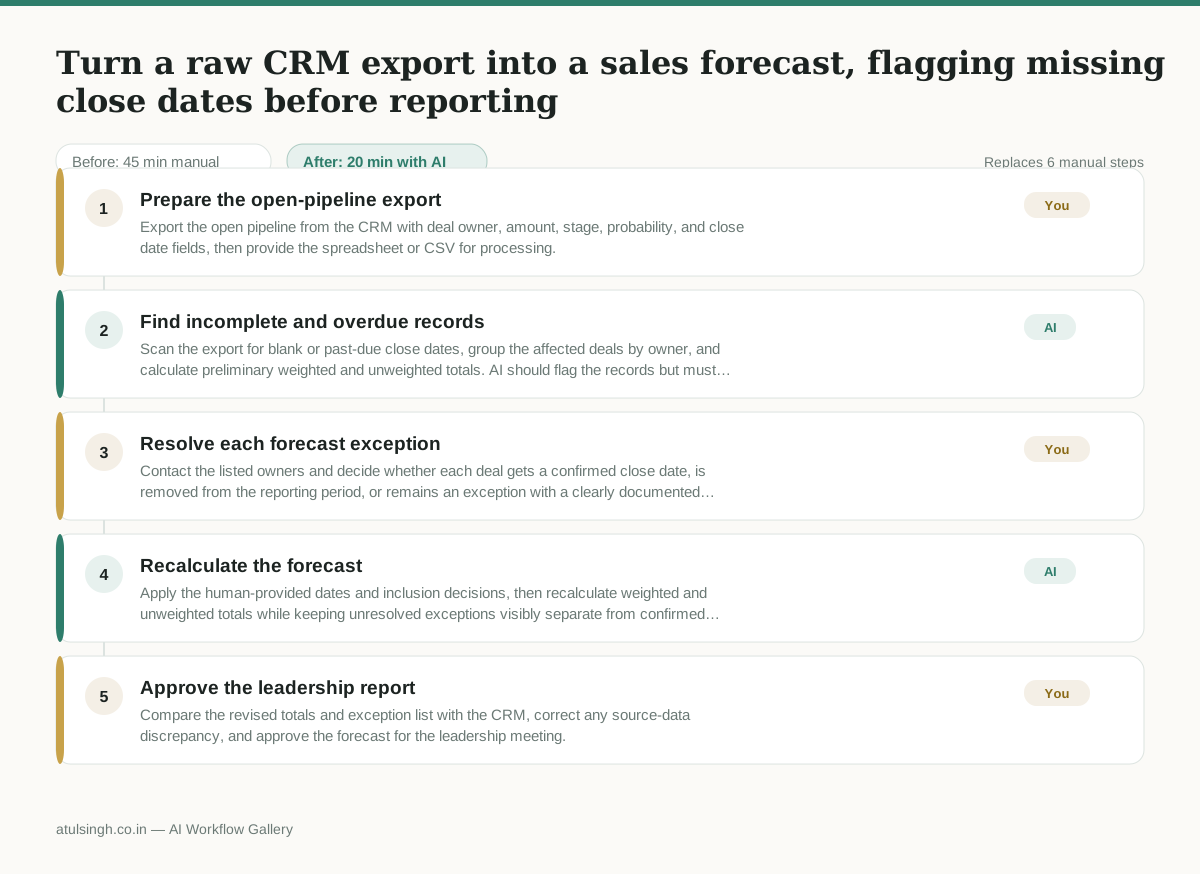
1. Prepare the open-pipeline export
Export the open pipeline from the CRM with deal owner, amount, stage, probability, and close date fields, then provide the spreadsheet or CSV for processing.
- AI
2. Find incomplete and overdue records
Scan the export for blank or past-due close dates, group the affected deals by owner, and calculate preliminary weighted and unweighted totals. AI should flag the records but must not infer a close date from stage history as if it were confirmed.
- You
3. Resolve each forecast exception
Contact the listed owners and decide whether each deal gets a confirmed close date, is removed from the reporting period, or remains an exception with a clearly documented assumption. This decision changes which deals and totals appear in the leadership forecast.
- AI
4. Recalculate the forecast
Apply the human-provided dates and inclusion decisions, then recalculate weighted and unweighted totals while keeping unresolved exceptions visibly separate from confirmed pipeline.
- You
5. Approve the leadership report
Compare the revised totals and exception list with the CRM, correct any source-data discrepancy, and approve the forecast for the leadership meeting.
What you end up with
Where this falls apart
- The CRM export contains conflicting date formats, which causes the AI to misidentify current close dates as past-due or missing.
- A sales representative updates the close date in the CRM while the AI workflow is running, which causes the report to present conflicting information to leadership.
More for RevOps / Sales Ops
- Find and merge duplicate contacts and companies, and flag stale deals before the monthly pipeline review
- clean up a messy CRM export and build a forecast the sales leader will actually trust for the board meeting
- Document the sales process so a new sales rep can follow it without constantly asking questions
- Find and merge duplicate CRM records before the pipeline review
Also in revops
- Turn a recurring cross-team problem into a documented handoff
- mapping messy customer onboarding notes into our CRM and project management board
- finding out which team is dropping the ball on customer handoffs
- Checking monthly expense reports for unusual jumps in supply costs before sending them to finance