
finding out which team is dropping the ball on customer handoffs
When a deal closes or a support ticket needs escalation, it gets handed from sales to onboarding or support to engineering. When the client asks for an update two weeks later, nobody knows whose queue it is sitting in, leading to finger-pointing between teams and endless scrolling through chat logs and ticket histories to find the last touchpoint.
- Before
- 60 min
- After
- 20 min
- Saved
- 40 min
How this used to go
- Export recent customer handoff records or deal lists from the CRM into a spreadsheet.
- Open the separate support or project management tool to look up corresponding ticket or project creation dates.
- Check internal chat message history to see who was last tagged or assigned to the request.
- Email or ping team leads from both departments to ask who currently owns the pending item.
- Compile the conflicting answers into a master list and try to deduce where the delay happened.
Chasing down managers across two different departments to admit whose queue the request sat in for five days.
The workflow, step by step
- You
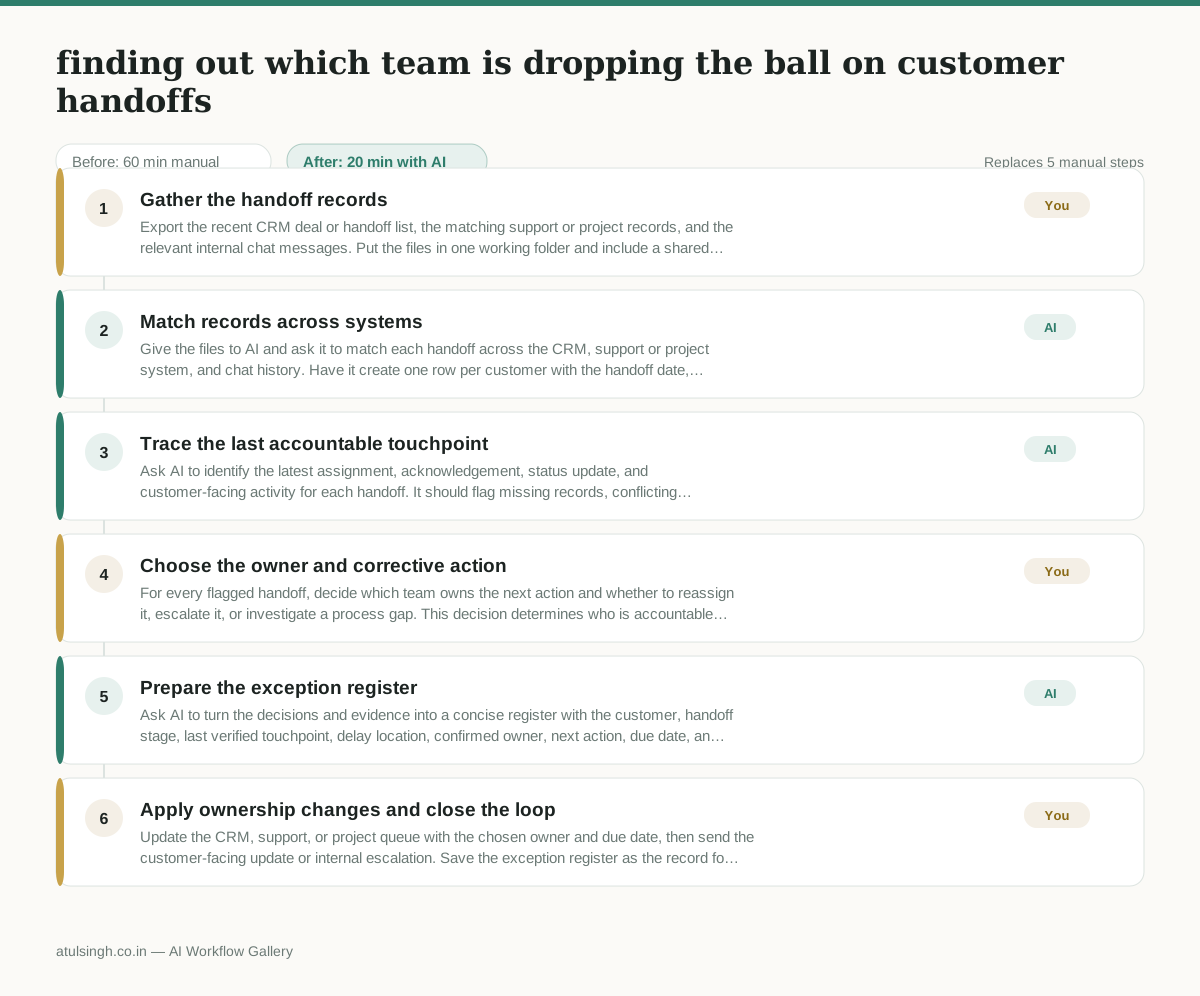
1. Gather the handoff records
Export the recent CRM deal or handoff list, the matching support or project records, and the relevant internal chat messages. Put the files in one working folder and include a shared customer, deal, ticket, or project identifier wherever one exists.
- AI
2. Match records across systems
Give the files to AI and ask it to match each handoff across the CRM, support or project system, and chat history. Have it create one row per customer with the handoff date, receiving team, current status, assigned person or queue, and links or references to the source records.
- AI
3. Trace the last accountable touchpoint
Ask AI to identify the latest assignment, acknowledgement, status update, and customer-facing activity for each handoff. It should flag missing records, conflicting owners, stale items, and uncertain matches instead of presenting an inference as fact.
- You
4. Choose the owner and corrective action
For every flagged handoff, decide which team owns the next action and whether to reassign it, escalate it, or investigate a process gap. This decision determines who is accountable for the customer update and which team-level issue is recorded.
- AI
5. Prepare the exception register
Ask AI to turn the decisions and evidence into a concise register with the customer, handoff stage, last verified touchpoint, delay location, confirmed owner, next action, due date, and unresolved evidence gaps. Keep suspected causes labelled as suspected rather than confirmed.
- You
6. Apply ownership changes and close the loop
Update the CRM, support, or project queue with the chosen owner and due date, then send the customer-facing update or internal escalation. Save the exception register as the record for the next operations review.
What you end up with
Where this falls apart
- Customer identifiers vary across systems without a shared key, causing the model to miss matches and falsely flag active handoffs as dropped.
- Internal chat logs contain ambiguous shorthand or missing timestamps, causing the model to incorrectly determine the sequence of touchpoints and assign blame to the wrong team.
More for Operations Manager
- Turn a recurring cross-team problem into a documented handoff
- mapping messy customer onboarding notes into our CRM and project management board
- Checking monthly expense reports for unusual jumps in supply costs before sending them to finance
- documenting a manual operations process and mapping undocumented steps before rolling it out to the team
Also in revops
- Find and merge duplicate contacts and companies, and flag stale deals before the monthly pipeline review
- clean up a messy CRM export and build a forecast the sales leader will actually trust for the board meeting
- Document the sales process so a new sales rep can follow it without constantly asking questions
- Find and merge duplicate CRM records before the pipeline review