
Find and merge duplicate CRM records before the pipeline review
Pipeline reviews get derailed when duplicate contacts or companies exist with conflicting data, leading to split forecasting, doubled-up outreach, and inaccurate reporting to leadership.
- Before
- 60 min
- After
- 25 min
- Saved
- 35 min
How this used to go
- Run CRM export reports to find records with matching names, domains, or email addresses.
- Open potential duplicate pairs side-by-side on the screen.
- Manually compare field values for phone numbers, lifecycle stages, deal amounts, and last activity dates.
- Decide which record to keep as the primary and which to discard.
- Copy missing data from the secondary record into the primary record before merging.
- Execute the merge in the CRM and check associated deals and tasks to ensure nothing was lost.
Manually cross-referencing conflicting field values between records to decide which data to overwrite without losing important notes.
The workflow, step by step
- You
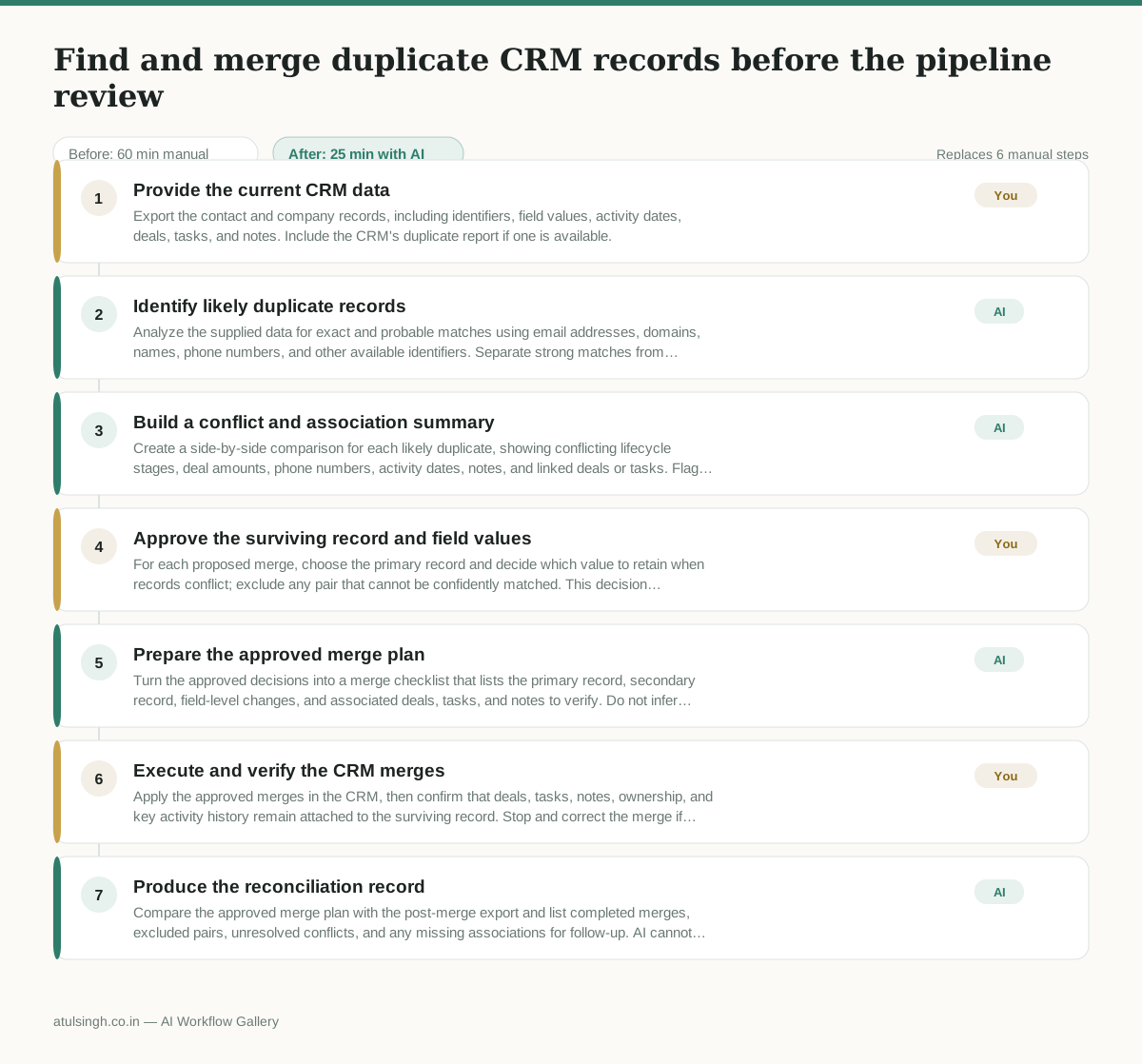
1. Provide the current CRM data
Export the contact and company records, including identifiers, field values, activity dates, deals, tasks, and notes. Include the CRM's duplicate report if one is available.
- AI
2. Identify likely duplicate records
Analyze the supplied data for exact and probable matches using email addresses, domains, names, phone numbers, and other available identifiers. Separate strong matches from ambiguous pairs instead of treating every similarity as a duplicate.
- AI
3. Build a conflict and association summary
Create a side-by-side comparison for each likely duplicate, showing conflicting lifecycle stages, deal amounts, phone numbers, activity dates, notes, and linked deals or tasks. Flag fields where the data does not establish which value is correct.
- You
4. Approve the surviving record and field values
For each proposed merge, choose the primary record and decide which value to retain when records conflict; exclude any pair that cannot be confidently matched. This decision determines which CRM history and ownership information survives the merge.
- AI
5. Prepare the approved merge plan
Turn the approved decisions into a merge checklist that lists the primary record, secondary record, field-level changes, and associated deals, tasks, and notes to verify. Do not infer unresolved values or merge records that the human excluded.
- You
6. Execute and verify the CRM merges
Apply the approved merges in the CRM, then confirm that deals, tasks, notes, ownership, and key activity history remain attached to the surviving record. Stop and correct the merge if an association or important field is missing.
- AI
7. Produce the reconciliation record
Compare the approved merge plan with the post-merge export and list completed merges, excluded pairs, unresolved conflicts, and any missing associations for follow-up. AI cannot reliably confirm data that is absent from the post-merge export.
What you end up with
Where this falls apart
- Contact records share identical names but belong to entirely different corporate entities, causing the AI to group them as duplicates and leading to merged client histories.
- Custom field naming conventions lack consistency across imported exports, causing the AI to misinterpret conflicting data points and recommend incorrect surviving field values.
More for RevOps / Sales Ops
- Find and merge duplicate contacts and companies, and flag stale deals before the monthly pipeline review
- clean up a messy CRM export and build a forecast the sales leader will actually trust for the board meeting
- Document the sales process so a new sales rep can follow it without constantly asking questions
- Turn a raw CRM export into a sales forecast, flagging missing close dates before reporting
Also in revops
- Turn a recurring cross-team problem into a documented handoff
- mapping messy customer onboarding notes into our CRM and project management board
- finding out which team is dropping the ball on customer handoffs
- Checking monthly expense reports for unusual jumps in supply costs before sending them to finance