
Find and merge duplicate contacts and companies, and flag stale deals before the monthly pipeline review
Unmerged duplicate records inflate pipeline forecasts and split history across multiple accounts, while untouched stale deals distort win rates and reporting accuracy.
- Before
- 120 min
- After
- 40 min
- Saved
- 80 min
How this used to go
- Export all open deals, contacts, and accounts from the CRM into a spreadsheet
- Sort and filter records by email domain, company name, and phone number to spot potential duplicates
- Manually cross-reference deal activity dates against the last touch timestamp to identify stale records
- Compare duplicate records side-by-side to decide which one to keep as the primary record
- Merge records in the CRM and manually reassign notes, attachments, and open tasks from the secondary record
- Update the deal stage or owner for flagged stale records based on input from account executives
Manually cross-referencing records and transferring notes between duplicates to avoid losing history.
The workflow, step by step
- You
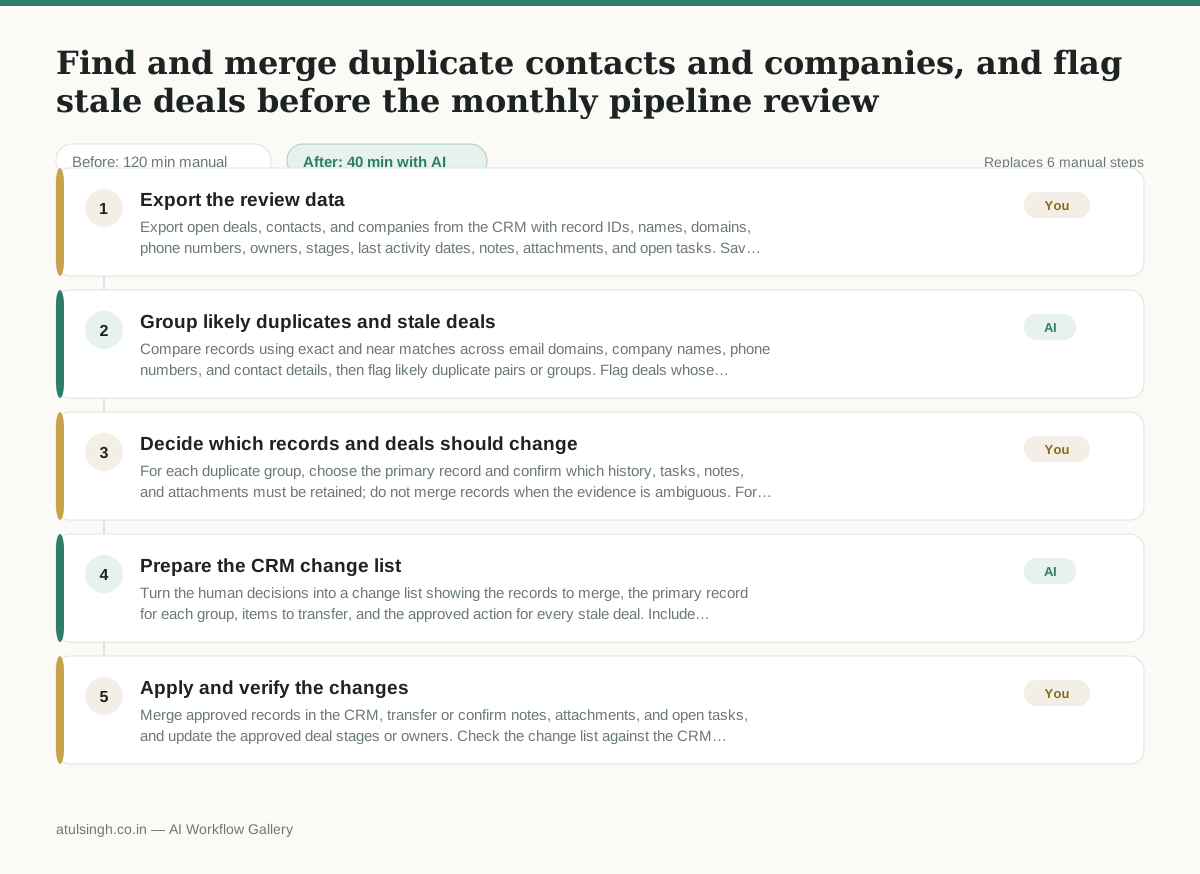
1. Export the review data
Export open deals, contacts, and companies from the CRM with record IDs, names, domains, phone numbers, owners, stages, last activity dates, notes, attachments, and open tasks. Save the export in a format that can be provided to the AI for analysis.
- AI
2. Group likely duplicates and stale deals
Compare records using exact and near matches across email domains, company names, phone numbers, and contact details, then flag likely duplicate pairs or groups. Flag deals whose activity appears stale based on the review criteria supplied by the team, while marking ambiguous matches and incomplete data for human attention.
- You
3. Decide which records and deals should change
For each duplicate group, choose the primary record and confirm which history, tasks, notes, and attachments must be retained; do not merge records when the evidence is ambiguous. For each stale deal, decide whether to advance, close, reassign, or leave it unchanged after checking with the account owner.
- AI
4. Prepare the CRM change list
Turn the human decisions into a change list showing the records to merge, the primary record for each group, items to transfer, and the approved action for every stale deal. Include unresolved items separately so they are not changed by mistake.
- You
5. Apply and verify the changes
Merge approved records in the CRM, transfer or confirm notes, attachments, and open tasks, and update the approved deal stages or owners. Check the change list against the CRM afterward and retain the final log for the monthly pipeline review.
What you end up with
Where this falls apart
- Contact records share common domains like gmail.com or yahoo.com, which causes the AI to group unrelated individuals as duplicate companies.
- Last activity timestamps are missing or populated with automated email tracking updates, which causes the AI to misidentify inactive deals as active.
More for RevOps / Sales Ops
- clean up a messy CRM export and build a forecast the sales leader will actually trust for the board meeting
- Document the sales process so a new sales rep can follow it without constantly asking questions
- Find and merge duplicate CRM records before the pipeline review
- Turn a raw CRM export into a sales forecast, flagging missing close dates before reporting
Also in revops
- Turn a recurring cross-team problem into a documented handoff
- mapping messy customer onboarding notes into our CRM and project management board
- finding out which team is dropping the ball on customer handoffs
- Checking monthly expense reports for unusual jumps in supply costs before sending them to finance