
Checking sales discount approvals against closed-won deals to catch unauthorized pricing before the data hits finance.
Reps sometimes apply discounts that exceed their approval threshold or miss getting sign-off entirely, leaving finance to catch the discrepancy after the contract is signed and the invoice is generated.
- Before
- 120 min
- After
- 45 min
- Saved
- 75 min
How this used to go
- Export the closed-won deals report from the CRM for the quarter.
- Export the discount approval log or email thread records from the approval tool.
- Cross-reference every closed deal with a discount against the approval log row by row.
- Flag any deals where the discount percentage exceeds the rep's tier and no formal approval is recorded.
- Email the respective account executives and managers to request missing documentation or flag the variance.
Cross-referencing spreadsheets by hand while trying to match messy deal IDs with scattered Slack and email approval threads.
The workflow, step by step
- AI
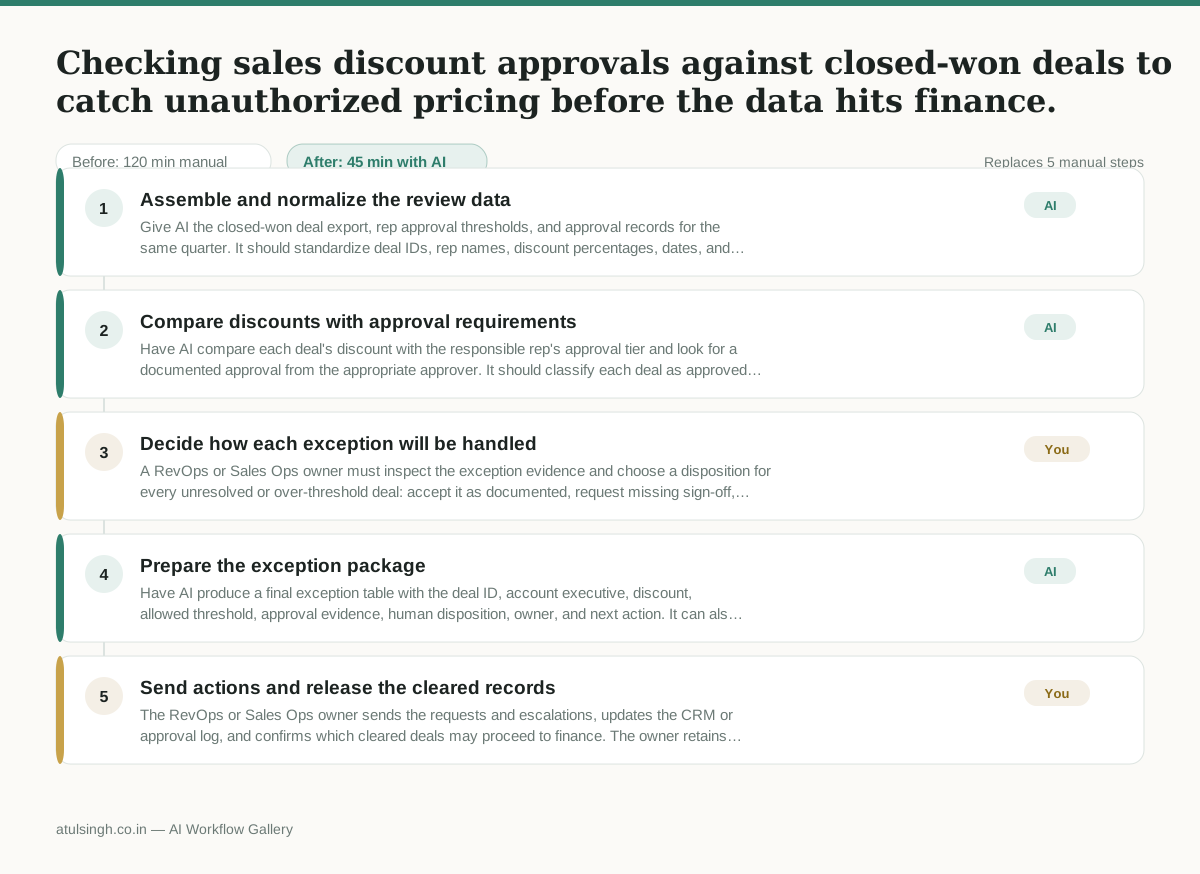
1. Assemble and normalize the review data
Give AI the closed-won deal export, rep approval thresholds, and approval records for the same quarter. It should standardize deal IDs, rep names, discount percentages, dates, and approval references, while marking records it cannot match rather than guessing.
- AI
2. Compare discounts with approval requirements
Have AI compare each deal's discount with the responsible rep's approval tier and look for a documented approval from the appropriate approver. It should classify each deal as approved, over threshold, missing approval, or needing human verification.
- You
3. Decide how each exception will be handled
A RevOps or Sales Ops owner must inspect the exception evidence and choose a disposition for every unresolved or over-threshold deal: accept it as documented, request missing sign-off, correct the CRM record, or place the deal on a finance hold and escalate it. AI cannot reliably determine whether an ambiguous email or Slack message constitutes valid approval.
- AI
4. Prepare the exception package
Have AI produce a final exception table with the deal ID, account executive, discount, allowed threshold, approval evidence, human disposition, owner, and next action. It can also draft targeted messages to reps, managers, or finance using the decisions already recorded by the human.
- You
5. Send actions and release the cleared records
The RevOps or Sales Ops owner sends the requests and escalations, updates the CRM or approval log, and confirms which cleared deals may proceed to finance. The owner retains responsibility for making sure no deal marked for correction or hold is passed downstream.
What you end up with
Where this falls apart
- Approvals occur through informal verbal agreements or out-of-band communication channels that leave no digital trail, causing the workflow to flag valid deals as unauthorized.
- Deal IDs or rep names use inconsistent naming conventions between the CRM export and the approval logs, causing the workflow to misalign records and produce false exception flags.
More for RevOps / Sales Ops
- Find and merge duplicate contacts and companies, and flag stale deals before the monthly pipeline review
- clean up a messy CRM export and build a forecast the sales leader will actually trust for the board meeting
- Document the sales process so a new sales rep can follow it without constantly asking questions
- Find and merge duplicate CRM records before the pipeline review
Also in revops
- Turn a recurring cross-team problem into a documented handoff
- mapping messy customer onboarding notes into our CRM and project management board
- finding out which team is dropping the ball on customer handoffs
- Checking monthly expense reports for unusual jumps in supply costs before sending them to finance