
Audit quote details against the final contract before signature
Manual line-by-line comparison between CRM quotes and legal contracts often misses discrepancies in discounts, payment terms, or product SKUs, leading to revenue leakage or delayed signatures when corrections are needed at the last minute.
- Before
- 30 min
- After
- 15 min
- Saved
- 15 min
How this used to go
- Export the approved quote line items and terms from the CRM into a spreadsheet.
- Download the final PDF contract generated by the legal or sales team.
- Place the spreadsheet and contract side-by-side on the screen.
- Manually check product names, quantities, unit prices, and discount percentages row by row.
- Cross-reference payment terms, billing schedules, and special clauses in the contract footer or appendices against CRM notes.
- Email the sales rep or legal team to clarify any discrepancies found and wait for revisions.
Missing a modified payment term or a custom discount buried in the contract text because eyes glaze over during repetitive line-by-line checks.
The workflow, step by step
- You
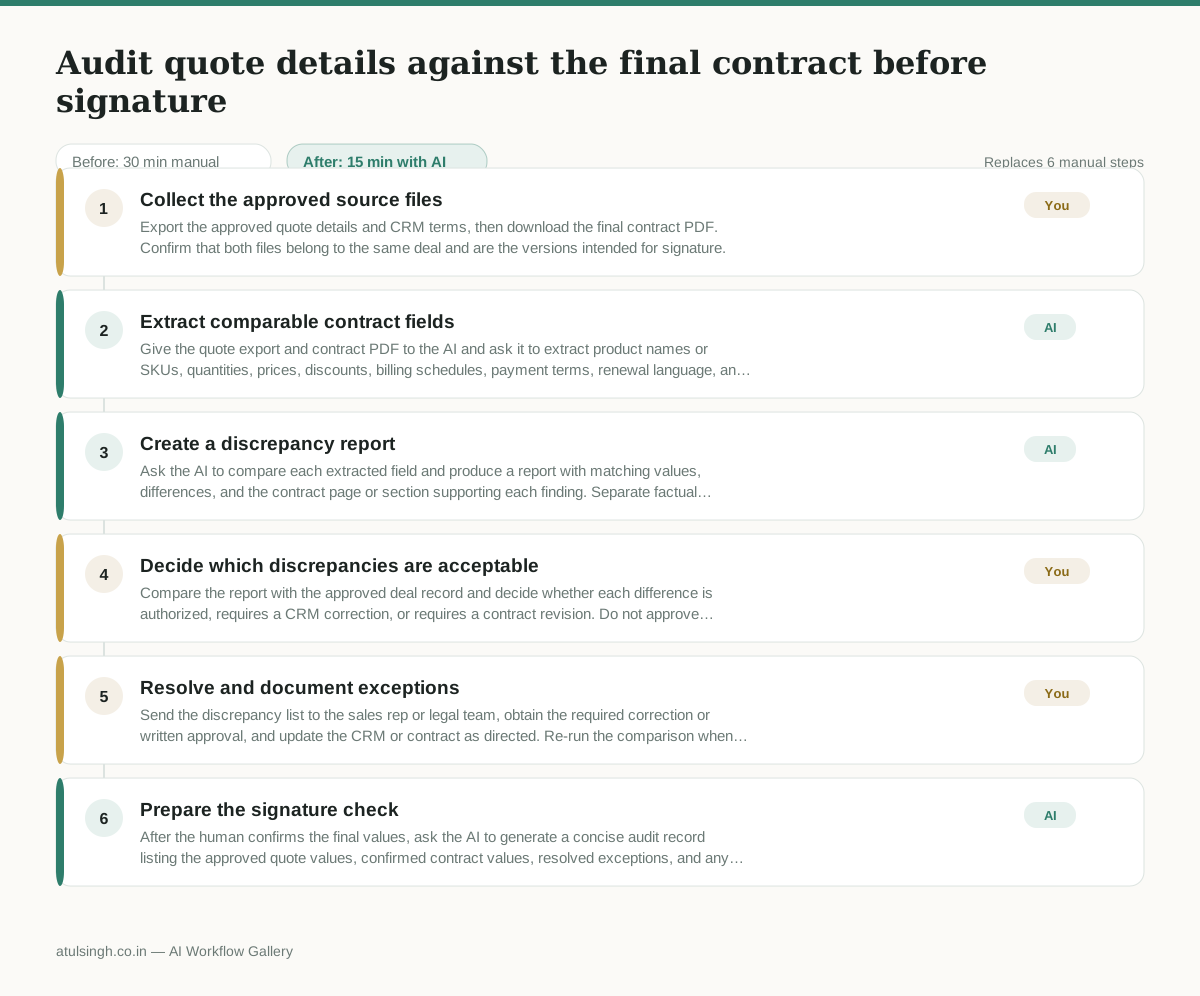
1. Collect the approved source files
Export the approved quote details and CRM terms, then download the final contract PDF. Confirm that both files belong to the same deal and are the versions intended for signature.
- AI
2. Extract comparable contract fields
Give the quote export and contract PDF to the AI and ask it to extract product names or SKUs, quantities, prices, discounts, billing schedules, payment terms, renewal language, and special clauses. The AI should flag unreadable text, missing context, or clauses it cannot interpret reliably instead of guessing.
- AI
3. Create a discrepancy report
Ask the AI to compare each extracted field and produce a report with matching values, differences, and the contract page or section supporting each finding. Separate factual mismatches from ambiguous legal language that requires human interpretation.
- You
4. Decide which discrepancies are acceptable
Compare the report with the approved deal record and decide whether each difference is authorized, requires a CRM correction, or requires a contract revision. Do not approve ambiguous clauses or rely on the AI to make a legal interpretation; route those items to the appropriate sales or legal owner.
- You
5. Resolve and document exceptions
Send the discrepancy list to the sales rep or legal team, obtain the required correction or written approval, and update the CRM or contract as directed. Re-run the comparison when either source changes.
- AI
6. Prepare the signature check
After the human confirms the final values, ask the AI to generate a concise audit record listing the approved quote values, confirmed contract values, resolved exceptions, and any remaining items that block signature. A human must confirm that no unresolved blocker remains before signing.
What you end up with
Where this falls apart
- The contract PDF contains scanned image text with low resolution or heavy distortion, which causes the model to hallucinate missing line items or misread pricing figures.
- The contract uses non-standard legal phrasing or complex cross-references for payment terms, which leads the model to misinterpret conditions and generate false discrepancy warnings.
More for RevOps / Sales Ops
- Find and merge duplicate contacts and companies, and flag stale deals before the monthly pipeline review
- clean up a messy CRM export and build a forecast the sales leader will actually trust for the board meeting
- Document the sales process so a new sales rep can follow it without constantly asking questions
- Find and merge duplicate CRM records before the pipeline review
Also in revops
- Turn a recurring cross-team problem into a documented handoff
- mapping messy customer onboarding notes into our CRM and project management board
- finding out which team is dropping the ball on customer handoffs
- Checking monthly expense reports for unusual jumps in supply costs before sending them to finance