
Audit lead routing logs for unassigned prospects, manually assigning exceptions before end of day
When leads fail routing rules due to missing fields or territory overlaps, they sit unassigned in a queue. If this isn't caught before end of day, response times drop, inbound leads wait overnight, and sales reps miss out on timely outreach.
- Before
- 45 min
- After
- 25 min
- Saved
- 20 min
How this used to go
- Open the CRM and navigate to the lead routing or unassigned queue view.
- Filter for records that failed automated assignment rules or have blank owner fields.
- Check each record's details, such as company domain, location, or lead source, to determine the correct routing logic.
- Look up territory mapping spreadsheets or rep capacity sheets to find the appropriate owner.
- Manually update the lead owner field and save the record.
- Log notes on exceptions that require policy clarification or manager intervention.
Manually cross-referencing messy lead data against outdated territory sheets every single afternoon to catch routing errors.
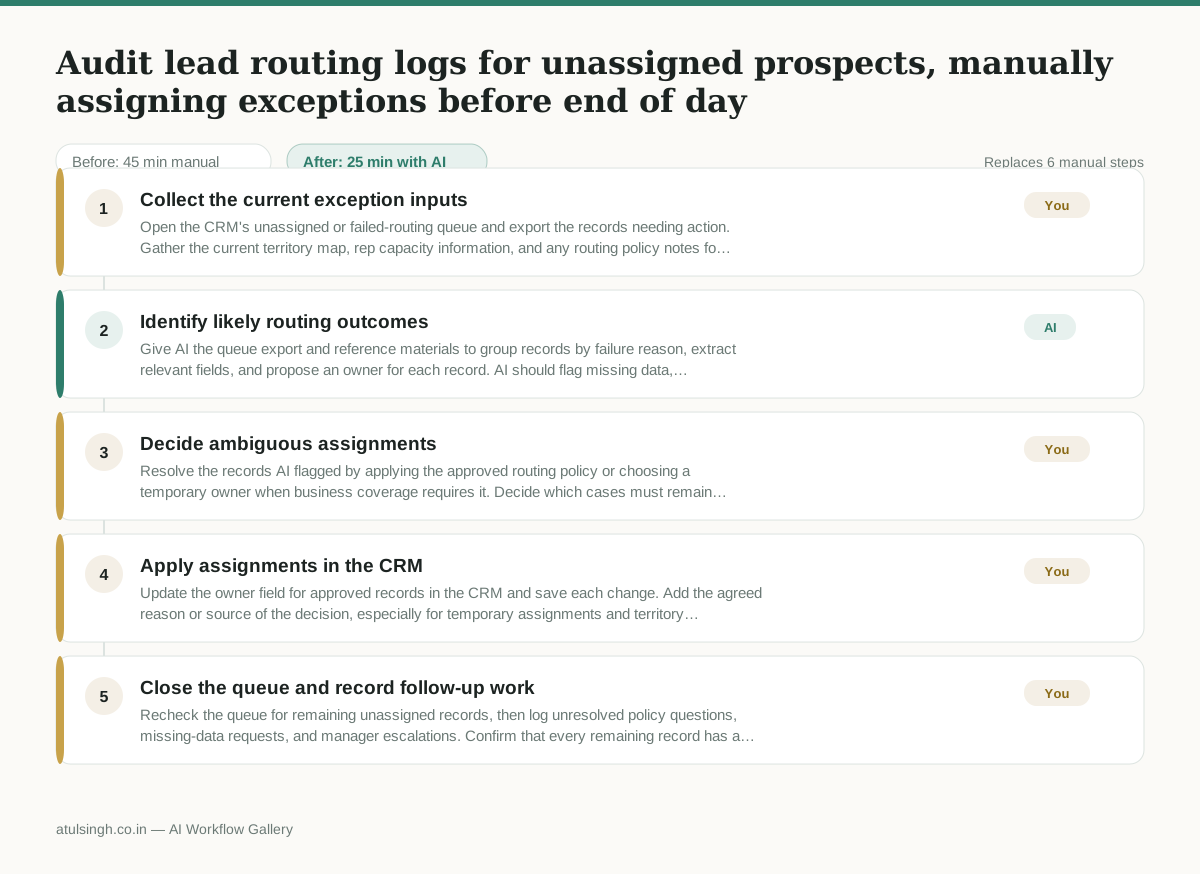
The workflow, step by step
- You
1. Collect the current exception inputs
Open the CRM's unassigned or failed-routing queue and export the records needing action. Gather the current territory map, rep capacity information, and any routing policy notes for the same period.
- AI
2. Identify likely routing outcomes
Give AI the queue export and reference materials to group records by failure reason, extract relevant fields, and propose an owner for each record. AI should flag missing data, conflicting territories, stale reference information, and any case where the evidence is insufficient; it should not make a final assignment for those cases.
- You
3. Decide ambiguous assignments
Resolve the records AI flagged by applying the approved routing policy or choosing a temporary owner when business coverage requires it. Decide which cases must remain unassigned and be escalated because assigning them could send a prospect to the wrong territory or team.
- You
4. Apply assignments in the CRM
Update the owner field for approved records in the CRM and save each change. Add the agreed reason or source of the decision, especially for temporary assignments and territory exceptions.
- You
5. Close the queue and record follow-up work
Recheck the queue for remaining unassigned records, then log unresolved policy questions, missing-data requests, and manager escalations. Confirm that every remaining record has a documented reason for not being assigned before end of day.
What you end up with
Where this falls apart
- The territory mapping reference materials are outdated or incomplete, causing the AI to suggest incorrect owners based on stale boundary rules.
- Inbound prospect data contains masked or fraudulent company domains, causing the AI to misclassify the geographic territory and assign the lead to the wrong sales representative.
More for RevOps / Sales Ops
- Find and merge duplicate contacts and companies, and flag stale deals before the monthly pipeline review
- clean up a messy CRM export and build a forecast the sales leader will actually trust for the board meeting
- Document the sales process so a new sales rep can follow it without constantly asking questions
- Find and merge duplicate CRM records before the pipeline review
Also in revops
- Turn a recurring cross-team problem into a documented handoff
- mapping messy customer onboarding notes into our CRM and project management board
- finding out which team is dropping the ball on customer handoffs
- Checking monthly expense reports for unusual jumps in supply costs before sending them to finance