
Write and test five ad variants for a campaign, pausing underperformers after launch
Manually drafting multiple ad variations and continuously checking performance metrics to kill losing ads eats up hours that should be spent on strategy and budgeting.
- Before
- 120 min
- After
- 55 min
- Saved
- 65 min
How this used to go
- Brainstorm five distinct ad copy angles based on current offers and audience segments
- Draft the headlines, body text, and calls to action for each of the five variants
- Set up the campaign structure and upload each ad variant into the advertising platform
- Wait for the ads to accumulate enough spend and impressions for statistical relevance
- Log into the ad manager daily to check cost-per-acquisition or click-through rates for each variant
- Pause the underperforming variants and reallocate budget to the winners
Checking ad performance metrics multiple times a day and manually pausing losers before they waste too much budget.
The workflow, step by step
- AI
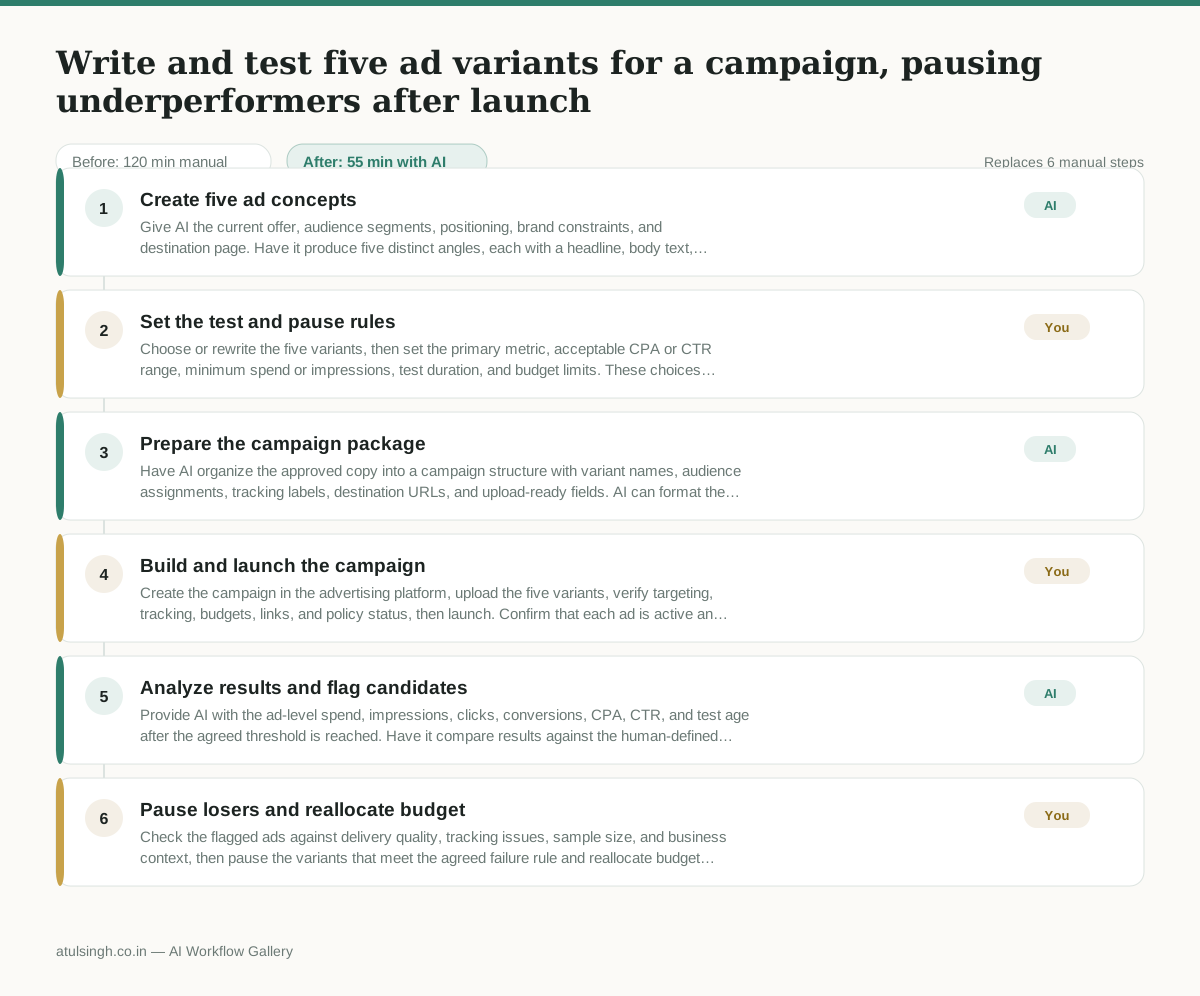
1. Create five ad concepts
Give AI the current offer, audience segments, positioning, brand constraints, and destination page. Have it produce five distinct angles, each with a headline, body text, call to action, and the audience insight behind the angle.
- You
2. Set the test and pause rules
Choose or rewrite the five variants, then set the primary metric, acceptable CPA or CTR range, minimum spend or impressions, test duration, and budget limits. These choices determine which ads can be paused and how much budget can move to other variants.
- AI
3. Prepare the campaign package
Have AI organize the approved copy into a campaign structure with variant names, audience assignments, tracking labels, destination URLs, and upload-ready fields. AI can format the package but cannot verify platform settings or publish it without access.
- You
4. Build and launch the campaign
Create the campaign in the advertising platform, upload the five variants, verify targeting, tracking, budgets, links, and policy status, then launch. Confirm that each ad is active and attributed to the correct variant.
- AI
5. Analyze results and flag candidates
Provide AI with the ad-level spend, impressions, clicks, conversions, CPA, CTR, and test age after the agreed threshold is reached. Have it compare results against the human-defined rules and flag likely underperformers; AI cannot reliably establish statistical relevance from insufficient data.
- You
6. Pause losers and reallocate budget
Check the flagged ads against delivery quality, tracking issues, sample size, and business context, then pause the variants that meet the agreed failure rule and reallocate budget within the approved limits. Keep or extend the test for ads whose results are inconclusive.
What you end up with
Where this falls apart
- The ad platform's data feed contains delayed conversion attribution, causing the AI to flag high-performing ads as losers before conversions register.
- The test budget is exhausted before the ads reach statistical significance, forcing the human to make pause decisions based on insufficient data.
More for Performance Marketer
- Write and test five ad variants for one campaign from a single landing page
- Pulling the weekly paid channel report and explaining what actually drove the performance changes
- Figure out why ad spend suddenly stopped working and cost per lead doubled over the last week.
- build the weekly paid channel report, flagging anomalous cost spikes before Monday sync
Also in marketing
- Turn a recorded customer interview into a draft blog post
- Sorting incoming customer leads from web forms and assigning them to the right sales reps based on company size and location
- Turn a technical whitepaper into a three-part email nurture sequence before it launches
- Analyze competitor viral posts to draft three trend hooks, discarding off-brand angles