
build the weekly paid channel report, flagging anomalous cost spikes before Monday sync
By the time ad hoc spending spikes or conversion drop-offs are caught during Monday morning reviews, the budget for the weekend has already been wasted and the data must be manually pulled and reconciled across multiple ad platforms.
- Before
- 60 min
- After
- 25 min
- Saved
- 35 min
How this used to go
- Log into each ad platform dashboard separately to export last week's performance data into CSVs.
- Consolidate the individual channel exports into a master spreadsheet.
- Calculate week-over-week changes in cost-per-acquisition, spend, and click-through rates.
- Scan the sheet row by row to identify any campaigns where spend spiked outside normal thresholds.
- Draft a summary email explaining the budget variances and anomalies for the leadership sync.
Manually hunting across multiple dashboards for unexpected cost jumps while trying to reconcile mismatched date ranges and metrics.
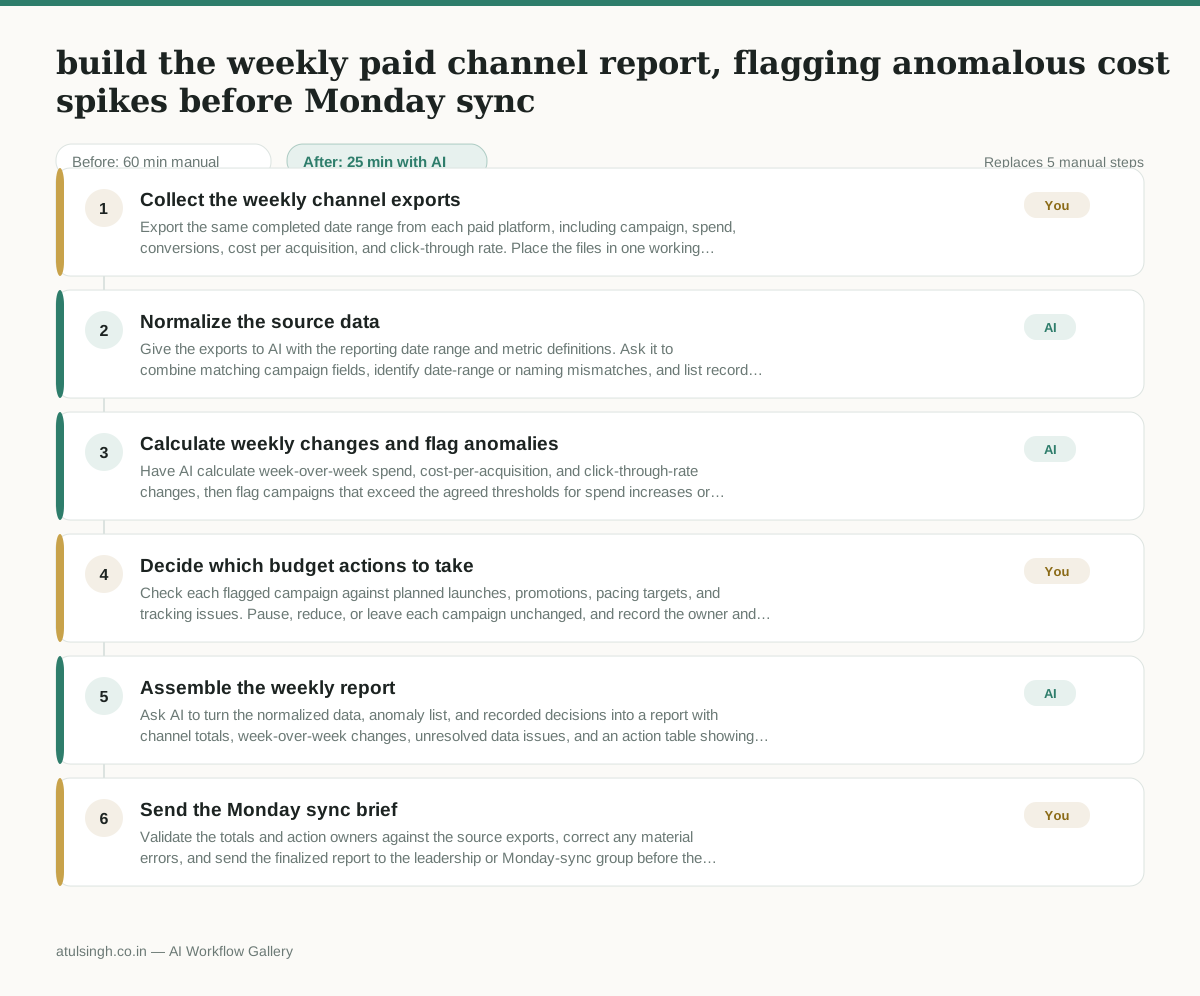
The workflow, step by step
- You
1. Collect the weekly channel exports
Export the same completed date range from each paid platform, including campaign, spend, conversions, cost per acquisition, and click-through rate. Place the files in one working folder and note any missing or differently defined metrics.
- AI
2. Normalize the source data
Give the exports to AI with the reporting date range and metric definitions. Ask it to combine matching campaign fields, identify date-range or naming mismatches, and list records it cannot reconcile instead of silently filling gaps.
- AI
3. Calculate weekly changes and flag anomalies
Have AI calculate week-over-week spend, cost-per-acquisition, and click-through-rate changes, then flag campaigns that exceed the agreed thresholds for spend increases or conversion deterioration. AI can surface patterns in the supplied data, but it cannot confirm attribution accuracy or whether a spike is intentional.
- You
4. Decide which budget actions to take
Check each flagged campaign against planned launches, promotions, pacing targets, and tracking issues. Pause, reduce, or leave each campaign unchanged, and record the owner and reason because these decisions affect delivery and budget.
- AI
5. Assemble the weekly report
Ask AI to turn the normalized data, anomaly list, and recorded decisions into a report with channel totals, week-over-week changes, unresolved data issues, and an action table showing campaign, variance, decision, owner, and next check.
- You
6. Send the Monday sync brief
Validate the totals and action owners against the source exports, correct any material errors, and send the finalized report to the leadership or Monday-sync group before the meeting.
What you end up with
Where this falls apart
- Campaign naming conventions change week over week across platforms, which causes the model to misalign historical comparison data and produce incorrect variance figures.
- An ad platform changes its CSV export structure or metric definitions without notice, which causes the normalization step to fail or silently misinterpret the performance data.
More for Performance Marketer
- Write and test five ad variants for one campaign from a single landing page
- Pulling the weekly paid channel report and explaining what actually drove the performance changes
- Figure out why ad spend suddenly stopped working and cost per lead doubled over the last week.
- Write and test five ad variants for a campaign, pausing underperformers after launch
Also in marketing
- Turn a recorded customer interview into a draft blog post
- Sorting incoming customer leads from web forms and assigning them to the right sales reps based on company size and location
- Turn a technical whitepaper into a three-part email nurture sequence before it launches
- Analyze competitor viral posts to draft three trend hooks, discarding off-brand angles