
Checking monthly ad spend pacing across multiple ad platforms on Friday afternoon to make sure campaigns haven't gone over budget for the month.
Campaigns burn budget faster than expected over the weekend, leading to overspending before anyone is back at the desk on Monday morning.
- Before
- 45 min
- After
- 20 min
- Saved
- 25 min
How this used to go
- Log into each advertising platform dashboard.
- Check month-to-date spend against the monthly budget cap for each active campaign.
- Calculate the daily run rate to see if spend is pacing too high.
- Identify any campaigns that have exceeded their proportional budget for the month.
- Pause the overspent campaigns manually in each respective platform.
Remembering to check every single platform right before logging off for the weekend, and catching spend spikes too late.
The workflow, step by step
- You
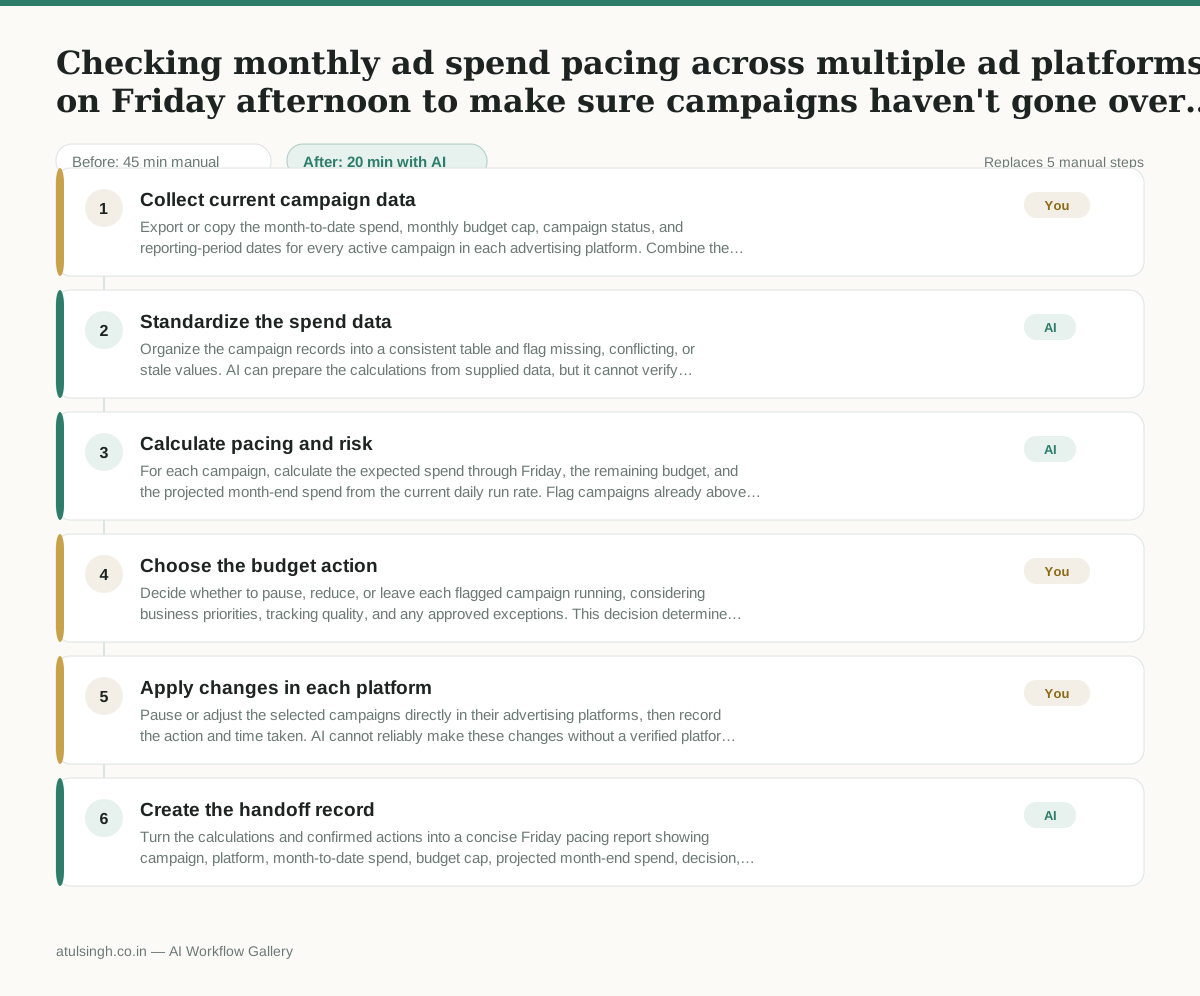
1. Collect current campaign data
Export or copy the month-to-date spend, monthly budget cap, campaign status, and reporting-period dates for every active campaign in each advertising platform. Combine the records in one file or message for analysis.
- AI
2. Standardize the spend data
Organize the campaign records into a consistent table and flag missing, conflicting, or stale values. AI can prepare the calculations from supplied data, but it cannot verify platform numbers it was not given.
- AI
3. Calculate pacing and risk
For each campaign, calculate the expected spend through Friday, the remaining budget, and the projected month-end spend from the current daily run rate. Flag campaigns already above proportional budget and campaigns likely to exceed their cap over the weekend.
- You
4. Choose the budget action
Decide whether to pause, reduce, or leave each flagged campaign running, considering business priorities, tracking quality, and any approved exceptions. This decision determines whether delivery stops and whether the campaign may miss its intended results.
- You
5. Apply changes in each platform
Pause or adjust the selected campaigns directly in their advertising platforms, then record the action and time taken. AI cannot reliably make these changes without a verified platform integration and appropriate permissions.
- AI
6. Create the handoff record
Turn the calculations and confirmed actions into a concise Friday pacing report showing campaign, platform, month-to-date spend, budget cap, projected month-end spend, decision, and action status.
What you end up with
Where this falls apart
- The underlying ad platform exports are delayed or incomplete, which causes the AI to calculate pacing based on stale spend figures and miss active budget spikes.
- A campaign uses non-linear pacing rules such as heavy weekend weighting, which causes the AI to incorrectly flag normal weekend spend as budget overruns.
More for Performance Marketer
- Write and test five ad variants for one campaign from a single landing page
- Pulling the weekly paid channel report and explaining what actually drove the performance changes
- Figure out why ad spend suddenly stopped working and cost per lead doubled over the last week.
- Write and test five ad variants for a campaign, pausing underperformers after launch
Also in marketing
- Turn a recorded customer interview into a draft blog post
- Sorting incoming customer leads from web forms and assigning them to the right sales reps based on company size and location
- Turn a technical whitepaper into a three-part email nurture sequence before it launches
- Analyze competitor viral posts to draft three trend hooks, discarding off-brand angles