
Drafting an internal employee onboarding schedule and removing redundant training modules before handing the new hire over to HR
Generic templates include outdated or irrelevant training modules, forcing managers to manually cross-reference department requirements and delete duplicates, which wastes time and often leaves gaps in role-specific preparation.
- Before
- 45 min
- After
- 20 min
- Saved
- 25 min
How this used to go
- Open the master employee onboarding template document.
- Review the standard training checklist against the new hire's specific department and seniority level.
- Identify and manually delete redundant training modules that do not apply to the role.
- Check department-specific documentation to see if any critical compliance or security modules were accidentally removed.
- Save the customized schedule as a new file and send it to HR for final review.
Manually cross-referencing every standard module against department requirements to avoid deleting necessary compliance training while still cutting out the fluff.
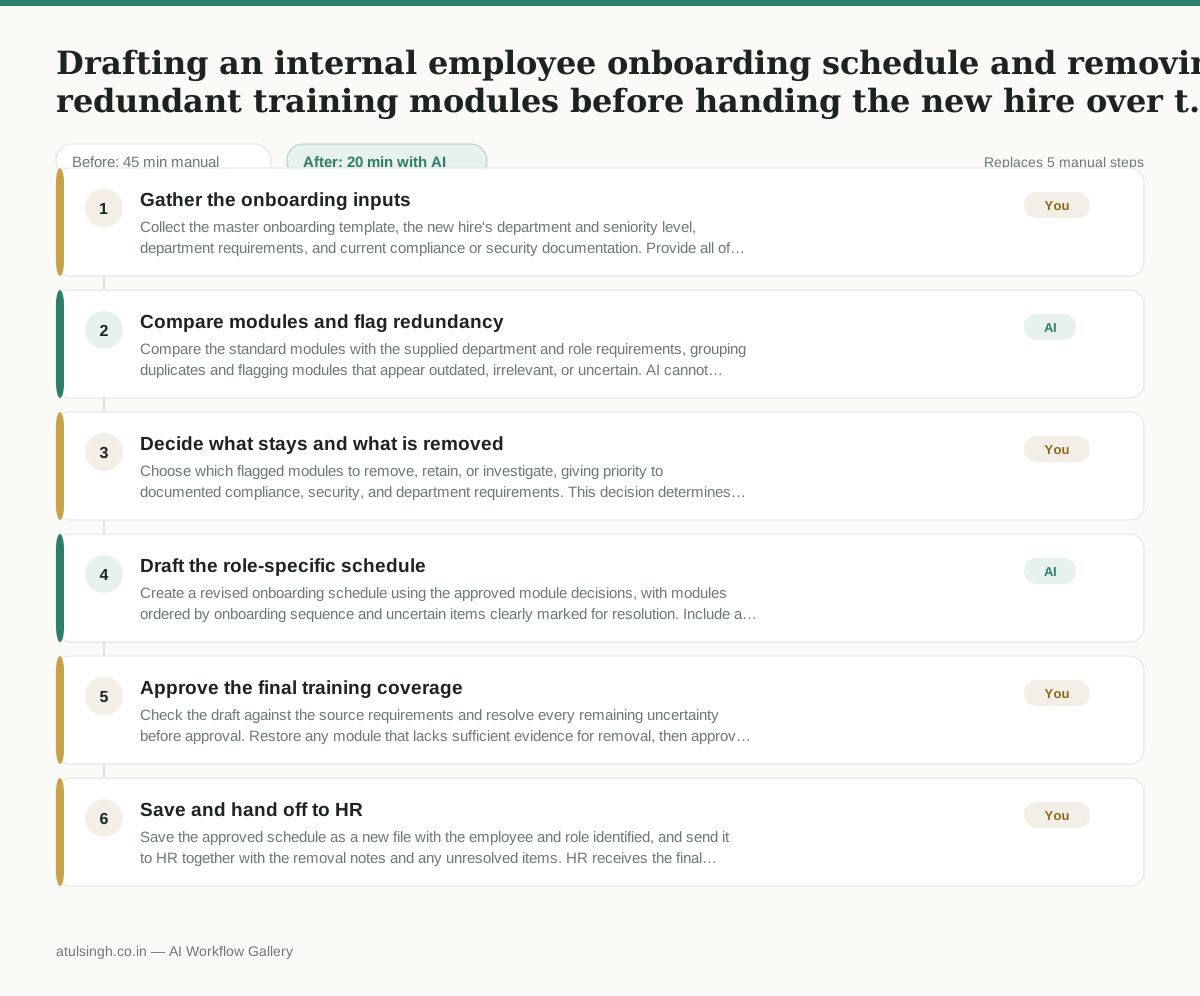
The workflow, step by step
- You
1. Gather the onboarding inputs
Collect the master onboarding template, the new hire's department and seniority level, department requirements, and current compliance or security documentation. Provide all of these materials to the AI workflow.
- AI
2. Compare modules and flag redundancy
Compare the standard modules with the supplied department and role requirements, grouping duplicates and flagging modules that appear outdated, irrelevant, or uncertain. AI cannot reliably determine whether a compliance or security module is mandatory unless that requirement is stated in the supplied documentation.
- You
3. Decide what stays and what is removed
Choose which flagged modules to remove, retain, or investigate, giving priority to documented compliance, security, and department requirements. This decision determines whether the schedule is shorter without creating a training or policy gap.
- AI
4. Draft the role-specific schedule
Create a revised onboarding schedule using the approved module decisions, with modules ordered by onboarding sequence and uncertain items clearly marked for resolution. Include a short record of removed duplicates and the requirement used to justify each retained module.
- You
5. Approve the final training coverage
Check the draft against the source requirements and resolve every remaining uncertainty before approval. Restore any module that lacks sufficient evidence for removal, then approve the schedule for handoff.
- You
6. Save and hand off to HR
Save the approved schedule as a new file with the employee and role identified, and send it to HR together with the removal notes and any unresolved items. HR receives the final schedule and its audit trail for review.
What you end up with
Where this falls apart
- The master onboarding template contains implicit compliance rules that are not explicitly stated in the supplied documentation, causing the AI to flag mandatory training as redundant and leading to policy gaps.
- Department requirement documents are outdated or incomplete, causing the AI to generate a schedule that misses critical role-specific training modules.
More for Operations Manager
- Turn a recurring cross-team problem into a documented handoff
- mapping messy customer onboarding notes into our CRM and project management board
- finding out which team is dropping the ball on customer handoffs
- Checking monthly expense reports for unusual jumps in supply costs before sending them to finance
Also in revops
- Find and merge duplicate contacts and companies, and flag stale deals before the monthly pipeline review
- clean up a messy CRM export and build a forecast the sales leader will actually trust for the board meeting
- Document the sales process so a new sales rep can follow it without constantly asking questions
- Find and merge duplicate CRM records before the pipeline review