
Checking multiple promotional calendars across email, social, and paid ads to make sure campaigns do not overlap or contradict each other before the holiday sales push.
Campaign details live in separate spreadsheets, project management boards, and email drafts, making it easy to miss scheduling conflicts until it is too late to change them.
- Before
- 120 min
- After
- 55 min
- Saved
- 65 min
How this used to go
- Export current campaign schedules from email marketing, social media scheduling tools, and ad platforms into a single master sheet.
- Manually scan the dates week by week to identify days where multiple promotions are scheduled to run at the same time.
- Cross-reference discount codes and offer terms across overlapping campaigns to check for inconsistencies or margin risks.
- Email or message different campaign owners to clarify dates, segment targeting, and messaging when conflicts appear.
- Update the master sheet and notify respective team members of agreed schedule adjustments.
Comparing scattered calendars by eye and realizing half-way through that time zones or run times were recorded differently in each tool.
The workflow, step by step
- You
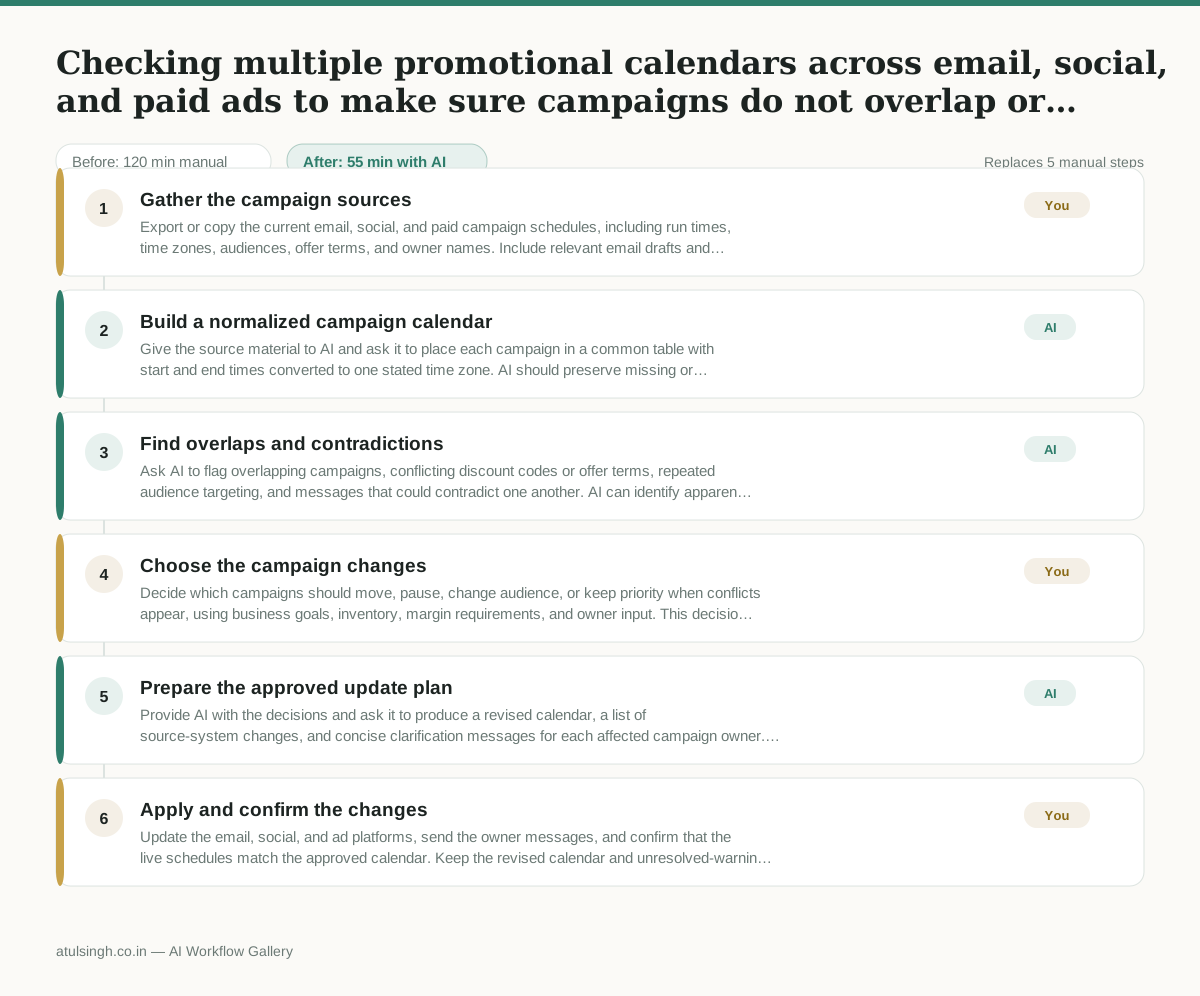
1. Gather the campaign sources
Export or copy the current email, social, and paid campaign schedules, including run times, time zones, audiences, offer terms, and owner names. Include relevant email drafts and project-board notes so the comparison is based on the latest available details.
- AI
2. Build a normalized campaign calendar
Give the source material to AI and ask it to place each campaign in a common table with start and end times converted to one stated time zone. AI should preserve missing or conflicting fields as warnings instead of guessing.
- AI
3. Find overlaps and contradictions
Ask AI to flag overlapping campaigns, conflicting discount codes or offer terms, repeated audience targeting, and messages that could contradict one another. AI can identify apparent margin risks, but it cannot reliably determine profitability without approved pricing, cost, and margin rules.
- You
4. Choose the campaign changes
Decide which campaigns should move, pause, change audience, or keep priority when conflicts appear, using business goals, inventory, margin requirements, and owner input. This decision determines which promotion customers see and may require giving up a planned placement or offer window.
- AI
5. Prepare the approved update plan
Provide AI with the decisions and ask it to produce a revised calendar, a list of source-system changes, and concise clarification messages for each affected campaign owner. AI should mark any unresolved timezone, audience, or offer detail for human confirmation.
- You
6. Apply and confirm the changes
Update the email, social, and ad platforms, send the owner messages, and confirm that the live schedules match the approved calendar. Keep the revised calendar and unresolved-warning log as the record for the holiday sales push.
What you end up with
Where this falls apart
- Campaign details are exported with missing time zones or mismatched date formats, causing the model to miscalculate schedule overlaps and miss actual scheduling conflicts.
- Offer terms or discount codes are described using inconsistent internal naming conventions across platforms, preventing the model from recognizing conflicting promotions.
More for Marketing Manager
- Write a campaign brief that the agency and the internal design team can both use without contradictory instructions
- Check every lead capture form on the website to make sure submissions reach the right sales reps before launching a new advertising campaign.
- Reviewing external market research reports and flagging unverified claims before presenting findings to the board.
- turning a detailed product spec sheet into a clear campaign brief for the design team without keeping all the technical jargon
Also in marketing
- Turn a recorded customer interview into a draft blog post
- Sorting incoming customer leads from web forms and assigning them to the right sales reps based on company size and location
- Turn a technical whitepaper into a three-part email nurture sequence before it launches
- Analyze competitor viral posts to draft three trend hooks, discarding off-brand angles