
handing off a cold outreach template to a new SDR so they send emails that sound like me instead of generic templates
when an incoming SDR tries to send cold emails without direct guidance, messages quickly become generic, response rates drop, and I have to rewrite their drafts one by one.
- Before
- 15 min
- After
- 8 min
- Saved
- 7 min
How this used to go
- Pull a list of target accounts and contacts from a database
- Export the list into a spreadsheet
- Review each contact's LinkedIn profile or company website manually
- Draft a cold email based on past successful outreach messages
- Review and edit the draft to match the founder's personal tone
- Add the contact and email to the sending queue
spending hours editing SDR drafts because the initial outreach sounds robotic and fails to capture the nuance of how I talk to prospects.
The workflow, step by step
- You
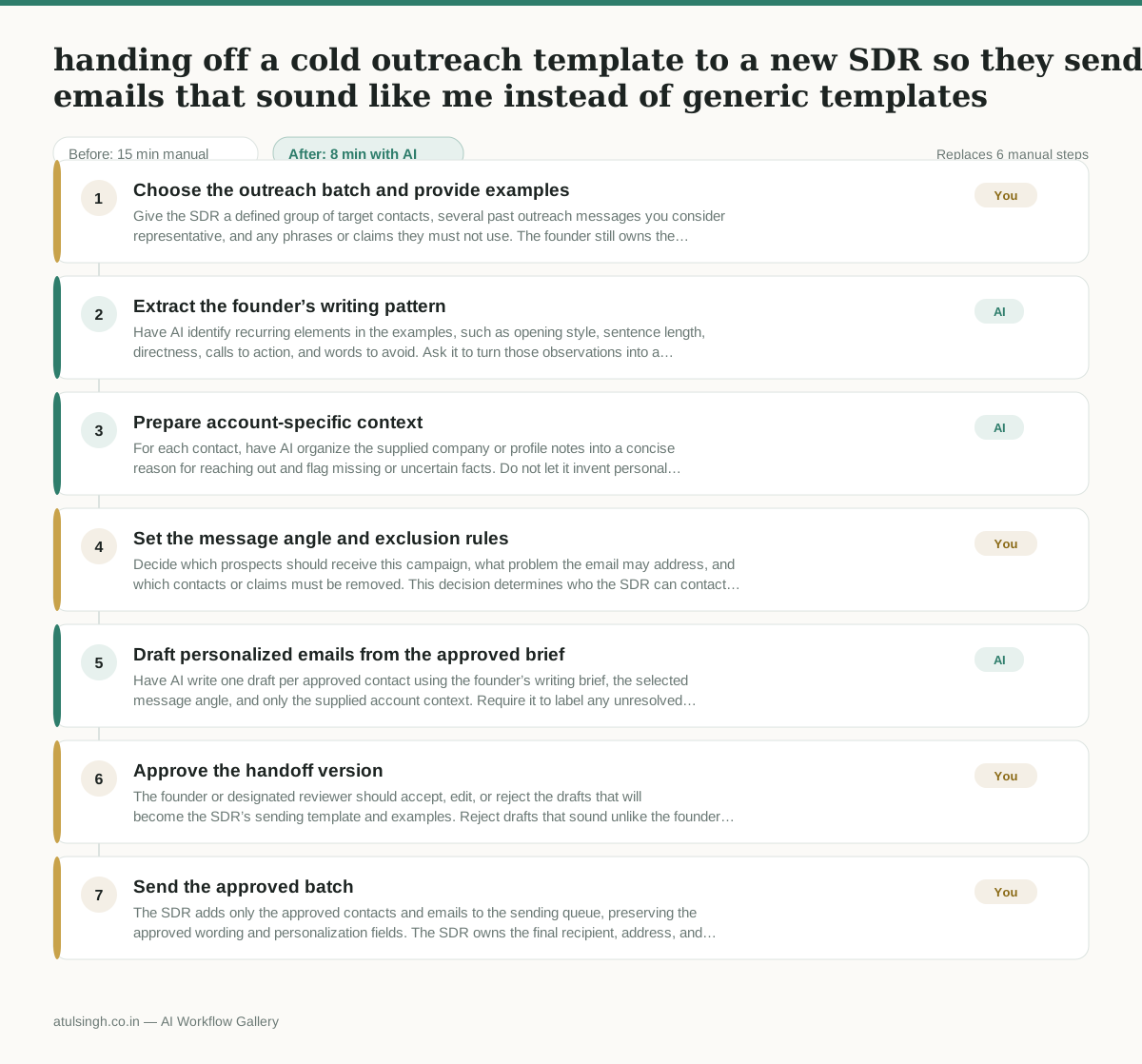
1. Choose the outreach batch and provide examples
Give the SDR a defined group of target contacts, several past outreach messages you consider representative, and any phrases or claims they must not use. The founder still owns the source material because AI cannot reliably infer personal tone from too few or inconsistent examples.
- AI
2. Extract the founder’s writing pattern
Have AI identify recurring elements in the examples, such as opening style, sentence length, directness, calls to action, and words to avoid. Ask it to turn those observations into a short writing brief rather than treating the analysis as a perfect replica of the founder’s voice.
- AI
3. Prepare account-specific context
For each contact, have AI organize the supplied company or profile notes into a concise reason for reaching out and flag missing or uncertain facts. Do not let it invent personal details, business priorities, or evidence that is not in the source material.
- You
4. Set the message angle and exclusion rules
Decide which prospects should receive this campaign, what problem the email may address, and which contacts or claims must be removed. This decision determines who the SDR can contact and prevents a polished message from being sent to the wrong audience or with unsupported personalization.
- AI
5. Draft personalized emails from the approved brief
Have AI write one draft per approved contact using the founder’s writing brief, the selected message angle, and only the supplied account context. Require it to label any unresolved fact or weak personalization so the SDR does not mistake a plausible sentence for a verified one.
- You
6. Approve the handoff version
The founder or designated reviewer should accept, edit, or reject the drafts that will become the SDR’s sending template and examples. Reject drafts that sound unlike the founder, rely on uncertain facts, or use an unsuitable angle; only approved copy should be added to the sending queue.
- You
7. Send the approved batch
The SDR adds only the approved contacts and emails to the sending queue, preserving the approved wording and personalization fields. The SDR owns the final recipient, address, and scheduling check before sending.
What you end up with
Where this falls apart
- The input examples of past outreach are inconsistent or cover too many distinct products, which causes the AI to generate generic or contradictory writing briefs.
- The supplied account context contains outdated or incorrect facts, which leads the AI to produce plausible-sounding drafts that reference false information.
More for Founder-led Sales
- reaching out to former colleagues and personal contacts to announce a new company or product launch without sounding like a spammy marketer
- Turn raw discovery call notes into a structured pilot proposal for a new client
- Reply to inbound beta signups to figure out if they are a real fit before getting on a call
- following up on proposals that went quiet without annoying the prospect
Also in sales
- Research an incoming company and its decision makers before a first sales meeting
- Prep for a B2B demo call by checking recent company news, job postings, and tech stack changes to build relevant questions.
- Reviewing a new sales rep's practice pitch against the team's call criteria before letting them talk to real prospects
- Reviving deals that went quiet after sending a proposal by finding matching case studies and writing a follow-up message.