
Write the escalation summary before handing a stuck ticket to engineering
When a support lead needs to hand off a complex technical issue to engineering, writing the summary often requires reading through a long chat history, digging into past error logs, and piecing together the customer's reproduction steps from scratch. Important context gets left out, leading to back-and-forth questions from developers before they can even start investigating.
- Before
- 20 min
- After
- 12 min
- Saved
- 8 min
How this used to go
- Read through the entire customer conversation thread from the beginning
- Open the product logs or error tracking system to find relevant error codes
- Test the reported behavior in the staging environment to verify the bug
- Draft a summary of the issue, the customer's environment details, and reproduction steps
- Paste the raw error logs and screenshots into the internal ticketing system
- Assign the ticket to the appropriate engineering queue and notify the developer
Digging through long conversation histories to extract precise technical details while trying not to miss steps the customer took.
The workflow, step by step
- AI
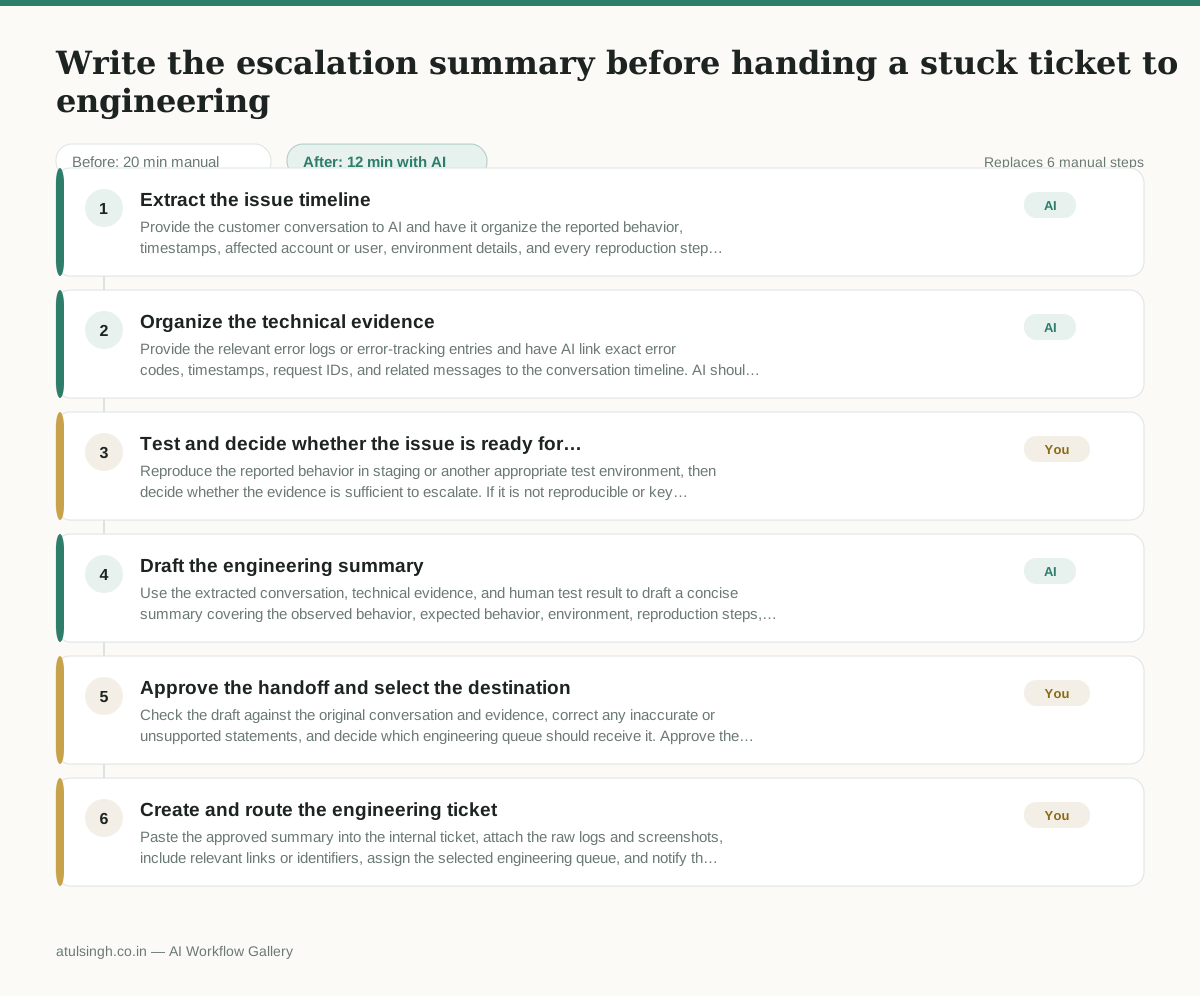
1. Extract the issue timeline
Provide the customer conversation to AI and have it organize the reported behavior, timestamps, affected account or user, environment details, and every reproduction step stated by the customer. It should mark details that are missing or ambiguous rather than filling them in.
- AI
2. Organize the technical evidence
Provide the relevant error logs or error-tracking entries and have AI link exact error codes, timestamps, request IDs, and related messages to the conversation timeline. AI should quote the available evidence and clearly flag anything it cannot access or verify.
- You
3. Test and decide whether the issue is ready for escalation
Reproduce the reported behavior in staging or another appropriate test environment, then decide whether the evidence is sufficient to escalate. If it is not reproducible or key details are missing, return to the customer or support queue for clarification instead of sending an incomplete engineering handoff.
- AI
4. Draft the engineering summary
Use the extracted conversation, technical evidence, and human test result to draft a concise summary covering the observed behavior, expected behavior, environment, reproduction steps, frequency, impact, and supporting error evidence. Keep unverified assumptions labeled as open questions.
- You
5. Approve the handoff and select the destination
Check the draft against the original conversation and evidence, correct any inaccurate or unsupported statements, and decide which engineering queue should receive it. Approve the escalation only when the summary gives engineers enough information to begin investigation.
- You
6. Create and route the engineering ticket
Paste the approved summary into the internal ticket, attach the raw logs and screenshots, include relevant links or identifiers, assign the selected engineering queue, and notify the responsible developer or team.
What you end up with
Where this falls apart
- The source conversation uses slang, sarcasm, or vague descriptions instead of concrete technical terms, which causes the AI to extract incorrect reproduction steps and misleads the engineering team.
- The provided error logs lack correlating request IDs or timestamps, causing the AI to hallucinate connections between unrelated system errors and the customer's issue.
More for Customer Support Lead
- Review last week's support tickets and find the three macros that need rewriting
- score a sample of agent replies against the team's quality checklist
- Reviewing last week's support tickets to update macros and remove outdated responses before sharing them with the team
- Reviewing support chatbot transcripts to find where customers get stuck and sending those failed conversations to the team that updates the training data.
Also in support
- Checking whether a client account is confidential before publishing a case study or sharing details externally
- Identifying which accounts are ready for an expansion conversation based on their product usage and feature adoption data.
- Prepare a quarterly business review deck for a customer account using product usage data and past support tickets
- spot which accounts are at renewal risk before the renewal call