
score a sample of agent replies against the team's quality checklist
Team leads and QA reviewers lack the time to manually evaluate more than a tiny fraction of total support tickets, leaving coaching gaps and inconsistent adherence to support standards unspotted.
- Before
- 15 min
- After
- 7 min
- Saved
- 8 min
How this used to go
- Open a spreadsheet containing the team's quality assurance rubric and scoring criteria.
- Select a random sample of completed customer support tickets from the help desk.
- Read through the agent's responses and internal notes for each selected ticket.
- Compare the agent's actions against each line item on the QA scorecard, such as tone, accuracy, and policy adherence.
- Calculate the final score and note specific feedback or coaching points in the tracking sheet.
- Copy the scores and notes into an email or direct message to send to the agent.
Spending hours cross-referencing long ticket threads with a rubric, which leads to reviewing only a small, unrepresentative fraction of what the support team actually writes.
The workflow, step by step
- You
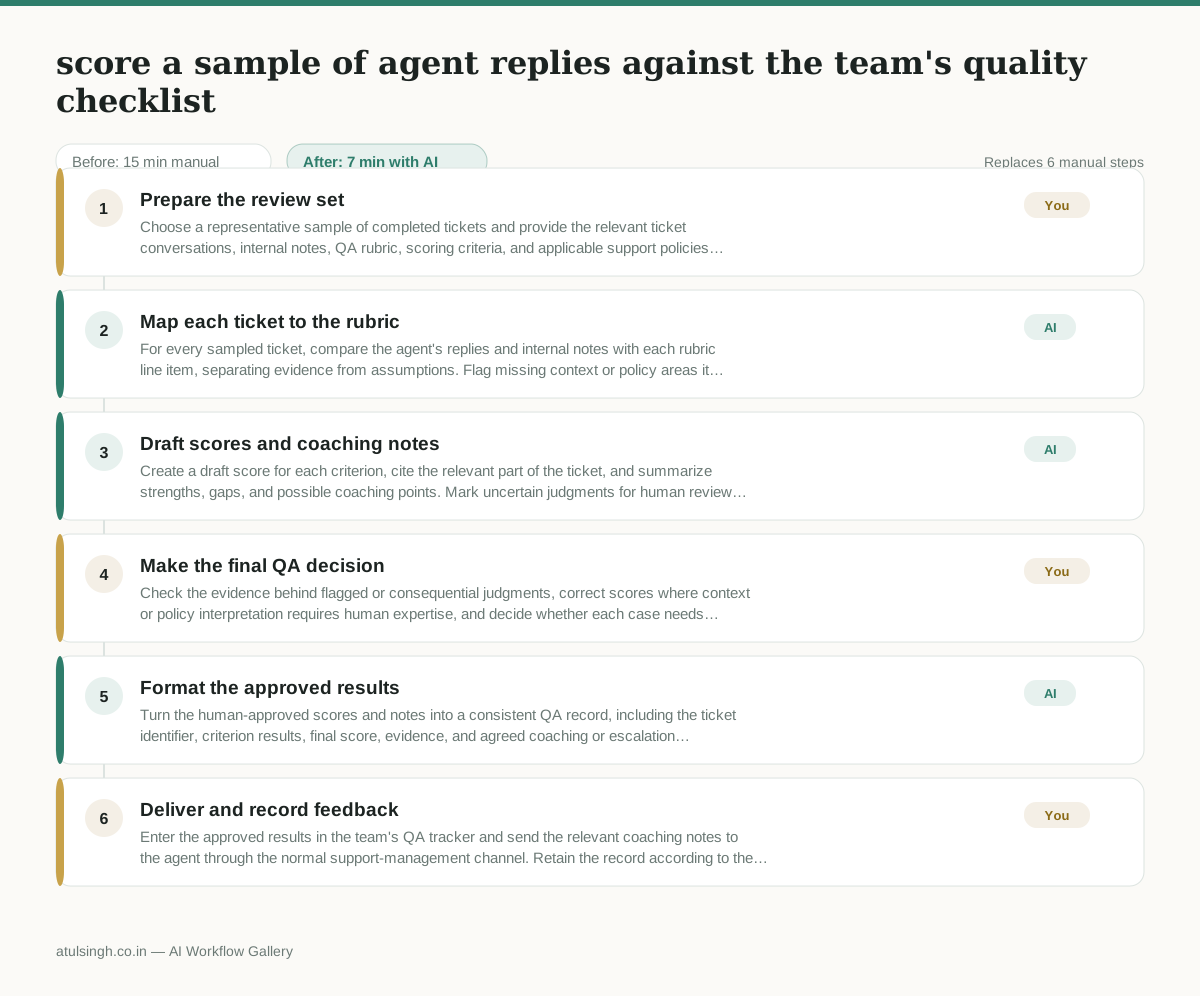
1. Prepare the review set
Choose a representative sample of completed tickets and provide the relevant ticket conversations, internal notes, QA rubric, scoring criteria, and applicable support policies. Remove information that the reviewer should not share outside the support team.
- AI
2. Map each ticket to the rubric
For every sampled ticket, compare the agent's replies and internal notes with each rubric line item, separating evidence from assumptions. Flag missing context or policy areas it cannot verify reliably.
- AI
3. Draft scores and coaching notes
Create a draft score for each criterion, cite the relevant part of the ticket, and summarize strengths, gaps, and possible coaching points. Mark uncertain judgments for human review rather than presenting them as confirmed findings.
- You
4. Make the final QA decision
Check the evidence behind flagged or consequential judgments, correct scores where context or policy interpretation requires human expertise, and decide whether each case needs coaching, escalation, or no action. The human owns the final score and any performance consequence.
- AI
5. Format the approved results
Turn the human-approved scores and notes into a consistent QA record, including the ticket identifier, criterion results, final score, evidence, and agreed coaching or escalation action.
- You
6. Deliver and record feedback
Enter the approved results in the team's QA tracker and send the relevant coaching notes to the agent through the normal support-management channel. Retain the record according to the team's access and retention rules.
What you end up with
Where this falls apart
- The support policy or rubric contains unwritten cultural norms or implicit rules, which causes the AI to penalize agents for valid contextual exceptions it cannot understand.
- An agent uses phone or video channels without a complete text transcript, which causes the AI to miss crucial verbal context and output inaccurate scores.
More for Customer Support Lead
- Review last week's support tickets and find the three macros that need rewriting
- Reviewing last week's support tickets to update macros and remove outdated responses before sharing them with the team
- Write the escalation summary before handing a stuck ticket to engineering
- Reviewing support chatbot transcripts to find where customers get stuck and sending those failed conversations to the team that updates the training data.
Also in support
- Checking whether a client account is confidential before publishing a case study or sharing details externally
- Identifying which accounts are ready for an expansion conversation based on their product usage and feature adoption data.
- Prepare a quarterly business review deck for a customer account using product usage data and past support tickets
- spot which accounts are at renewal risk before the renewal call