
Review last week's support tickets and find the three macros that need rewriting
Support teams often rely on outdated macros that fail to resolve customer issues or generate confusion, leading to repeat contacts, but manually auditing hundreds of ticket transcripts to find the worst-performing canned responses takes hours of tedious reading.
- Before
- 120 min
- After
- 45 min
- Saved
- 75 min
How this used to go
- Export last week's closed support tickets into a spreadsheet
- Filter the ticket export to isolate conversations that used specific macro IDs
- Read through individual ticket threads associated with each macro to check customer replies
- Note which macros resulted in follow-up questions or customer frustration
- Calculate a rough error or follow-up rate for each macro
- Select the top three macros with the highest failure rates to rewrite
Manually reading dozens of tedious email and chat threads to figure out *why* a customer replied with confusion after a macro was sent.
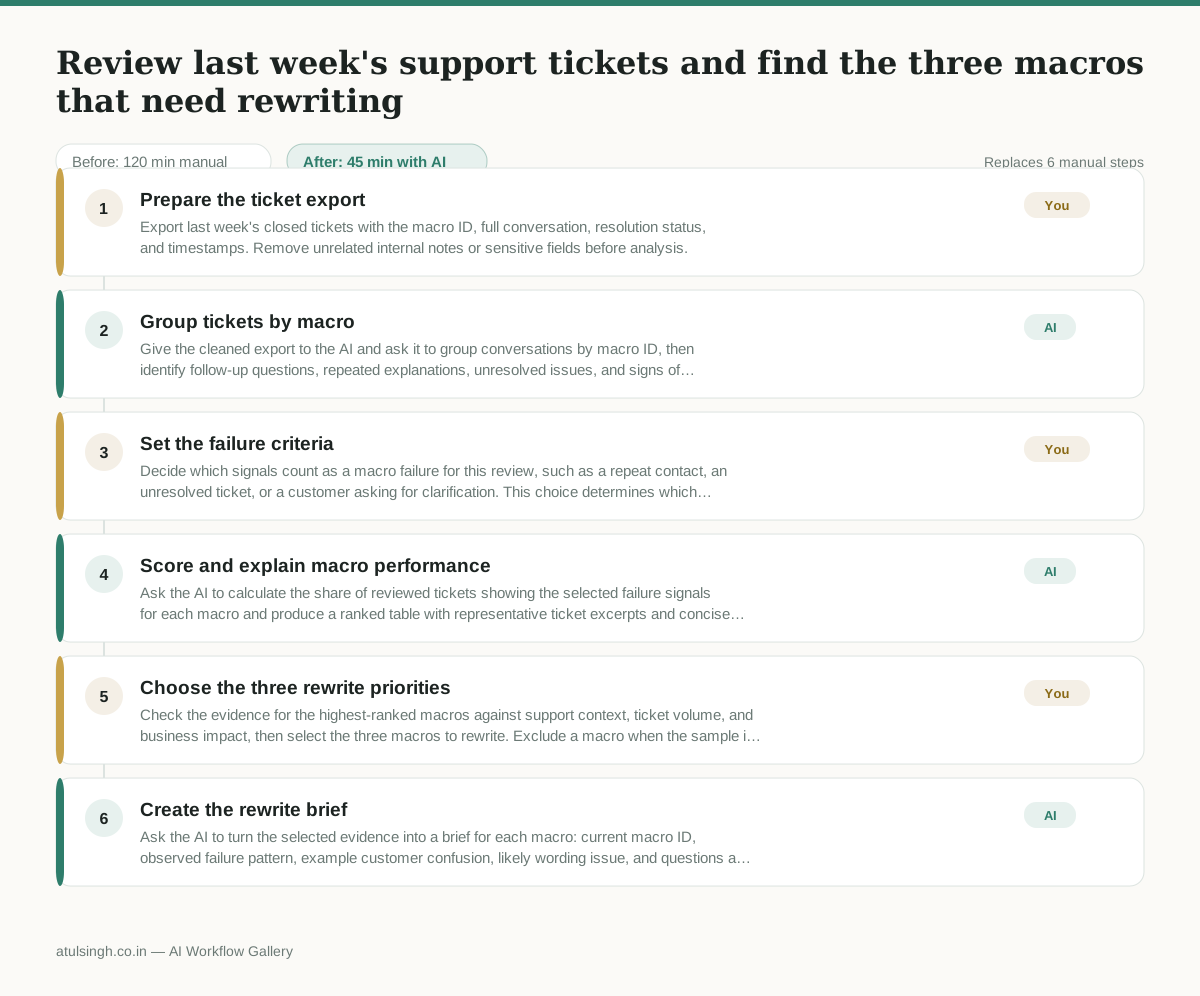
The workflow, step by step
- You
1. Prepare the ticket export
Export last week's closed tickets with the macro ID, full conversation, resolution status, and timestamps. Remove unrelated internal notes or sensitive fields before analysis.
- AI
2. Group tickets by macro
Give the cleaned export to the AI and ask it to group conversations by macro ID, then identify follow-up questions, repeated explanations, unresolved issues, and signs of customer confusion. AI can surface patterns, but it cannot reliably determine whether a macro caused the outcome without human context.
- You
3. Set the failure criteria
Decide which signals count as a macro failure for this review, such as a repeat contact, an unresolved ticket, or a customer asking for clarification. This choice determines which macros are ranked as rewrite priorities.
- AI
4. Score and explain macro performance
Ask the AI to calculate the share of reviewed tickets showing the selected failure signals for each macro and produce a ranked table with representative ticket excerpts and concise explanations. Treat the rates as directional because the AI may misclassify intent, tone, or whether the macro was actually responsible.
- You
5. Choose the three rewrite priorities
Check the evidence for the highest-ranked macros against support context, ticket volume, and business impact, then select the three macros to rewrite. Exclude a macro when the sample is too small or the failure appears unrelated to its wording.
- AI
6. Create the rewrite brief
Ask the AI to turn the selected evidence into a brief for each macro: current macro ID, observed failure pattern, example customer confusion, likely wording issue, and questions a human writer should resolve before drafting a replacement.
What you end up with
Where this falls apart
- Macro IDs are missing or inconsistently applied in the ticket data, which causes the AI to group unrelated conversations and produce invalid failure rates.
- Customer tone is sarcastic or nuanced, which causes the AI to misinterpret satisfaction as confusion and skew the macro ranking.
More for Customer Support Lead
- score a sample of agent replies against the team's quality checklist
- Reviewing last week's support tickets to update macros and remove outdated responses before sharing them with the team
- Write the escalation summary before handing a stuck ticket to engineering
- Reviewing support chatbot transcripts to find where customers get stuck and sending those failed conversations to the team that updates the training data.
Also in support
- Checking whether a client account is confidential before publishing a case study or sharing details externally
- Identifying which accounts are ready for an expansion conversation based on their product usage and feature adoption data.
- Prepare a quarterly business review deck for a customer account using product usage data and past support tickets
- spot which accounts are at renewal risk before the renewal call