
Reviewing last week's support tickets to update macros and remove outdated responses before sharing them with the team
Support macros get outdated as product features and policies change, but agents keep using saved replies that link to old documentation or give incorrect instructions because nobody has time to audit them regularly.
- Before
- 120 min
- After
- 60 min
- Saved
- 60 min
How this used to go
- Export last week's closed support tickets into a spreadsheet
- Filter for tickets where agents used standard macros or saved replies
- Read through the conversation threads to check if the macro response was accurate and helpful
- Identify macros that contain outdated links, wrong policies, or confusing steps
- Rewrite the flagged macros with updated information and instructions
- Send an email or message to the support team notifying them of the macro updates
Reading through dozens of resolved conversation threads just to find which saved replies are causing customer confusion or failing to answer the question directly.
The workflow, step by step
- You
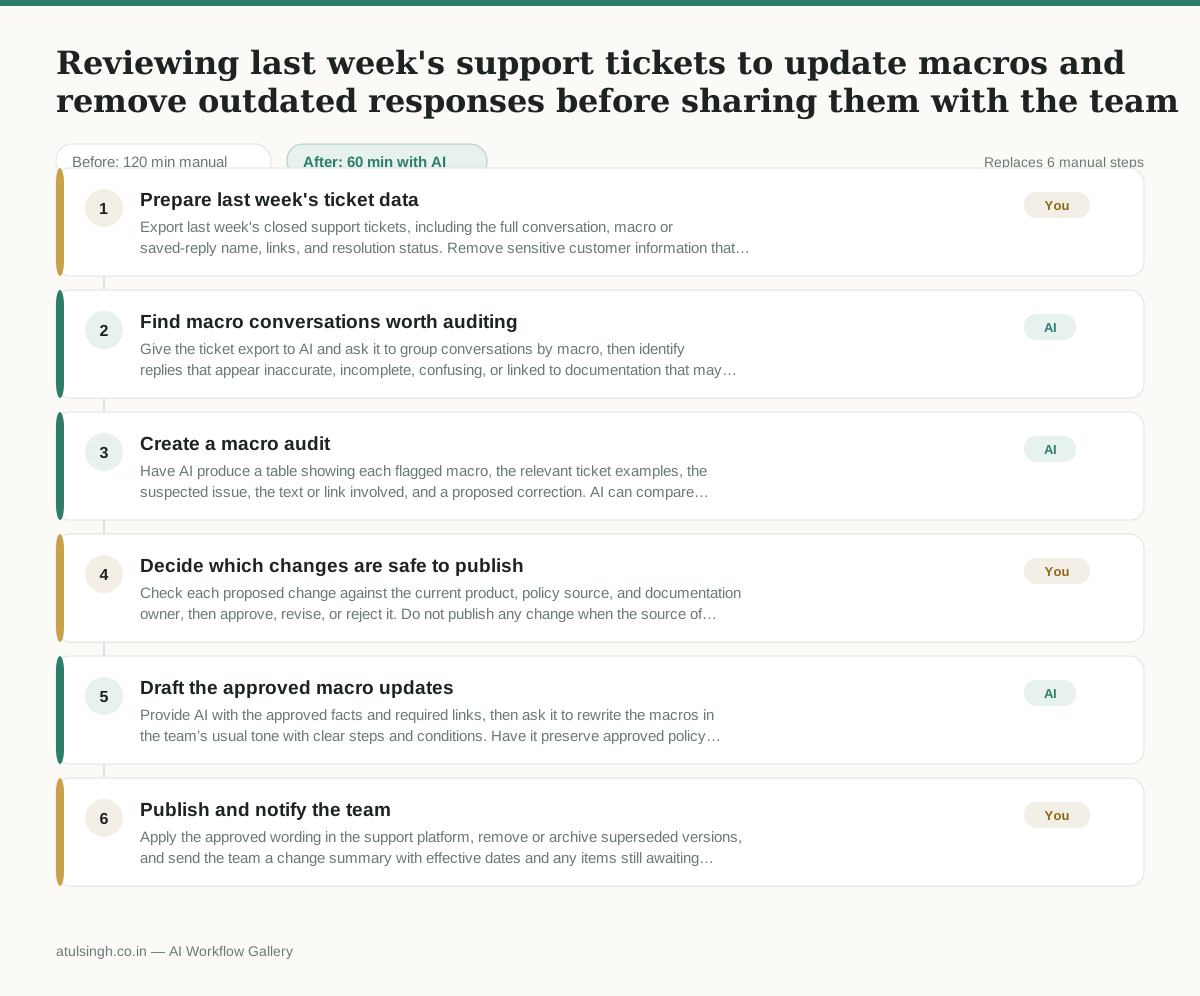
1. Prepare last week's ticket data
Export last week's closed support tickets, including the full conversation, macro or saved-reply name, links, and resolution status. Remove sensitive customer information that is not needed for the audit.
- AI
2. Find macro conversations worth auditing
Give the ticket export to AI and ask it to group conversations by macro, then identify replies that appear inaccurate, incomplete, confusing, or linked to documentation that may no longer apply. AI should flag uncertainty rather than treat a customer outcome as proof that a macro is correct.
- AI
3. Create a macro audit
Have AI produce a table showing each flagged macro, the relevant ticket examples, the suspected issue, the text or link involved, and a proposed correction. AI can compare wording across tickets, but it cannot reliably confirm current product behavior or policy without authoritative internal information.
- You
4. Decide which changes are safe to publish
Check each proposed change against the current product, policy source, and documentation owner, then approve, revise, or reject it. Do not publish any change when the source of truth is unclear; assign that item for policy or product confirmation instead.
- AI
5. Draft the approved macro updates
Provide AI with the approved facts and required links, then ask it to rewrite the macros in the team’s usual tone with clear steps and conditions. Have it preserve approved policy wording and list any missing information instead of filling gaps.
- You
6. Publish and notify the team
Apply the approved wording in the support platform, remove or archive superseded versions, and send the team a change summary with effective dates and any items still awaiting confirmation. The Customer Support Lead owns the final publication and accountability for agent use.
What you end up with
Where this falls apart
- The exported ticket data contains ambiguous customer sentiment or sarcasm, causing the model to misinterpret a successful resolution as evidence of a flawed macro.
- Internal product links and policy source documents change faster than the ticket history reflects, causing the model to recommend updates based on recently superseded instructions.
More for Customer Support Lead
- Review last week's support tickets and find the three macros that need rewriting
- score a sample of agent replies against the team's quality checklist
- Write the escalation summary before handing a stuck ticket to engineering
- Reviewing support chatbot transcripts to find where customers get stuck and sending those failed conversations to the team that updates the training data.
Also in support
- Checking whether a client account is confidential before publishing a case study or sharing details externally
- Identifying which accounts are ready for an expansion conversation based on their product usage and feature adoption data.
- Prepare a quarterly business review deck for a customer account using product usage data and past support tickets
- spot which accounts are at renewal risk before the renewal call