
Identifying which accounts are ready for an expansion conversation based on their product usage and feature adoption data.
Customer Success Managers often pitch tier upgrades too early or too late because tracking usage data across dozens of accounts by hand takes too much time, meaning expansion opportunities are missed or conversations happen when clients are already frustrated.
- Before
- 45 min
- After
- 15 min
- Saved
- 30 min
How this used to go
- Export weekly product usage and feature adoption reports from the analytics platform.
- Cross-reference usage data against active user limits and tier boundaries in the CRM.
- Review support ticket history for each account to check for unresolved technical friction.
- Draft a manual summary of usage trends and feature gaps for specific accounts.
- Send an internal Slack message to the account executive to check if budget is available before reaching out.
Manually cross-referencing usage data with CRM tier limits across dozens of accounts takes significant time and often misses subtle shifts in engagement.
The workflow, step by step
- You
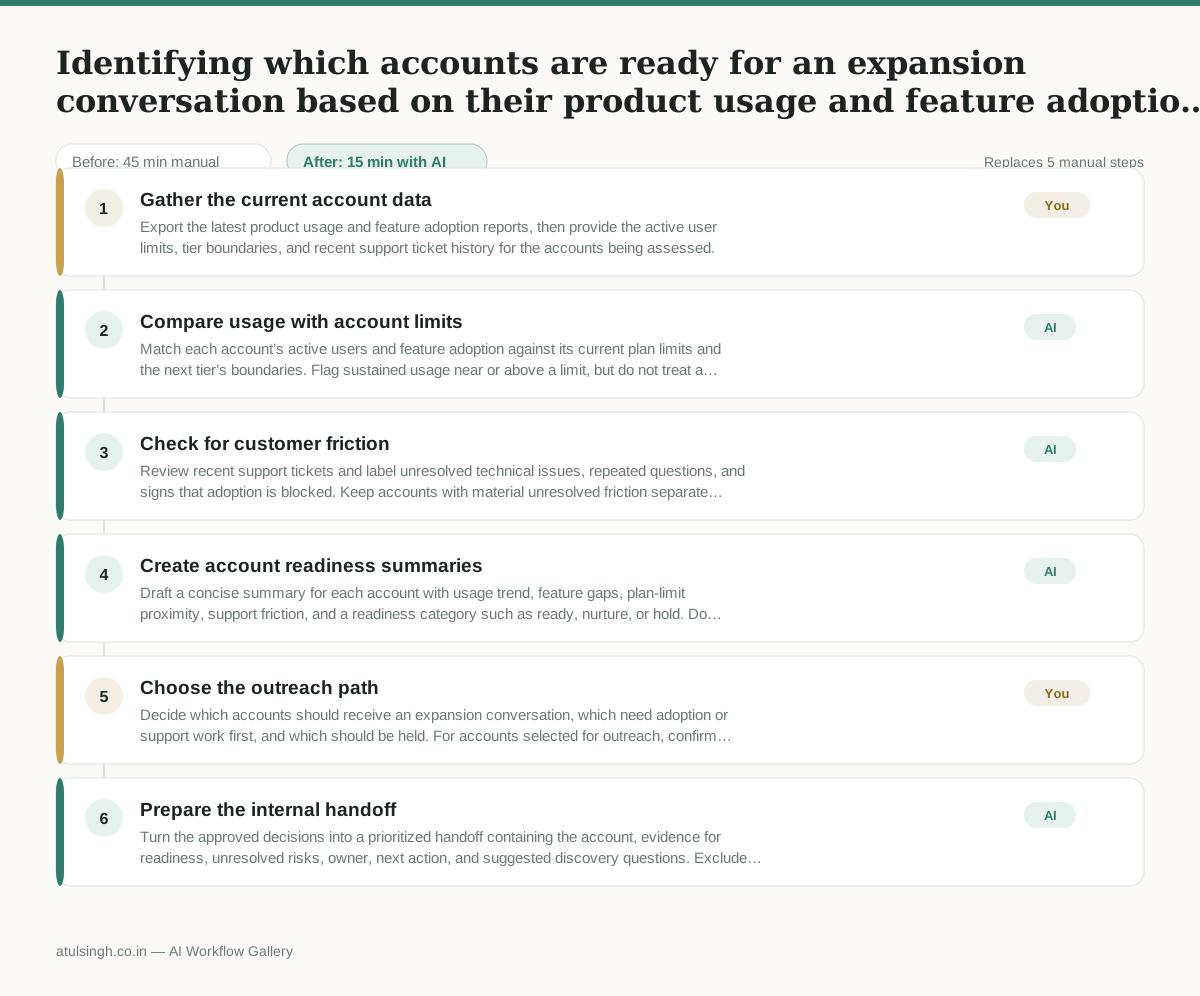
1. Gather the current account data
Export the latest product usage and feature adoption reports, then provide the active user limits, tier boundaries, and recent support ticket history for the accounts being assessed.
- AI
2. Compare usage with account limits
Match each account’s active users and feature adoption against its current plan limits and the next tier’s boundaries. Flag sustained usage near or above a limit, but do not treat a single spike as proof of expansion readiness.
- AI
3. Check for customer friction
Review recent support tickets and label unresolved technical issues, repeated questions, and signs that adoption is blocked. Keep accounts with material unresolved friction separate from accounts that appear ready for a commercial conversation.
- AI
4. Create account readiness summaries
Draft a concise summary for each account with usage trend, feature gaps, plan-limit proximity, support friction, and a readiness category such as ready, nurture, or hold. Do not infer budget, buying intent, or customer satisfaction from usage data alone.
- You
5. Choose the outreach path
Decide which accounts should receive an expansion conversation, which need adoption or support work first, and which should be held. For accounts selected for outreach, confirm commercial context and budget availability with the account executive before contacting the customer.
- AI
6. Prepare the internal handoff
Turn the approved decisions into a prioritized handoff containing the account, evidence for readiness, unresolved risks, owner, next action, and suggested discovery questions. Exclude accounts the human marked for nurture or hold from the outreach queue.
What you end up with
Where this falls apart
- The customer's product usage is driven by automated scripts or bots rather than active users, causing the workflow to misclassify non-human activity as genuine expansion readiness.
- Recent support tickets are logged without proper categorization or sentiment tags, causing the workflow to misinterpret technical friction as normal usage and incorrectly flag frustrated accounts as ready for upgrade.
More for Customer Success Manager
- Checking whether a client account is confidential before publishing a case study or sharing details externally
- Prepare a quarterly business review deck for a customer account using product usage data and past support tickets
- spot which accounts are at renewal risk before the renewal call
- build a 30-day onboarding plan for a new account after kickoff
Also in support
- Review last week's support tickets and find the three macros that need rewriting
- score a sample of agent replies against the team's quality checklist
- Reviewing last week's support tickets to update macros and remove outdated responses before sharing them with the team
- Write the escalation summary before handing a stuck ticket to engineering