
spot which accounts are at renewal risk before the renewal call
Customer success managers often realize an account is going to churn only after the renewal notice is ignored or the cancellation request arrives, because usage drops and support tickets pile up across different systems before anyone connects the dots.
- Before
- 45 min
- After
- 20 min
- Saved
- 25 min
How this used to go
- Open the CRM and filter for accounts with renewals coming up in the next 60 days.
- Check the support ticketing system to see if recent complaints or unresolved issues exist for each account.
- Review product usage logs or analytics dashboards to check if login frequency or key feature adoption has declined.
- Scan recent email threads and meeting notes to gauge the customer's sentiment and identify any mentioned frustrations.
- Compile the findings into a spreadsheet or notes document to decide which accounts need immediate intervention.
Checking four or five different systems for every single account means signs of trouble get missed when workloads are heavy.
The workflow, step by step
- You
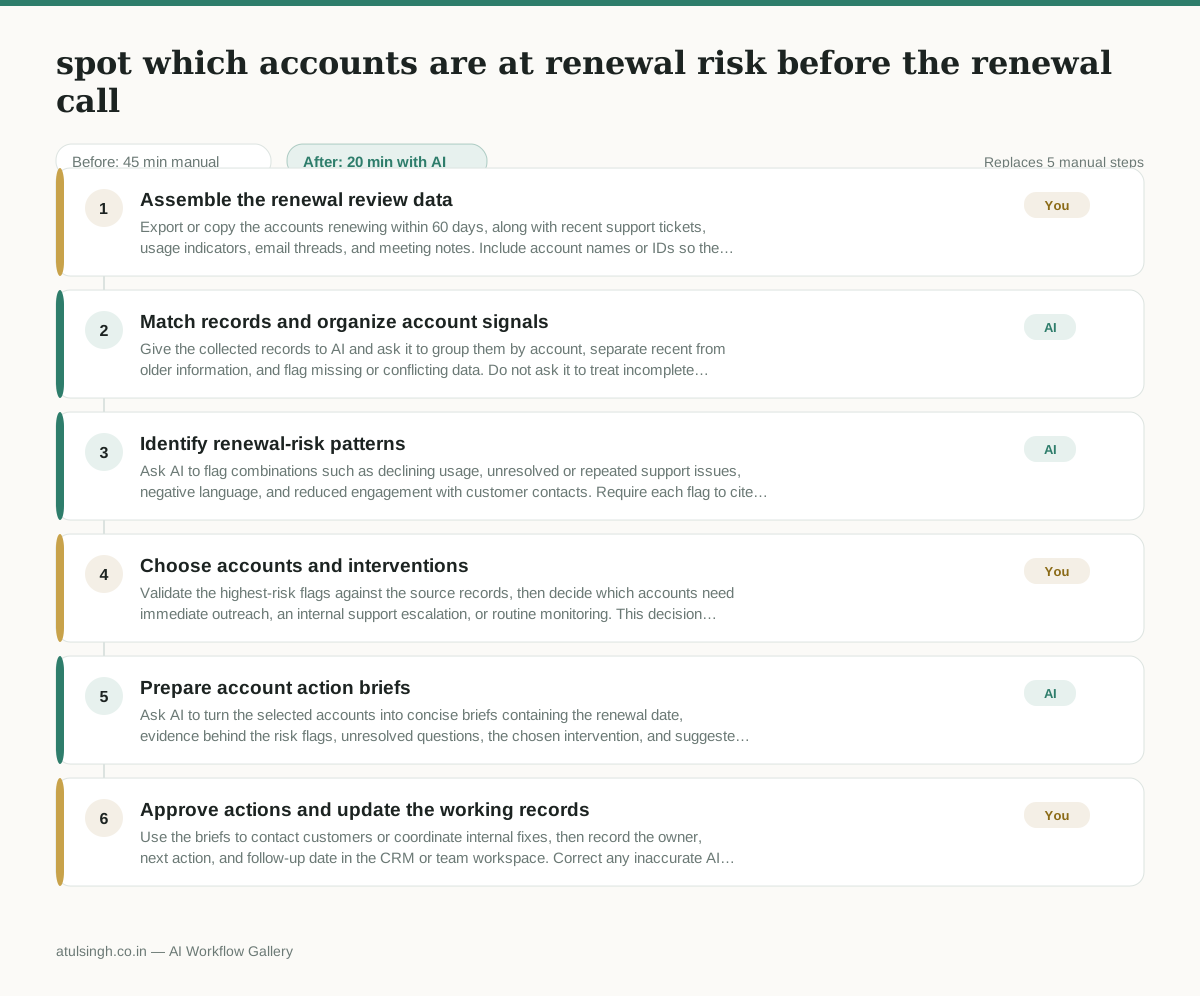
1. Assemble the renewal review data
Export or copy the accounts renewing within 60 days, along with recent support tickets, usage indicators, email threads, and meeting notes. Include account names or IDs so the records can be matched across sources.
- AI
2. Match records and organize account signals
Give the collected records to AI and ask it to group them by account, separate recent from older information, and flag missing or conflicting data. Do not ask it to treat incomplete records as evidence of churn risk.
- AI
3. Identify renewal-risk patterns
Ask AI to flag combinations such as declining usage, unresolved or repeated support issues, negative language, and reduced engagement with customer contacts. Require each flag to cite the source record and label sentiment or intent as uncertain when the evidence is ambiguous.
- You
4. Choose accounts and interventions
Validate the highest-risk flags against the source records, then decide which accounts need immediate outreach, an internal support escalation, or routine monitoring. This decision determines where the team spends its limited intervention time, and AI should not make it alone.
- AI
5. Prepare account action briefs
Ask AI to turn the selected accounts into concise briefs containing the renewal date, evidence behind the risk flags, unresolved questions, the chosen intervention, and suggested talking points. Exclude unsupported claims about customer intent.
- You
6. Approve actions and update the working records
Use the briefs to contact customers or coordinate internal fixes, then record the owner, next action, and follow-up date in the CRM or team workspace. Correct any inaccurate AI summary before it is shared with the customer or used in a renewal decision.
What you end up with
Where this falls apart
- Customer communications contain sarcastic or dry phrasing that the model misinterprets as genuine satisfaction, causing actual churn risks to be hidden from the prioritized list.
- Support tickets lack clear resolution statuses or proper account linking, causing the model to treat old resolved complaints as active issues and falsely inflate the account risk score.
More for Customer Success Manager
- Checking whether a client account is confidential before publishing a case study or sharing details externally
- Identifying which accounts are ready for an expansion conversation based on their product usage and feature adoption data.
- Prepare a quarterly business review deck for a customer account using product usage data and past support tickets
- build a 30-day onboarding plan for a new account after kickoff
Also in support
- Review last week's support tickets and find the three macros that need rewriting
- score a sample of agent replies against the team's quality checklist
- Reviewing last week's support tickets to update macros and remove outdated responses before sharing them with the team
- Write the escalation summary before handing a stuck ticket to engineering