
Write an escalation summary for a stuck customer support ticket and verify all technical details before handing it over to engineering
Support leads spend excessive time hunting through chat logs, knowledge bases, and previous tickets to assemble context for engineers, often missing crucial error logs or reproducing steps in the rush to escalate.
- Before
- 25 min
- After
- 12 min
- Saved
- 13 min
How this used to go
- Review the entire customer conversation history from the initial ticket creation to the current state
- Check internal systems and logs to verify if the reported error has occurred previously for this account or others
- Test the customer's reported workflow in a staging environment to confirm whether the issue can be reproduced
- Draft a summary of the problem, including customer impact, steps taken so far, and environment details
- Copy and paste relevant error codes, screenshots, and account identifiers into the bug tracking system
- Ping the on-call engineer or post in the engineering triage channel to request review
Manually digging through fragmented chat histories and system logs to piece together a clear timeline and missing technical details while the customer waits for an update.
The workflow, step by step
- AI
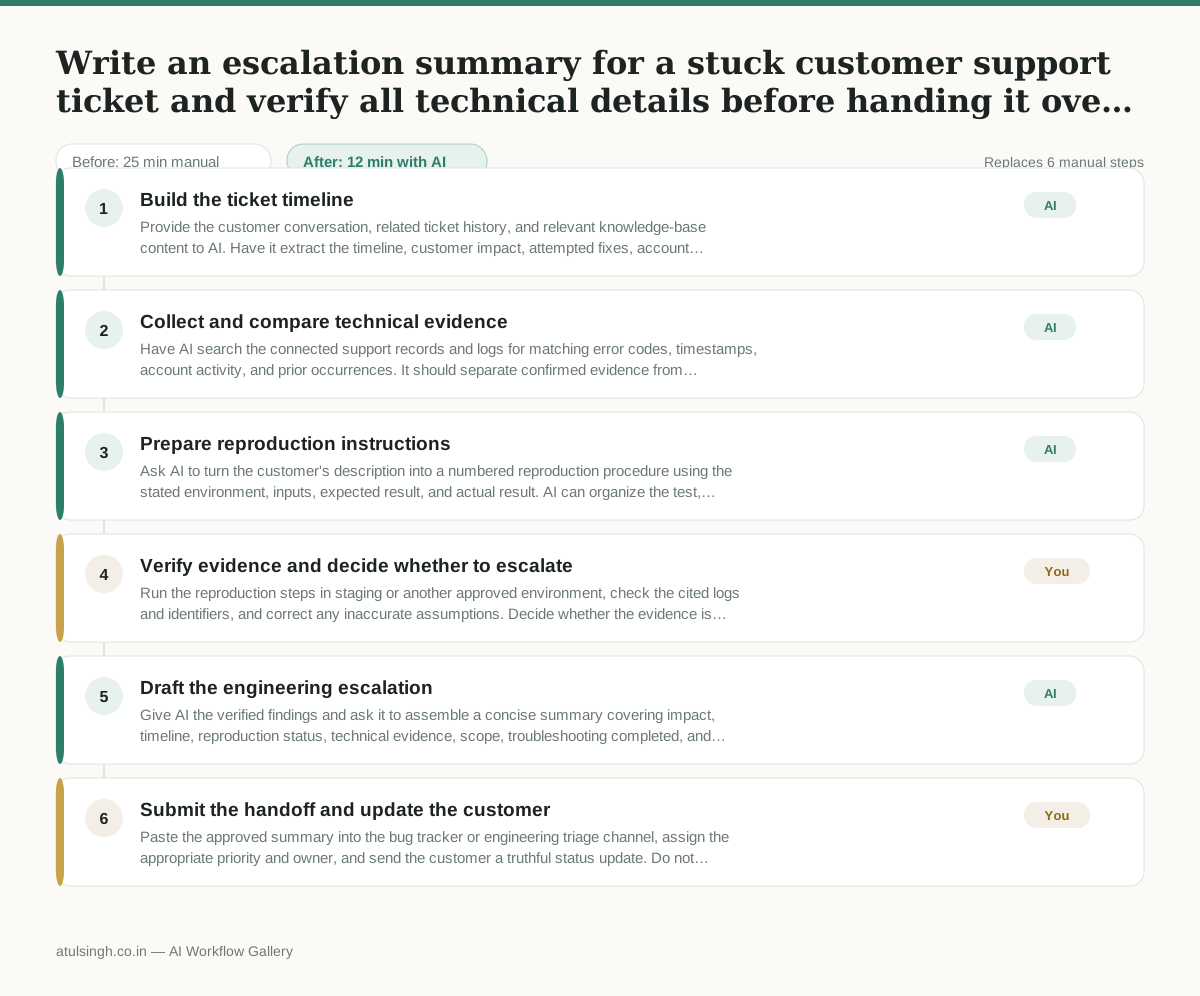
1. Build the ticket timeline
Provide the customer conversation, related ticket history, and relevant knowledge-base content to AI. Have it extract the timeline, customer impact, attempted fixes, account identifiers, environment details, and any unanswered questions, while marking details it cannot verify.
- AI
2. Collect and compare technical evidence
Have AI search the connected support records and logs for matching error codes, timestamps, account activity, and prior occurrences. It should separate confirmed evidence from customer-reported symptoms and flag missing logs or conflicting details.
- AI
3. Prepare reproduction instructions
Ask AI to turn the customer's description into a numbered reproduction procedure using the stated environment, inputs, expected result, and actual result. AI can organize the test, but it cannot reliably confirm reproduction without access to the correct environment and data.
- You
4. Verify evidence and decide whether to escalate
Run the reproduction steps in staging or another approved environment, check the cited logs and identifiers, and correct any inaccurate assumptions. Decide whether the evidence is sufficient to escalate; if not, return to the customer for missing information or keep the ticket open.
- AI
5. Draft the engineering escalation
Give AI the verified findings and ask it to assemble a concise summary covering impact, timeline, reproduction status, technical evidence, scope, troubleshooting completed, and remaining unknowns. Include exact error codes, screenshots, links to internal records, and account identifiers only when they have been verified.
- You
6. Submit the handoff and update the customer
Paste the approved summary into the bug tracker or engineering triage channel, assign the appropriate priority and owner, and send the customer a truthful status update. Do not present an AI-generated cause as confirmed until engineering verifies it.
What you end up with
Where this falls apart
- The customer provides vague error descriptions lacking distinct error codes or timestamps, which causes the AI to hallucinate matches with unrelated historical tickets.
- The connected support logs contain conflicting timestamps across different microservices, which leads the AI to missequence the timeline of events.
More for Customer Support Lead
- Review last week's support tickets and find the three macros that need rewriting
- score a sample of agent replies against the team's quality checklist
- Reviewing last week's support tickets to update macros and remove outdated responses before sharing them with the team
- Write the escalation summary before handing a stuck ticket to engineering
Also in support
- Checking whether a client account is confidential before publishing a case study or sharing details externally
- Identifying which accounts are ready for an expansion conversation based on their product usage and feature adoption data.
- Prepare a quarterly business review deck for a customer account using product usage data and past support tickets
- spot which accounts are at renewal risk before the renewal call