
Compiling the shift handover log from unresolved tickets and flagging approaching SLA breaches before the end of the shift
Support leads spend the last thirty minutes of every shift manually combing through open ticket queues to find urgent issues, leading to missed SLA breaches and incomplete notes passed to the incoming team.
- Before
- 35 min
- After
- 15 min
- Saved
- 20 min
How this used to go
- Filter the help desk queue for all currently unresolved or pending tickets assigned to the outgoing shift.
- Open each ticket individually to check the last response time and calculate the remaining time until the SLA breaches.
- Review internal notes and customer replies to summarize the current status of each open issue.
- Identify high-priority tickets that require immediate attention from the incoming shift lead.
- Draft the shift handover summary in a shared document or internal chat channel, typing out ticket IDs, customer names, and urgent action items by hand.
Manually calculating remaining SLA times across dozens of open tickets while rushing to finish the shift often results in missed deadlines and overlooked escalations.
The workflow, step by step
- You
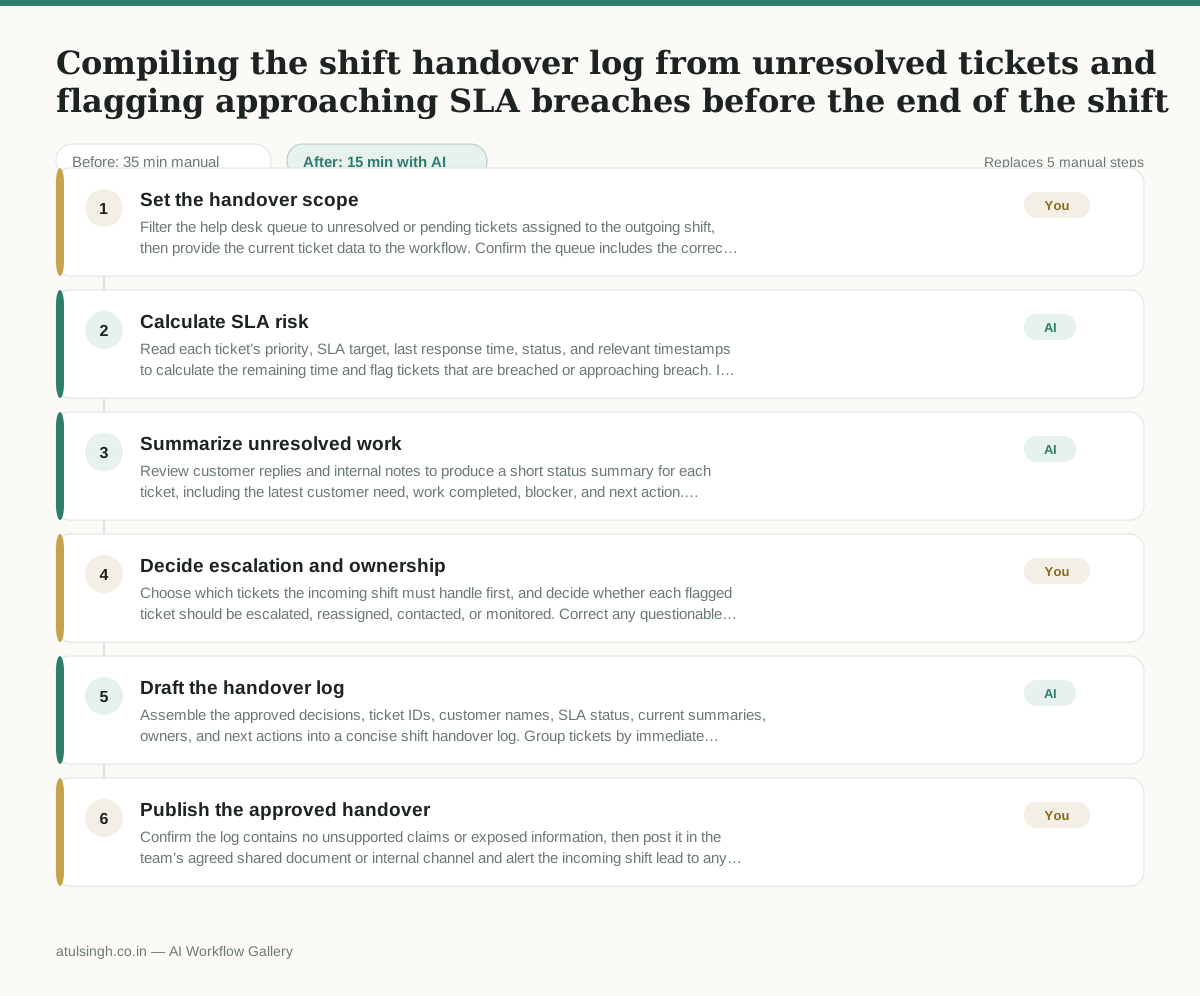
1. Set the handover scope
Filter the help desk queue to unresolved or pending tickets assigned to the outgoing shift, then provide the current ticket data to the workflow. Confirm the queue includes the correct shift, team, and reporting time.
- AI
2. Calculate SLA risk
Read each ticket’s priority, SLA target, last response time, status, and relevant timestamps to calculate the remaining time and flag tickets that are breached or approaching breach. If SLA rules, timestamps, pauses, or ownership are missing or ambiguous, mark the ticket for human confirmation rather than treating the calculation as reliable.
- AI
3. Summarize unresolved work
Review customer replies and internal notes to produce a short status summary for each ticket, including the latest customer need, work completed, blocker, and next action. Preserve uncertainty when the notes do not establish a clear status.
- You
4. Decide escalation and ownership
Choose which tickets the incoming shift must handle first, and decide whether each flagged ticket should be escalated, reassigned, contacted, or monitored. Correct any questionable SLA calculation or summary before the decision is recorded, because this determines who acts next and which customer issues receive immediate attention.
- AI
5. Draft the handover log
Assemble the approved decisions, ticket IDs, customer names, SLA status, current summaries, owners, and next actions into a concise shift handover log. Group tickets by immediate action, approaching SLA breach, and routine follow-up.
- You
6. Publish the approved handover
Confirm the log contains no unsupported claims or exposed information, then post it in the team’s agreed shared document or internal channel and alert the incoming shift lead to any immediate escalations. The human remains responsible for the final record and for ensuring urgent tickets have a named owner.
What you end up with
Where this falls apart
- Help desk ticket notes contain contradictory internal timestamps or unstructured status updates, which causes the AI to miscalculate SLA deadlines and flag the wrong tickets as urgent.
- Customer communications include sarcasm or complex industry jargon in the latest thread, which causes the AI to produce incorrect summaries of the actual blocker and next step.
More for Customer Support Lead
- Review last week's support tickets and find the three macros that need rewriting
- score a sample of agent replies against the team's quality checklist
- Reviewing last week's support tickets to update macros and remove outdated responses before sharing them with the team
- Write the escalation summary before handing a stuck ticket to engineering
Also in support
- Checking whether a client account is confidential before publishing a case study or sharing details externally
- Identifying which accounts are ready for an expansion conversation based on their product usage and feature adoption data.
- Prepare a quarterly business review deck for a customer account using product usage data and past support tickets
- spot which accounts are at renewal risk before the renewal call